- Mahotas 教程
- Mahotas - 首頁
- Mahotas - 簡介
- Mahotas - 計算機視覺
- Mahotas - 歷史
- Mahotas - 特性
- Mahotas - 安裝
- Mahotas 影像處理
- Mahotas - 影像處理
- Mahotas - 載入影像
- Mahotas - 載入灰度影像
- Mahotas - 顯示影像
- Mahotas - 顯示影像形狀
- Mahotas - 儲存影像
- Mahotas - 影像質心
- Mahotas - 影像卷積
- Mahotas - 建立RGB影像
- Mahotas - 影像尤拉數
- Mahotas - 影像中零的比例
- Mahotas - 獲取影像矩
- Mahotas - 影像區域性最大值
- Mahotas - 影像橢圓軸
- Mahotas - 影像RGB拉伸
- Mahotas 顏色空間轉換
- Mahotas - 顏色空間轉換
- Mahotas - RGB到灰度轉換
- Mahotas - RGB到LAB轉換
- Mahotas - RGB到褐色轉換
- Mahotas - RGB到XYZ轉換
- Mahotas - XYZ到LAB轉換
- Mahotas - XYZ到RGB轉換
- Mahotas - 增加伽馬校正
- Mahotas - 拉伸伽馬校正
- Mahotas 標記影像函式
- Mahotas - 標記影像函式
- Mahotas - 標記影像
- Mahotas - 過濾區域
- Mahotas - 邊界畫素
- Mahotas - 形態學運算
- Mahotas - 形態學運算元
- Mahotas - 求影像平均值
- Mahotas - 裁剪影像
- Mahotas - 影像離心率
- Mahotas - 影像疊加
- Mahotas - 影像圓度
- Mahotas - 調整影像大小
- Mahotas - 影像直方圖
- Mahotas - 影像膨脹
- Mahotas - 影像腐蝕
- Mahotas - 分水嶺演算法
- Mahotas - 影像開運算
- Mahotas - 影像閉運算
- Mahotas - 填充影像空洞
- Mahotas - 條件膨脹影像
- Mahotas - 條件腐蝕影像
- Mahotas - 影像條件分水嶺演算法
- Mahotas - 影像區域性最小值
- Mahotas - 影像區域最大值
- Mahotas - 影像區域最小值
- Mahotas - 高階概念
- Mahotas - 影像閾值化
- Mahotas - 設定閾值
- Mahotas - 軟閾值
- Mahotas - Bernsen區域性閾值化
- Mahotas - 小波變換
- 製作影像小波中心
- Mahotas - 距離變換
- Mahotas - 多邊形工具
- Mahotas - 區域性二值模式
- 閾值鄰域統計
- Mahotas - Haralic 特徵
- 標記區域的權重
- Mahotas - Zernike 特徵
- Mahotas - Zernike 矩
- Mahotas - 排序濾波器
- Mahotas - 二維拉普拉斯濾波器
- Mahotas - 多數濾波器
- Mahotas - 均值濾波器
- Mahotas - 中值濾波器
- Mahotas - Otsu 方法
- Mahotas - 高斯濾波
- Mahotas - Hit & Miss 變換
- Mahotas - 標記最大值陣列
- Mahotas - 影像平均值
- Mahotas - SURF 密集點
- Mahotas - SURF 積分圖
- Mahotas - Haar 變換
- 突出顯示影像最大值
- 計算線性二值模式
- 獲取標籤邊界
- 反轉 Haar 變換
- Riddler-Calvard 方法
- 標記區域的大小
- Mahotas - 模板匹配
- 加速魯棒特徵
- 去除帶邊框的標記
- Mahotas - Daubechies 小波
- Mahotas - Sobel 邊緣檢測
Mahotas - 閾值鄰域統計
閾值鄰域統計 (TAS) 是一種從影像中提取重要資訊的技巧。在瞭解 TAS 的工作原理之前,讓我們簡要了解一下閾值化。
閾值化是一種根據特定值(閾值)將影像分割為前景區域和背景區域的技術。前景區域包含強度值大於閾值的畫素。
另一方面,背景區域包含強度值小於閾值的畫素。
TAS 透過計算強度值超過閾值的畫素數量來工作。此外,它還考慮了指定數量的相鄰畫素,其強度值也超過閾值。
Mahotas 中的閾值鄰域統計
在 Mahotas 中,我們可以使用 mahotas.tas() 和 mahotas.pftas() 函式來計算影像的閾值鄰域統計。然後,可以使用計算出的統計資料來定位和提取影像中的重要資訊。
tas() 函式和 pftas() 函式之間唯一的區別在於,在 pftas() 函式中,我們可以設定任何用於計算 TAS 的閾值。
相反,tas() 函式不使用閾值來計算 TAS。
mahotas.tas() 函式
mahotas.tas() 函式接收影像作為輸入,並返回包含閾值鄰域統計資訊的列表。
語法
以下是 mahotas 中 tas() 函式的基本語法:
mahotas.features.tas(img)
其中:
img - 輸入影像。
示例
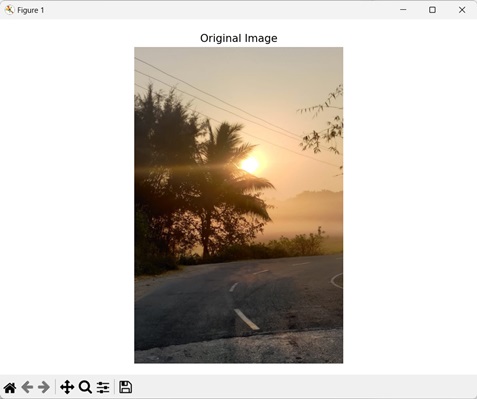
在下面提到的示例中,我們使用 mh.tas() 函式計算影像的 TAS 值。
import mahotas as mh
import numpy as np
import matplotlib.pyplot as mtplt
# Loading the images
image = mh.imread('sun.png')
# Computing TAS
tas = mh.features.tas(image)
# Printing the TAS value
print(tas)
# Creating a figure and axes for subplots
fig, axes = mtplt.subplots(1, 1)
# Displaying the original image
axes.imshow(image, cmap='gray')
axes.set_title('Original Image')
axes.set_axis_off()
# Adjusting spacing between subplots
mtplt.tight_layout()
# Showing the figures
mtplt.show()
輸出
上述程式碼的輸出如下:
[8.37835351e-01 1.15467657e-02 1.39075269e-02 9.92426122e-03
1.03643093e-02  6.76089647e-03 1.09572672e-02 6.88336269e-03
8.17548510e-03  6.01115411e-02 6.08145111e-03 5.10483489e-03
4.16108390e-03  2.81568522e-03 1.77506830e-03 1.46786490e-03
6.81867008e-04  6.12677053e-04 2.44932441e-04 2.76759821e-04
. . .
4.27349413e-03  7.01932689e-03 4.50541370e-03 5.45604649e-03
6.41356563e-02  4.43892481e-03 4.80936290e-03 4.46979465e-03
3.91413752e-03  2.33898410e-03 3.27299467e-03 1.12872803e-03
2.06353013e-03  4.92334385e-04 1.22371215e-03 1.14772485e-04
6.03149199e-04  3.32444440e-05 3.26112165e-04 1.18730157e-05
1.28228570e-04  0.00000000e+00]
我們得到以下輸出影像:
mahotas.pftas() 函式
mahotas.pftas() 函式接收影像和閾值作為輸入。它返回包含閾值鄰域統計資訊的列表。
語法
以下是 mahotas 中 pftas() 函式的基本語法:
mahotas.features.pftas(img, T={mahotas.threshold.otsu(img)})
其中:
img - 輸入影像。
T (可選) - 它定義了 TAS 中使用的閾值演算法(預設情況下它使用 Otsu 方法)。
示例
在下面的示例中,我們使用 mh.pftas() 函式計算影像的 TAS。
import mahotas as mh
import numpy as np
import matplotlib.pyplot as mtplt
# Loading the images
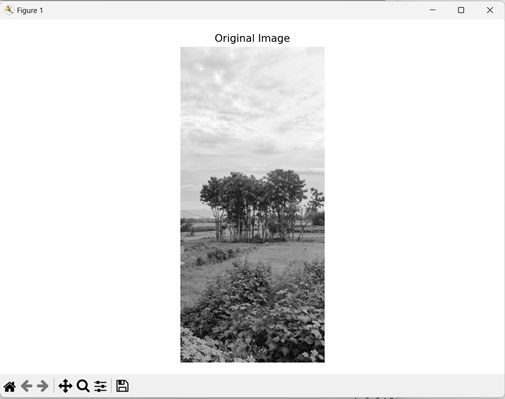
image = mh.imread('nature.jpeg')
# Converting it to grayscale
image = mh.colors.rgb2gray(image).astype(np.uint8)
# Computing parameter free TAS
pftas = mh.features.pftas(image)
# Printing the parameter free TAS value
print(pftas)
# Creating a figure and axes for subplots
fig, axes = mtplt.subplots(1, 1)
# Displaying the original image
axes.imshow(image, cmap='gray')
axes.set_title('Original Image')
axes.set_axis_off()
# Adjusting spacing between subplots
mtplt.tight_layout()
# Showing the figures
mtplt.show()
輸出
以下是上述程式碼的輸出:
[9.57767091e-01 1.48210628e-02  8.58153775e-03  1.18217967e-02
3.89970314e-03  1.86659948e-03  7.82131473e-04  3.19863291e-04
1.40214046e-04  9.73817262e-01  1.23385295e-02  5.89271152e-03
4.39412383e-03  1.90987201e-03  8.34387151e-04  4.60922081e-04
2.31642892e-04  1.20548852e-04  9.77691695e-01  8.29460231e-03
3.91949031e-03  7.21369229e-03  1.68522833e-03  7.53014919e-04
3.10737802e-04  1.12475646e-04  1.90636688e-05  9.47186804e-01
1.14563743e-02  9.65510102e-03  1.76918166e-02  5.35205921e-03
3.38515157e-03  2.13944340e-03  1.88754119e-03  1.24570817e-03
9.80623501e-01  3.72244140e-03  2.75392589e-03  4.22681210e-03
2.28359248e-03  1.92155953e-03  1.72971300e-03  1.63378974e-03
1.10466466e-03  9.59139669e-01  7.94832237e-03  7.15439233e-03
1.68349257e-02  3.75312384e-03  1.74123294e-03  9.83390623e-04
1.06007705e-03  1.38486661e-03]
獲得的影像是:
使用平均閾值
我們還可以使用平均閾值來計算影像的閾值鄰域統計。平均閾值是指透過取影像的平均畫素強度值來計算的閾值。
簡單來說,閾值是透過將影像中所有畫素的強度值相加,然後將該總和除以影像中畫素的總數來計算的。
在 mahotas 中,我們首先使用 mean() 函式計算平均閾值。然後,我們將此值設定為 pftas() 函式的 T 引數中,以使用平均閾值計算 TAS。
示例
在這裡,我們使用平均閾值獲取影像的 TAS。
import mahotas as mh
import numpy as np
import matplotlib.pyplot as mtplt
# Loading the images
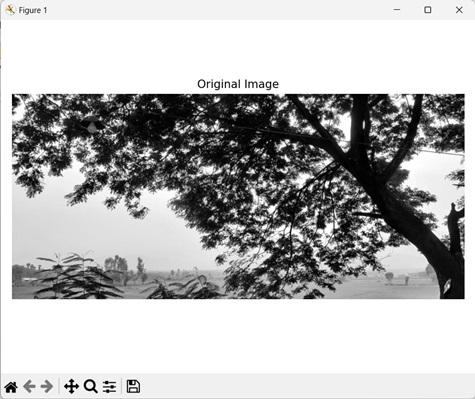
image = mh.imread('tree.tiff')
# Converting it to grayscale
image = mh.colors.rgb2gray(image).astype(np.uint8)
# Calculating threshold value
threshold = image > np.mean(image)
# Computing parameter free TAS using mean threshold
pftas = mh.features.pftas(image, threshold)
# Printing the parameter free TAS value
print(pftas)
# Creating a figure and axes for subplots
fig, axes = mtplt.subplots(1, 1)
# Displaying the original image
axes.imshow(image, cmap='gray')
axes.set_title('Original Image')
axes.set_axis_off()
# Adjusting spacing between subplots
mtplt.tight_layout()
# Showing the figures
mtplt.show()
輸出
執行上述程式碼後,我們得到以下輸出:
[0.63528106  0.07587514  0.06969174 0.07046435 0.05301355 0.0396411
 0.0278772   0.0187047   0.00945114 0.51355051 0.10530301 0.0960256
 0.08990634  0.06852526  0.05097649 0.03778379 0.02519265 0.01273634
 0.69524747  0.0985423   0.07691423 0.05862548 0.03432296 0.01936853
 0.01058033  0.00482901  0.00156968 0.46277808 0.17663377 0.13243407
 0.10085554  0.06345864  0.03523172 0.01735837 0.00835911 0.00289069
 0.78372479  0.0746143   0.04885744 0.03739208 0.02555628 0.01563048
 0.00822543  0.00436208  0.00163713 0.70661663 0.07079426 0.05897885
 0.06033083  0.04280415  0.02972053 0.01632203 0.01043743 0.00399529]
輸出影像是: