
- Google AMP 教程
- Google AMP - 首頁
- Google AMP - 概述
- Google AMP - 簡介
- Google AMP - 圖片
- Google AMP - 表單
- Google AMP - 內嵌框架 (Iframes)
- Google AMP - 影片
- Google AMP - 按鈕
- Google AMP - Timeago 時間戳
- Google AMP - MathML
- Google AMP - 自動調整文字大小 (Fit Text)
- Google AMP - 日期倒計時
- Google AMP - 日期選擇器
- Google AMP - 故事 (Story)
- Google AMP - 選擇器
- Google AMP - 連結
- Google AMP - 字型
- Google AMP - 列表
- Google AMP - 使用者通知
- Google AMP - 下一頁
- Google AMP - 屬性
- 樣式和自定義 CSS
- Google AMP - 動態 CSS 類
- Google AMP - 動作和事件
- Google AMP - 動畫
- Google AMP - 資料繫結
- Google AMP - 佈局
- Google AMP - 廣告
- Google AMP - 分析
- Google AMP - 社交外掛
- Google AMP - 媒體
- HTML 頁面轉換為 AMP 頁面
- Google AMP - 基本語法
- Google AMP - 驗證
- Google AMP - 快取
- Google AMP - 自定義 JavaScript
- Google AMP - CORS (跨域資源共享)
- Google AMP 有用資源
- Google AMP - 快速指南
- Google AMP - 有用資源
- Google AMP - 討論
Google AMP - Timeago 時間戳
Timeago 功能透過與過去時間的比較來顯示時間戳細節,例如“x”小時前。本章將詳細討論此功能。
要在我們的工作中插入此功能,我們需要將下面給出的指令碼新增到 .html 頁面:
<script async custom-element = "amp-timeago"
   src = "https://cdn.ampproject.org/v0/amp-timeago-0.1.js">
</script>
amp-timeago 標籤如下所示:
<amp-timeago layout = "fixed" width = "160" height = "20"
   datetime = "2018-10-01T00:37:33.809Z"
   locale = "en">Monday 01 October 2018 00.37
</amp-timeago>
讓我們透過下面的工作示例來理解這一點:
示例
<!doctype html>
<html amp lang = "en">
   <head>
      <meta charset = "utf-8">
      <script async src = "https://cdn.ampproject.org/v0.js"></script>
      <title>Google AMP - TimeAgo</title>

      <link rel = "canonical" href = " http://example.ampproject.org/article-metadata.html">

      <meta name = "viewport" content = "width = device-width,minimum-scale = 1,initial- scale = 1">

      <style amp-boilerplate>
         body{
            -webkit-animation:-amp-start 8s steps(1,end)
            0s 1 normal both;-moz-animation:
            -amp-start 8s steps(1,end) 0s 1 normal both;-ms-animation:
            -amp-start 8s steps(1,end) 0s 1 normal both;animation:
            -amp-start 8s steps(1,end) 0s 1 normal both
         }
         @-webkit-keyframes
         -amp-start{from{visibility:hidden}to{visibility:visible}}@-moz-keyframes
         -amp-start{from{visibility:hidden}to{visibility:visible}}@-ms-keyframes
         -amp-start{from{visibility:hidden}to{visibility:visible}}@-o-keyframes
         -amp-start{from{visibility:hidden}to{visibility:visible}}@keyframes
         -amp-start{from{visibility:hidden}to{visibility:visible}}
      </style>
      <noscript>
         <style amp-boilerplate>
            body{
            -webkit-animation:none;-moz-animation:none;-ms
            -animation:none;animation:none
         }
         </style>
      </noscript>

      <script async custom-element="amp-timeago"
         src = "https://cdn.ampproject.org/v0/amp-timeago-0.1.js">
      </script>
   </head>
   <body>
      <h1>Google AMP - TimeAgo Example</h1>
      <amp-timeago
         layout = "fixed"
         width = "160"
         height = "20"
         datetime = "2018-10-01T00:37:33.809Z"
         locale = "en">Monday 01 October 2018 00.37
      </amp-timeago>
   </body>
</html>
輸出
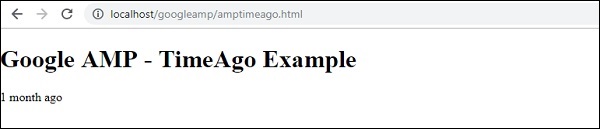
預設情況下,區域設定設定為 en。我們可以更改它,並根據需要以所需的區域設定顯示 timeago。timeago 標籤可以使用哪些區域設定,如下表所示。
| 序號 | 區域設定和描述 |
|---|---|
| 1 | ar 阿拉伯語 |
| 2 | be 白俄羅斯語 |
| 3 | be 白俄羅斯語 |
| 4 | bg 保加利亞語 |
| 5 | ca 加泰羅尼亞語 |
| 6 | da 丹麥語 |
| 7 | de 德語 |
| 8 | el 希臘語 |
| 9 | en 英語 |
| 10 | enShort 英語 - 簡短 |
| 11 | es 西班牙語 |
| 12 | eu 巴斯克語 |
| 13 | fi 芬蘭語 |
| 14 | fr 法語 |
| 15 | he 希伯來語 |
| 16 | hu 匈牙利語 |
| 17 | inBG 孟加拉語 |
| 18 | inHI 印地語 |
| 19 | inID 馬來語 |
| 20 | it 義大利語 |
| 21 | ja 日語 |
| 22 | ko 韓語 |
| 23 | ml 馬拉雅拉姆語 |
| 24 | nbNO 挪威書面挪威語 |
| 25 | nl 荷蘭語 |
| 26 | nnNO 挪威新挪威語 |
| 27 | pl 波蘭語 |
| 28 | ptBR 葡萄牙語 |
| 29 | ro 羅馬尼亞語 |
| 30 | ru 俄語 |
| 31 | sv 瑞典語 |
| 32 | ta 泰米爾語 |
| 33 | th 泰語 |
| 34 | tr 土耳其語 |
| 35 | uk 烏克蘭語 |
| 36 | vi 越南語 |
| 37 | zhCN 簡體中文 |
| 38 | zhTW 繁體中文 |
讓我們討論一些使用工作示例的區域設定,如下所示:
示例
<!doctype html>
<html amp lang = "en">
   <head>
      <meta charset = "utf-8">
      <script async src = "https://cdn.ampproject.org/v0.js"></script>
      <title>Google AMP - TimeAgo Using Locale</title>
      <link rel = "canonical" href = "http://example.ampproject.org/article-metadata.html">
      <meta name = "viewport" content = "width = device-width,minimum-scale = 1, initial-scale = 1">

      <style amp-boilerplate>
         body{
            -webkit-animation:
            -amp-start 8s steps(1,end) 0s 1 normal both;-moz-animation:
            -amp-start 8s steps(1,end) 0s 1 normal both;-ms-animation:
            -amp-start 8s steps(1,end) 0s 1 normal both;animation:
            -amp-start 8s steps(1,end) 0s 1 normal both
            }
         @-webkit-keyframes
         -amp-start{from{visibility:hidden}to{visibility:visible}}@-moz-keyframes
         -amp-start{from{visibility:hidden}to{visibility:visible}}@-ms-keyframes
         -amp-start{from{visibility:hidden}to{visibility:visible}}@-o-keyframes
         -amp-start{from{visibility:hidden}to{visibility:visible}}@keyframes
         -amp-start{from{visibility:hidden}to{visibility:visible}}
      </style>
      <noscript>
         <style amp-boilerplate>
            body{
               -webkit-animation:none;
               -moz-animation:none;-ms
               -animation:none;
               animation:none
            }
         </style>
      </noscript>
      <script async custom-element = "amp-timeago"
         src = "https://cdn.ampproject.org/v0/amp-timeago-0.1.js">
      </script>
   </head>
   <body>
      <h1>Google AMP - TimeAgo Example Using Locale</h1>

      <h3>Locale : Russian</h3>
      <amp-timeago layout = "fixed"
         width = "160" height = "20"
         datetime = "2018-10-01T00:37:33.809Z"
         locale = "ru">

         Monday 01 October 2018 00.37
      </amp-timeago>

      <h3>Locale : Korean</h3>
      <amp-timeago
         layout = "fixed"
         width = "160"
         height = "20"
         datetime = "2018-10-01T00:37:33.809Z"
         locale = "ko">
            Monday 01 October 2018 00.37
      </amp-timeago>
      <h3>Locale : Hindi</h3>

      <amp-timeago
         layout = "fixed"
         width = "160"
         height = "20"
         datetime = "2018-10-01T00:37:33.809Z"
         locale = "inHI">

         Monday 01 October 2018 00.37
      </amp-timeago>

      <h3>Locale : Spanish</h3>
      <amp-timeago
         layout = "fixed"
         width = "160"
         height = "20"
         datetime = "2018-10-01T00:37:33.809Z"
         locale = "es">

         Monday 01 October 2018 00.37
      </amp-timeago>

      <h3>Locale : French</h3>
      <amp-timeago
         layout = "fixed"
         width = "160"
         height = "20"
         datetime = "2018-10-01T00:37:33.809Z"
         locale = "fr">

         Monday 01 October 2018 00.3
         </amp-timeago>
   </body>
</html>
輸出
上面程式碼的輸出如下所示:

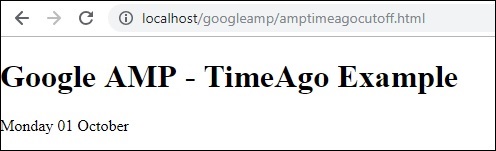
如果需要更改“X 時間前”的顯示,我們可以使用 timeago 的“cutoff”屬性。Cutoff 以秒為單位取值,以去除 ago 顯示。
讓我們透過下面的工作示例來理解這一點:
示例
<!doctype html>
<html amp lang = "en">
   <head>
      <meta charset = "utf-8">
      <script async src = "https://cdn.ampproject.org/v0.js"></script>
      <title>Google AMP - TimeAgo</title>
      <link rel = "canonical" href = "http://example.ampproject.org/article-metadata.html">
      <meta name = "viewport" content = "width = device-width,minimum-scale=1, initial-scale=1">

      <style amp-boilerplate>
         body{
            -webkit-animation:
            -amp-start 8s steps(1,end) 0s 1 normal both;-moz-animation:
            -amp-start 8s steps(1,end) 0s 1 normal both;-ms-animation:
            -amp-start 8s steps(1,end) 0s 1 normal both;animation:
            -amp-start 8s steps(1,end) 0s 1 normal both
         }
         @-webkit-keyframes
         -amp-start{from{visibility:hidden}to{visibility:visible}}@-moz-keyframes
         -amp-start{from{visibility:hidden}to{visibility:visible}}@-ms-keyframes
         -amp-start{from{visibility:hidden}to{visibility:visible}}@-o-keyframes
         -amp-start{from{visibility:hidden}to{visibility:visible}}@keyframes
         -amp-start{from{visibility:hidden}to{visibility:visible}}
      </style>
      <noscript>
         <style amp-boilerplate>
            body{
               -webkit-animation:none;
               -moz-animation:none;
               -ms-animation:none;
               animation:none
            }
         </style>
      </noscript>

      <script async custom-element = "amp-timeago"
         src = "https://cdn.ampproject.org/v0/amp-timeago-0.1.js">
      </script>
   </head>
   <body>
      <h1>Google AMP - TimeAgo Example</h1>
      <amp-timeago
         layout = "fixed"
         width = "160"
         height = "20"
         datetime = "2018-10-01T00:37:33.809Z"
         locale = "en"
         cutoff = "300">

         Monday 01 October 2018 00.37
      </amp-timeago>
   </body>
</html>
輸出
廣告