
- Google AMP 教程
- Google AMP - 首頁
- Google AMP - 概述
- Google AMP - 簡介
- Google AMP - 圖片
- Google AMP - 表單
- Google AMP - 內嵌框架 (iFrames)
- Google AMP - 影片
- Google AMP - 按鈕
- Google AMP - Timeago (時間顯示)
- Google AMP - MathML (數學標記語言)
- Google AMP - 自動調整文字大小 (Fit Text)
- Google AMP - 日期倒計時
- Google AMP - 日期選擇器
- Google AMP - 故事 (Story)
- Google AMP - 選擇器
- Google AMP - 連結
- Google AMP - 字型
- Google AMP - 列表
- Google AMP - 使用者通知
- Google AMP - 下一頁
- Google AMP - 屬性
- 樣式和自定義 CSS
- Google AMP - 動態 CSS 類
- Google AMP - 動作和事件
- Google AMP - 動畫
- Google AMP - 資料繫結
- Google AMP - 佈局
- Google AMP - 廣告
- Google AMP - 分析
- Google AMP - 社交外掛
- Google AMP - 媒體
- HTML 頁面轉換為 AMP 頁面
- Google AMP - 基本語法
- Google AMP - 驗證
- Google AMP - 快取
- Google AMP - 自定義 JavaScript
- Google AMP - CORS (跨域資源共享)
- Google AMP 有用資源
- Google AMP - 快速指南
- Google AMP - 有用資源
- Google AMP - 討論
Google AMP - 媒體
本章將討論如何顯示來自第三方合作伙伴(例如 jwplayer 和 YouTube)的影片和音訊。讓我們詳細瞭解以下內容:
Google AMP - JWPlayer
Google AMP - YouTube
Google AMP - 音訊
Google AMP - JWPlayer
如果要在頁面上使用 JWPlayer 顯示影片,AMP 提供了 amp-jwplayer 來實現。
要使用 amp-jwplayer,請在頁面中包含以下指令碼:
<script async custom-element = "amp-jwplayer" src = "
   https://cdn.ampproject.org/v0/amp-jwplayer-0.1.js">
</script>
Amp-jwplayer 標籤
<amp-jwplayer
   data-playlist-id = "482jsTAr"
   data-player-id = "uoIbMPm3"
   layout = "responsive"
   width = "16"
   height = "9">
</amp-jwplayer>
下面顯示了在 AMP 頁面中使用 JWPlayer 的一個工作示例:
示例
<!doctype html>
<html amp lang = "en">
   <head>
      <meta charset = "utf-8">
      <script async src = "https://cdn.ampproject.org/v0.js">
      </script>
      <title>Google AMP - Amp Jwplayer</title>
      <link rel = "canonical" href =
      "http://example.ampproject.org/article-metadata.html">
      <meta name = "viewport" content = "width = device-width,
      minimum-scale = 1,initial-scale = 1">

      <style amp-boilerplate>
         body{
            -webkit-animation:
            -amp-start 8s steps(1,end) 0s 1 normal both;-moz-animation:
            -amp-start 8s steps(1,end) 0s 1 normal both;-ms-animation:
            -amp-start 8s steps(1,end) 0s 1 normal both;animation:
            -amp-start 8s steps(1,end) 0s 1 normal both
         }
         @-webkit-keyframes
         -amp-start{from{visibility:hidden}to{visibility:visible}}@-moz-keyframes
         -amp-start{from{visibility:hidden}to{visibility:visible}}@-ms-keyframes
         -amp-start{from{visibility:hidden}to{visibility:visible}}@-o-keyframes
         -amp-start{from{visibility:hidden}to{visibility:visible}}@keyframes
         -amp-start{from{visibility:hidden}to{visibility:visible}}
      </style>
      <noscript>
         <style amp-boilerplate>
            body{
               -webkit-animation:none;
               -moz-animation:none;
               -ms-animation:none;
               animation:none}
         </style>
      </noscript>
      <script async custom-element = "amp-jwplayer" src =
         "https://cdn.ampproject.org/v0/amp-jwplayer-0.1.js">
      </script>
   </head>
   <body>
      <h3>Google AMP - Amp Jwplayer</h3>
      <amp-jwplayer
         data-playlist-id = "482jsTAr"
         data-player-id = "uoIbMPm3"
         layout = "responsive"
         width = "16"
         height = "9">
      </amp-jwplayer>
   </body>
</html>
輸出

對於 amp-jwplayer,有三個重要的屬性:
data-player-id
data-media-id
data-playlist-id
要獲取播放器、媒體和播放列表的 ID,您需要登入 JWPlayer,可以透過此處進行:[https://dashboard.jwplayer.com/#/players](https://dashboard.jwplayer.com/#/players)
播放器 ID 將在 JWPlayer 播放器部分提供。媒體 ID 將在JWPlayer 內容部分和播放列表 ID 在JWPlayer 播放列表部分.
JWPlayer 提供一個八位數字字母數字 ID,需要在 amp-jwplayer 中用於相應的屬性。
Google AMP - YouTube
如果要在 AMP 頁面上顯示 YouTube 影片,AMP 提供了 amp-youtube 來在頁面上嵌入 YouTube 影片。
要使用 amp-youtube,需要將以下指令碼新增到您的頁面:
<script async custom-element = "amp-youtube" src = "
   https://cdn.ampproject.org/v0/amp-youtube-0.1.js">
</script>
Amp-youtube 標籤
<amp-youtube
   width = "480"
   height = "270"
   layout = "responsive"
   autoplay = "true"
   data-videoid = "fWZ6-p7mGK0">
</amp-youtube>
現在讓我們來看一個演示 amp-youtube 在頁面上工作的示例。
示例
<!doctype html>
<html amp lang = "en">
   <head>
      <meta charset = "utf-8">
      <script async src = "https://cdn.ampproject.org/v0.js">
      </script>
      <title>Google AMP - Youtube</title>
      <link rel = "canonical" href =
      "http://example.ampproject.org/article-metadata.html">
      <meta name = "viewport" content = "width = device-width,
      minimum-scale = 1,initial-scale = 1">

      <style amp-boilerplate>
         body{
            -webkit-animation:
            -amp-start 8s steps(1,end) 0s 1 normal both;-moz-animation:
            -amp-start 8s steps(1,end) 0s 1 normal both;-ms-animation:
            -amp-start 8s steps(1,end) 0s 1 normal both;animation:
            -amp-start 8s steps(1,end) 0s 1 normal both
         }
         @-webkit-keyframes
         -amp-start{from{visibility:hidden}to{visibility:visible}}@-moz-keyframes
         -amp-start{from{visibility:hidden}to{visibility:visible}}@-ms-keyframes
         -amp-start{from{visibility:hidden}to{visibility:visible}}@-o-keyframes
         -amp-start{from{visibility:hidden}to{visibility:visible}}@keyframes
         -amp-start{from{visibility:hidden}to{visibility:visible}}
      </style>
      <noscript>
         <style amp-boilerplate>
            body{
               -webkit-animation:none;
               -moz-animation:none;
               -ms-animation:none;
               animation:none}
         </style>
      </noscript>
      <script async custom-element = "amp-youtube" src =
         "https://cdn.ampproject.org/v0/amp-youtube-0.1.js">
      </script>
   </head>
   <body>
      <h3>Google AMP - Youtube</h3>
      <h3>Youtube Videos from Tutorialspoint</h3>
      <amp-youtube
         width = "480"
         height = "270"
         layout = "responsive"
         autoplay = "true"
         data-videoid = "fWZ6-p7mGK0">
      </amp-youtube>
   </body>
</html>
輸出

要顯示 YouTube 影片,需要像下面這樣將 videoid 提供給 amp-youtube:
<amp-youtube
   width = "480"
   height = "270"
   layout = "responsive"
   autoplay = "true"
   data-videoid = "fWZ6-p7mGK0">
</amp-youtube>
如何獲取 data-videoid?
考慮任何 YouTube URL,例如:[https://www.youtube.com/watch?v=fWZ6-p7mGK0](https://www.youtube.com/watch?v=fWZ6-p7mGK0)。突出顯示的部分是要在 amp-youtube 中使用的 ID。
我們使用了屬性autoplay 為 true。影片將在瀏覽器支援的情況下自動播放,並且影片將以靜音模式播放。您需要點選影片才能取消靜音。影片在移出視野時將暫停,並在進入視野時從暫停狀態恢復。如果使用者暫停影片並進入/移出視野,影片將僅保持暫停狀態。靜音/取消靜音也是如此。
Google AMP - 音訊
AMP 有一個用於播放音訊的標籤,它是 HTML5 音訊標籤的替代品。要在 AMP 頁面中播放音訊,可以使用 amp-audio。
要使用 amp-audio,我們需要新增以下指令碼:
<script async custom-element = "amp-audio" src = "
   https://cdn.ampproject.org/v0/amp-audio-0.1.js">
</script>
Amp-audio 標籤
<amp-audio
   width = "auto"
   height = "50"
   src = "audio/test.mp3">
  <div fallback>
     <p>HTML5 audio is not supported on your browser!</p>
   </div>
</amp-audio>
因此,amp-audio 將採用 src 屬性,這是一個對音訊檔案的 HTTP 請求。我們使用 amp-audio 而不是標準 HTML5 音訊的原因是,AMP 為需要 HTTP 請求的元素設定了延遲載入的概念。
它將根據優先順序開始載入請求。它將在即將到達視口之前或到達視口時載入。
此處顯示了在頁面中使用 amp-audio 的工作示例:
示例
<!doctype html>
<html amp lang = "en">
   <head>
      <meta charset = "utf-8">
      <script async src = "https://cdn.ampproject.org/v0.js">
      </script>
      <title>Google AMP - Audio</title>
      <link rel = "canonical" href =
      "http://example.ampproject.org/article-metadata.html">
      <meta name = "viewport" content = "width = device-width,
      minimum-scale = 1,initial-scale = 1">

      <style amp-boilerplate>
         body{
            -webkit-animation:
            -amp-start 8s steps(1,end) 0s 1 normal both;-moz-animation:
            -amp-start 8s steps(1,end) 0s 1 normal both;-ms-animation:
            -amp-start 8s steps(1,end) 0s 1 normal both;animation:
            -amp-start 8s steps(1,end) 0s 1 normal both
         }
         @-webkit-keyframes
         -amp-start{from{visibility:hidden}to{visibility:visible}}@-moz-keyframes
         -amp-start{from{visibility:hidden}to{visibility:visible}}@-ms-keyframes
         -amp-start{from{visibility:hidden}to{visibility:visible}}@-o-keyframes
         -amp-start{from{visibility:hidden}to{visibility:visible}}@keyframes
         -amp-start{from{visibility:hidden}to{visibility:visible}}
      </style>
      <noscript>
         <style amp-boilerplate>
            body{
               -webkit-animation:none;
               -moz-animation:none;
               -ms-animation:none;
               animation:none}
         </style>
      </noscript>
      <script async custom-element = "amp-audio"
         src = "https://cdn.ampproject.org/v0/amp-audio-0.1.js">
      </script>
   </head>
   <body>
      <h3>Google AMP - Audio</h3>
      <amp-audio
         width = "auto"
         height = "50"
         src="audio/test.mp3">
            <div fallback>
               <p>HTML5 audio is not supported on your browser!</p>
            </div>
      </amp-audio>
   </body>
</html>
輸出

此處顯示了 amp-audio 的標籤,其中指定了 width、height、src 等屬性。我們還添加了一個帶有fallback 屬性的 div,如果瀏覽器不支援 amp-audio,它將作為後備。
<amp-audio
   width = "auto"
   height = "50"
   src = "audio/test.mp3">
   <div fallback>
      <p>HTML5 audio is not supported on your browser!</p>
   </div>
</amp-audio>
請注意,預設情況下會向音訊標籤新增控制元件,可用於播放/暫停和靜音/取消靜音音訊。您還可以獲得如下所示的音訊標籤的下載選項:
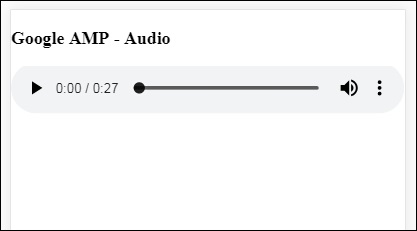
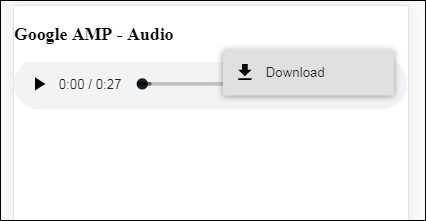
單擊下載,您可以下載使用的媒體檔案。要停用下載,可以使用屬性controlsList="nodownload",如下例所示:
示例
<!doctype html>
<html amp lang = "en">
   <head>
      <meta charset = "utf-8">
      <script async src = "https://cdn.ampproject.org/v0.js">
      </script>
      <title>Google AMP - Audio</title>
      <link rel = "canonical" href =
      "http://example.ampproject.org/article-metadata.html">
      <meta name = "viewport" content = "width = device-width,
      minimum-scale = 1,initial-scale = 1">
         <style amp-boilerplate>
            body{
               -webkit-animation:
               -amp-start 8s steps(1,end) 0s 1 normal both;-moz-animation:
               -amp-start 8s steps(1,end) 0s 1 normal both;-ms-animation:
               -amp-start 8s steps(1,end) 0s 1 normal both;animation:
               -amp-start 8s steps(1,end) 0s 1 normal both
            }
            @-webkit-keyframes
            -amp-start{from{visibility:hidden}to{visibility:visible}}@-moz-keyframes
            -amp-start{from{visibility:hidden}to{visibility:visible}}@-ms-keyframes
            -amp-start{from{visibility:hidden}to{visibility:visible}}@-o-keyframes
            -amp-start{from{visibility:hidden}to{visibility:visible}}@keyframes
            -amp-start{from{visibility:hidden}to{visibility:visible}}
         </style>
         <noscript>
            <style amp-boilerplate>
               body{
                  -webkit-animation:none;
                  -moz-animation:none;
                  -ms-animation:none;
                  animation:none}
            </style>
         </noscript>
         <script async custom-element = "amp-audio"
            src = "https://cdn.ampproject.org/v0/amp-audio-0.1.js">
         </script>
   </head>
   <body>
      <h3>Google AMP - Audio</h3>
      <amp-audio
         width = "auto"
         height = "50"
         src = "audio/test.mp3"
         controlsList = "nodownload">
            <div fallback>
               <p>HTML5 audio is not supported on your browser!</p>
            </div>
      </amp-audio>
   </body>
</html>
輸出
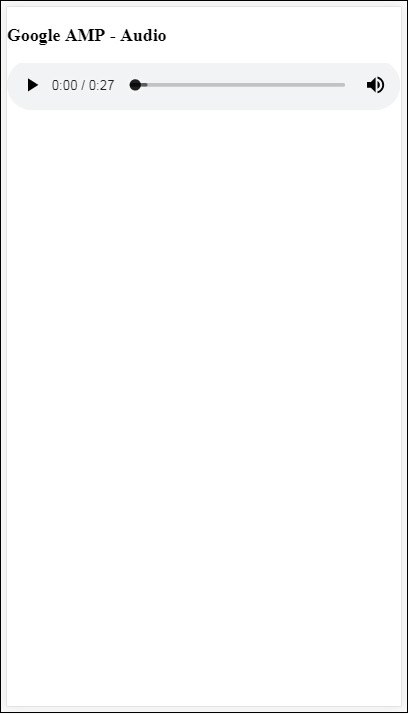
使用controlsList="nodownload",右側的三個垂直點消失了。
有一些屬性,例如preload 和autoplay,如果將它們新增到音訊標籤,則音訊檔案將在頁面載入時載入,如果瀏覽器支援,則會自動播放。以下示例顯示音訊自動播放。
示例
<!doctype html>
<html amp lang = "en">
   <head>
      <meta charset="utf-8">
      <script async src = "https://cdn.ampproject.org/v0.js">
      </script>
      <title>Google AMP - Audio</title>
      <link rel = "canonical" href =
      "http://example.ampproject.org/article-metadata.html">
      <meta name = "viewport" content = "width = device-width,
      minimum-scale = 1,initial-scale = 1">

      <style amp-boilerplate>
         body{
            -webkit-animation:
            -amp-start 8s steps(1,end) 0s 1 normal both;-moz-animation:
            -amp-start 8s steps(1,end) 0s 1 normal both;-ms-animation:
            -amp-start 8s steps(1,end) 0s 1 normal both;animation:
            -amp-start 8s steps(1,end) 0s 1 normal both
         }
         @-webkit-keyframes
         -amp-start{from{visibility:hidden}to{visibility:visible}}@-moz-keyframes
         -amp-start{from{visibility:hidden}to{visibility:visible}}@-ms-keyframes
         -amp-start{from{visibility:hidden}to{visibility:visible}}@-o-keyframes
         -amp-start{from{visibility:hidden}to{visibility:visible}}@keyframes
         -amp-start{from{visibility:hidden}to{visibility:visible}}
      </style>
      <noscript>
         <style amp-boilerplate>
            body{
               -webkit-animation:none;
               -moz-animation:none;
               -ms-animation:none;
               animation:none}
         </style>
      </noscript>
      <script async custom-element = "amp-audio"
         src = "https://cdn.ampproject.org/v0/amp-audio-0.1.js">
      </script>
   </head>
   <body>
      <h3>Google AMP - Audio</h3>
      <amp-audio
         width = "auto"
         height = "50"
         src = "audio/test.mp3" preload autoplay>
            <div fallback>
               <p>HTML5 audio is not supported on your browser!</p>
            </div>
      </amp-audio>
   </body>
</html>
輸出
如果存在屬性loop,則音訊播放完成後將再次播放。
示例
<amp-audio
   width = "auto"
   height = "50"
   src = "audio/test.mp3" loop>
   <div fallback>
      <p>HTML5 audio is not supported on your browser!</p>
   </div>
</amp-audio>