- Google AMP 教程
- Google AMP - 首頁
- Google AMP - 概述
- Google AMP - 簡介
- Google AMP - 圖片
- Google AMP - 表單
- Google AMP - Iframes
- Google AMP - 影片
- Google AMP - 按鈕
- Google AMP - Timeago
- Google AMP - Mathml
- Google AMP - 適應文字
- Google AMP - 日期倒計時
- Google AMP - 日期選擇器
- Google AMP - 故事
- Google AMP - 選擇器
- Google AMP - 連結
- Google AMP - 字型
- Google AMP - 列表
- Google AMP - 使用者通知
- Google AMP - 下一頁
- Google AMP - 屬性
- 樣式和自定義 CSS
- Google AMP - 動態 CSS 類
- Google AMP - 操作和事件
- Google AMP - 動畫
- Google AMP - 資料繫結
- Google AMP - 佈局
- Google AMP - 廣告
- Google AMP - 分析
- Google AMP - 社交小部件
- Google AMP - 媒體
- Html 頁面到 Amp 頁面
- Google AMP - 基本語法
- Google AMP - 驗證
- Google AMP - 快取
- Google AMP - 自定義 Javascript
- Google AMP - Cors
- Google AMP 有用資源
- Google AMP - 快速指南
- Google AMP - 有用資源
- Google AMP - 討論
Google AMP - 日期倒計時
另一個名為 Amp Date Countdown 的 amp 元件,用於顯示到給定日期(預設為 **Y2K38 (2038)**)的天、小時、分鐘和秒。顯示可以根據您選擇的語言環境進行,預設情況下為 en(英語)。Amp-date-countdown 使用 amp-mustache 模板渲染資料。
在本章中,我們將研究一些工作示例,以更詳細地瞭解 amp-date-countdown。
要使用 amp-date-countdown,我們需要新增以下指令碼
用於 amp-date-countdown
<script async custom-element = "amp-date-countdown"
   src = "https://cdn.ampproject.org/v0/amp-date-countdown-0.1.js">
</script>
用於 amp-mustache
<script async custom-template = "amp-mustache"
   src = "https://cdn.ampproject.org/v0/amp-mustache-0.1.js">
</script>
Amp-date-countdown 標籤
amp-date-countdown 標籤如下所示:
<amp-date-countdown timestamp-seconds = "2100466648"
   layout = "fixed-height"
   height = "50">
   <template type = "amp-mustache">
      <p class = "p1">
         {{d}} days, {{h}} hours, {{m}} minutes and {{s}} seconds until
         <a href = "https://en.wikipedia.org/wiki/Year_2038_problem">
            Y2K38
         </a>.
      </p>
   </template>
</amp-date-countdown>
amp-date-countdown 的屬性
amp-date-countdown 的屬性列在此表中:
| 序號 | 屬性 & 描述 |
|---|---|
| 1 | end-date 要倒計時的 ISO 格式日期。例如,2025-08-01T00:00:00+08:00 |
| 2 | timestamp-ms 以毫秒為單位的 POSIX 時間戳值;假定為 UTC 時區。例如,timestamp-ms="1521880470000" |
| 3 | timestamp-seconds 以秒為單位的 POSIX 時間戳值;假定為 UTC 時區。例如,timestamp-seconds="1521880470" |
| 4 | timeleft-ms 以毫秒為單位的值,表示剩餘的倒計時時間。例如,剩餘 50 小時 timeleft-ms="180,000,000" |
| 5 | offset-seconds(可選) 一個正數或負數,表示要新增到或從給定的 end-date 中減去的秒數。例如,offset-seconds="60" 將 60 秒新增到 end-date |
| 6 | when-ended(可選) 指定計時器在達到 0 秒時是否停止。該值可以設定為 stop(預設值),表示計時器在 0 秒時停止,並且不會超過最終日期或繼續,表示計時器在達到 0 秒後應繼續。 |
| 7 | locale(可選) 每個計時器單元的國際化語言字串。預設值為 en(英語)。支援的值列在下面。 |
格式
amp-date-countdown 用於顯示倒計時的格式在以下表格中給出:
| 序號 | 格式 & 描述 |
|---|---|
| 1 | d 將天數顯示為 0、1、2、3……無限 |
| 2 | dd 將天數顯示為 00、01、02、03……無限 |
| 3 | h 將小時顯示為 0、1、2、3……無限 |
| 4 | hh 將小時顯示為 00、01、02、03……無限 |
| 5 | m 將分鐘顯示為 0、1、2、3、4……無限 |
| 6 | mm 將分鐘顯示為 00、01、02、03……無限 |
| 7 | s 將秒數顯示為 0、1、2、3……無限 |
| 8 | ss 將秒數顯示為 00、01、02、03……無限 |
| 9 | days 根據語言環境顯示 day 或 days 字串 |
| 10 | hours 根據語言環境顯示 hour 或 hours 字串 |
| 11 | minutes 根據語言環境顯示 minute 或 minutes 字串 |
| 12 | seconds 根據語言環境顯示 second 或 seconds 字串 |
示例
<!doctype html>
<html amp lang = "en">
   <head>
      <meta charset = "utf-8">
      <script async src = "https://cdn.ampproject.org/v0.js"></script>
      <title>Google AMP - Amp Date-Countdown</title>
      <link rel = "canonical" href = " http://example.ampproject.org/article-metadata.html">
      <meta name = "viewport" content = "width = device-width,minimum-scale = 1,initial-scale = 1">

      <style amp-boilerplate>
         body{-webkit-animation:-amp-start 8s steps(1,end)
            0s 1 normal both;-moz-animation:
            -amp-start 8s steps(1,end) 0s 1 normal both;-ms-animation:
            -amp-start 8s steps(1,end) 0s 1 normal both;animation:
            -amp-start 8s steps(1,end) 0s 1 normal both
         }
         @-webkit-keyframes
         -amp-start{from{visibility:hidden}to{visibility:visible}}@-moz-keyframes
         -amp-start{from{visibility:hidden}to{visibility:visible}}@-ms-keyframes
         -amp-start{from{visibility:hidden}to{visibility:visible}}@-o-keyframes
         -amp-start{from{visibility:hidden}to{visibility:visible}}@keyframes
         -amp-start{from{visibility:hidden}to{visibility:visible}}
      </style>
      <noscript>
         <style amp-boilerplate>
            body{-webkit-animation:none;-moz-animation:none;-ms
               -animation:none;animation:none}
         </style>
      </noscript>

      <script async custom-element = "amp-date-countdown"
         src = "https://cdn.ampproject.org/v0/amp-date-countdown-0.1.js">
      </script>

      <script async custom-template="amp-mustache" src=
         "https://cdn.ampproject.org/v0/amp-mustache-0.1.js">
      </script>
   </head>

   <body>
      <h1>Google AMP - Amp Date-Countdown</h1>
      <amp-date-countdown
         timestamp-seconds = "2145683234"
         layout = "fixed-height"
         height = "50">

         <template type = "amp-mustache">
            <p class = "p1">
               {{d}} days, {{h}} hours, {{m}} minutes and
               {{s}} seconds until
               <a href = "https://en.wikipedia.org/wiki/Year_2038_problem">
                  Y2K38
               </a>.
            </p>
         </template>
      </amp-date-countdown>
   </body>
</html>
輸出

示例
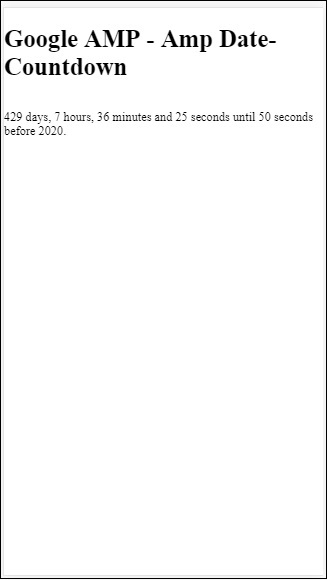
讓我們透過一個工作示例瞭解 amp-countdown 屬性 offset-seconds:
<!doctype html>
<html amp lang = "en">
   <head>
      <meta charset = "utf-8">
      <script async src = "https://cdn.ampproject.org/v0.js"></script>
      <title>Google AMP - Amp Date-Countdown</title>
      <link rel = "canonical" href = " http://example.ampproject.org/article-metadata.html">
      <meta name = "viewport" content = "width = device-width,minimum-scale = 1,initial-scale = 1">

      <style amp-boilerplate>
         body{
            -webkit-animation:-amp-start 8s steps(1,end)
            0s 1 normal both;-moz-animation:
            -amp-start 8s steps(1,end) 0s 1 normal both;-ms-animation:
            -amp-start 8s steps(1,end) 0s 1 normal both;animation:
            -amp-start 8s steps(1,end) 0s 1 normal both
         }
         @-webkit-keyframes
         -amp-start{from{visibility:hidden}to{visibility:visible}}@-moz-keyframes
         -amp-start{from{visibility:hidden}to{visibility:visible}}@-ms-keyframes
         -amp-start{from{visibility:hidden}to{visibility:visible}}@-o-keyframes
         -amp-start{from{visibility:hidden}to{visibility:visible}}@keyframes
         -amp-start{from{visibility:hidden}to{visibility:visible}}
      </style>
      <noscript>
         <style amp-boilerplate>
            body{
               -webkit-animation:none;-moz-animation:none;-ms
               -animation:none;animation:none}
         </style>
      </noscript>

      <script async custom-element = "amp-date-countdown"
         src = "https://cdn.ampproject.org/v0/amp-date-countdown-0.1.js">
      </script>

      <script async custom-template = "amp-mustache"
         src = "https://cdn.ampproject.org/v0/amp-mustache-0.1.js">
      </script>
   </head>
   <body>
      <h1>Google AMP - Amp Date-Countdown</h1>
      <amp-date-countdown
         end-date = "2020-01-19T08:14:08.000Z"
         offset-seconds = "-50"
         layout = "fixed-height"
         height = "100">

         <template type = "amp-mustache">
            <p class = "p1">
               {{d}} days, {{h}} hours, {{m}}
               minutes and {{s}} seconds until 50
               seconds before 2020.
            </p>
         </template>
      </amp-date-countdown>
   </body>
</html>
輸出
支援的語言環境列表
以下是 amp-date-countdown 支援的語言環境列表:
| 序號 | 名稱 & 語言環境 |
|---|---|
| 1 | en 英語 |
| 2 | es 西班牙語 |
| 3 | fr 法語 |
| 4 | de 德語 |
| 5 | id 印尼語 |
| 6 | it 義大利語 |
| 7 | ja 日語 |
| 8 | ko 韓語 |
| 9 | nl 荷蘭語 |
| 10 | pt 葡萄牙語 |
| 11 | ru 俄語 |
| 12 | th 泰語 |
| 13 | tr 土耳其語 |
| 14 | vi 越南語 |
| 15 | zh-cn 簡體中文 |
| 16 | zh-tw 繁體中文 |
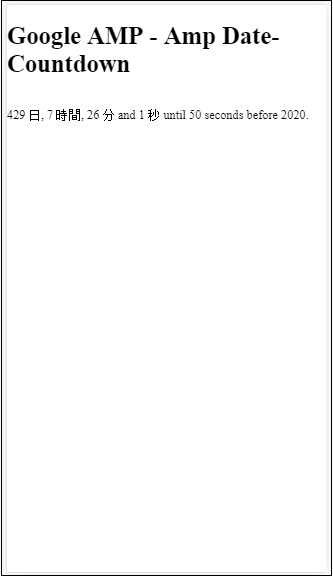
現在,我們將嘗試一個示例,使用上述語言環境之一顯示倒計時。
示例
<!doctype html>
<html amp lang = "en">
   <head>
      <meta charset = "utf-8">
      <script async src = "https://cdn.ampproject.org/v0.js"></script>
      <title>Google AMP - Amp Date-Countdown</title>
      <link rel = "canonical" href = "http://example.ampproject.org/article-metadata.html">
      <meta name="viewport" content="width = device-width, minimum-scale = 1,initial-scale = 1">

      <style amp-boilerplate>
         body{
            -webkit-animation:
            -amp-start 8s steps(1,end)0s 1 normal both;-moz-animation:
            -amp-start 8s steps(1,end) 0s 1 normal both;-ms-animation:
            -amp-start 8s steps(1,end) 0s 1 normal both;animation:
            -amp-start 8s steps(1,end) 0s 1 normal both
         }
         @-webkit-keyframes
         -amp-start{from{visibility:hidden}to{visibility:visible}}@-moz-keyframes
         -amp-start{from{visibility:hidden}to{visibility:visible}}@-ms-keyframes
         -amp-start{from{visibility:hidden}to{visibility:visible}}@-o-keyframes
         -amp-start{from{visibility:hidden}to{visibility:visible}}@keyframes
         -amp-start{from{visibility:hidden}to{visibility:visible}}
      </style>
      <noscript>
         <style amp-boilerplate>
            body{
               -webkit-animation:none;
               -moz-animation:none;
               -ms-animation:none;
               animation:none}
         </style>
      </noscript>

      <script async custom-element = "amp-date-countdown"
         src = "https://cdn.ampproject.org/v0/amp-date-countdown-0.1.js">
      </script>

      <script async custom-template = "amp-mustache"
         src = "https://cdn.ampproject.org/v0/amp-mustache-0.1.js">
      </script>
   </head>

   <body>
      <h1>Google AMP - Amp Date-Countdown</h1>
      <amp-date-countdown
         locale = "ja"
         end-date = "2020-01-19T08:14:08.000Z"
         offset-seconds = "-50"
         layout = "fixed-height"
         height = "100">

         <template type = "amp-mustache">
            <p class = "p1">
               {{d}} {{days}}, {{h}} {{hours}}, {{m}}
               {{minutes}} and {{s}} {{seconds}} until
               50 seconds before 2020.
            </p>
         </template>
      </amp-date-countdown>
   </body>
</html>
輸出