
- Google AMP 教程
- Google AMP - 首頁
- Google AMP - 概述
- Google AMP - 簡介
- Google AMP - 圖片
- Google AMP - 表單
- Google AMP - 內嵌框架 (Iframes)
- Google AMP - 影片
- Google AMP - 按鈕
- Google AMP - Timeago (時間顯示)
- Google AMP - MathML (數學標記語言)
- Google AMP - 適應文字 (Fit Text)
- Google AMP - 日期倒計時
- Google AMP - 日期選擇器
- Google AMP - 故事 (Story)
- Google AMP - 選擇器
- Google AMP - 連結
- Google AMP - 字型
- Google AMP - 列表
- Google AMP - 使用者通知
- Google AMP - 下一頁
- Google AMP - 屬性
- 樣式和自定義 CSS
- Google AMP - 動態 CSS 類
- Google AMP - 動作和事件
- Google AMP - 動畫
- Google AMP - 資料繫結
- Google AMP - 佈局
- Google AMP - 廣告
- Google AMP - 分析
- Google AMP - 社交小工具
- Google AMP - 媒體
- HTML頁面轉換為AMP頁面
- Google AMP - 基本語法
- Google AMP - 驗證
- Google AMP - 快取
- Google AMP - 自定義 JavaScript
- Google AMP - CORS (跨域資源共享)
- Google AMP 有用資源
- Google AMP - 快速指南
- Google AMP - 有用資源
- Google AMP - 討論
Google AMP - 動畫
amp-animation 是一個 AMP 元件,用於定義可在其他 AMP 元件上使用的動畫。本章將詳細討論它們。
要使用 amp-animation,我們需要新增以下指令碼:
<script async custom-element = "amp-animation"
   src = "https://cdn.ampproject.org/v0/amp-animation-0.1.js">
</script>
動畫的詳細資訊定義在 JSON 結構內。
amp-animation 的基本結構如下所示:
<amp-animation layout = "nodisplay">
   <script type = "application/json">
      {
         // Timing properties
         ...
         "animations": [
            {
               // animation 1
            },
            ...
            {
               // animation n
            }
         ]
      }
   </script>
</amp-animation>
animation 元件包含以下內容:選擇器、變數、時間屬性、關鍵幀等。
{
   "selector": "#target-id",
   // Variables
   // Timing properties
   // Subtargets
   ...
   "keyframes": []
}
選擇器
這裡需要指定將使用動畫的元素的類或 ID。
變數
它們是在關鍵幀內定義並使用的值。變數使用var()定義。
示例
{
   "--delay": "0.5s",
   "animations": [
      {
         "selector": "#target1",
         "delay": "var(--delay)",
         "--x": "150px",
         "--y" : "200px",
         "keyframes": {
            "transform": "translate(var(--x), var(--y, 0px)"
         }
      }
   ]
}
這裡delay、x 和y是變數,變數的值在所示示例中定義。
時間屬性
在這裡,您可以為動畫定義持續時間和延遲。支援以下時間屬性:
| 屬性 | 值 | 描述 |
|---|---|---|
| duration | 時間屬性。值必須以毫秒為單位。 | 動畫使用的持續時間。 |
| delay | 時間屬性。值必須以毫秒為單位。 | 動畫開始執行之前的延遲 |
| endDelay | 時間屬性。值必須以毫秒或秒為單位。 | 動畫完成後應用的延遲。 |
| iterations | 值必須為數字。 | 動畫需要重複的次數。 |
| iterationStart | 值必須為數字。 | 效果開始動畫的時間偏移量。 |
| easing | 值為字串 | 用於為動畫獲得緩動效果。緩動的一些示例包括 linear、ease、ease-in、ease-out、ease-in-out 等 |
| direction | 值為字串 | "normal"、"reverse"、"alternate" 或 "alternate-reverse" 之一。 |
| fill | 值為字串 | 值可以是 "none"、"forwards"、"backwards"、"both"、"auto"。 |
關鍵幀
關鍵幀可以透過多種方式定義,例如物件形式或陣列形式。請考慮以下示例。
示例
"keyframes": {"transform": "translate(100px,200px)"}
示例
{
   "keyframes": {

      "opacity": [1, 0],
      "transform": ["scale(1)", "scale(2)"]
   }
}
示例
{
   "keyframes": [
      {"opacity": 1, "transform": "scale(1)"},
      {"opacity": 0, "transform": "scale(2)"}
   ]
}
示例
{
   "keyframes": [
      {"easing": "ease-out", "opacity": 1, "transform": "scale(1)"},
      {"opacity": 0, "transform": "scale(2)"}
   ]
}
使用 CSS 的關鍵幀
<style amp-custom>
   div {
      width: 100px;
      height: 100px;
      background-color: red;
      position: relative;
      margin: 0 auto;
      transform:scale(3);
   }
   @keyframes example { 0% {transform:scale(3)}
      75% {transform:scale(2)}
      100% {transform:scale(1)}
   }

</style>

<amp-animation layout = "nodisplay">
   <script type = "application/json">
      {
         "duration": "4s",
         "keyframes": "example"
      }
   </script>
</amp-animation>
關鍵幀內可以使用一些 CSS 屬性。支援的屬性稱為白名單屬性。以下是在關鍵幀內可以使用白名單屬性:
- opacity (不透明度)
- transform (變換)
- visibility (可見性)
- 'offsetDistance'
注意 - 使用除白名單屬性之外的任何其他屬性都會在控制檯中引發錯誤。
現在讓我們透過一個簡單的示例來了解一下,該示例將在應用動畫時旋轉影像。在這個示例中,我們使用 amp-animation 旋轉影像。
示例
<!doctype html>
<html amp lang = "en">
   <head>
      <meta charset = "utf-8">
      <script async src = "https://cdn.ampproject.org/v0.js"></script>
      <title>Google AMP - Amp Video</title>
      <link rel = "canonical" href = "http://example.ampproject.org/article-metadata.html">
      <meta name = "viewport" content = "width = device-width, minimum-scale = 1,initial-scale = 1">

      <style amp-boilerplate>
         body{
            -webkit-animation:
            -amp-start 8s steps(1,end) 0s 1 normal both;-moz-animation:
            -amp-start 8s steps(1,end) 0s 1 normal both;-ms
            -amp-start 8s steps(1,end) 0s 1 normal both;animation:
            -amp-start 8s steps(1,end) 0s 1 normal both
         }
         @-webkit-keyframes
         -amp-start{from{visibility:hidden}to{visibility:visible}}@-moz-keyframes
         -amp-start{from{visibility:hidden}to{visibility:visible}}@-ms-keyframes
         -amp-start{from{visibility:hidden}to{visibility:visible}}@-o-keyframes
         -amp-start{from{visibility:hidden}to{visibility:visible}}@keyframes
         -amp-start{from{visibility:hidden}to{visibility:visible}}
      </style>

      <noscript>
         <style amp-boilerplate>
            body{
               -webkit-animation:none;
               -moz-animation:none;
               -ms-animation:none;
               animation:none
            }
         </style>
      </noscript>

      <script async custom-element = "amp-animation"
         src =" https://cdn.ampproject.org/v0/amp-animation-0.1.js">
      </script>
      <style amp-custom>
         amp-img {
            border: 1px solid black;
            border-radius: 4px;
            padding: 5px;
         }
      </style>
   </head>
   <body>
      <h3>Google AMP - Amp Animation Example</h3>
      <amp-animation id = "anim1" layout = "nodisplay" trigger = "visibility">
         <script type = "application/json">
            {
               "duration": "1s",
               "fill": "both",
               "direction": "alternate",
               "animations": [
                  {
                     "selector": "#image1",
                     "easing": "cubic-bezier(0,0,.21,1)",
                     "keyframes": {
                        "transform": "rotate(20deg)"
                     }
                  }
               ]
            }
         </script>
      </amp-animation>
      <br/>
      <br/>
      <amp-img
         id = "image1"
         src = "images/christmas1.jpg"
         width = 300
         height = 250
         layout = "responsive">
      </amp-img>
      <br/>
   </body>
</html>
輸出

上面使用的 amp-animation 詳細資訊在下面顯示的程式碼中給出:
<amp-animation id = "anim1" layout = "nodisplay" trigger = "visibility">
   <script type = "application/json">
   {
      "duration": "1s",
      "fill": "both",
      "direction": "alternate",
      "animations": [
         {
            "selector": "#image1",
            "easing": "cubic-bezier(0,0,.21,1)",
            "keyframes": {
               "transform": "rotate(20deg)"
            }
         }
      ]
   }
   </script>
</amp-animation>
這裡的選擇器是應用旋轉動畫的影像的 ID:
<amp-img
   id = "image1"
   src = "images/christmas1.jpg"
   width = 300
   height = 250
   layout = "responsive">
</amp-img>
使用來自 CSS 的關鍵幀的示例
示例
<!doctype html>
<html amp lang = "en">
   <head>
      <meta charset = "utf-8">
      <script async src = "https://cdn.ampproject.org/v0.js"></script>
      <title>Google AMP - Amp Video</title>
      <link rel = "canonical" href = "http://example.ampproject.org/article-metadata.html">
      <meta name = "viewport" content = "width = device-width,minimum-scale = 1,initial-scale = 1">
      <style amp-boilerplate>
         body{
            -webkit-animation:
            -amp-start 8s steps(1,end) 0s 1 normal both;-moz-animation:
            -amp-start 8s steps(1,end) 0s 1 normal both;-ms-animation:
            -amp-start 8s steps(1,end) 0s 1 normal both;animation:
            -amp-start 8s steps(1,end) 0s 1 normal both
         }
         @-webkit-keyframes
         -amp-start{from{visibility:hidden}to{visibility:visible}}@-moz-keyframes
         -amp-start{from{visibility:hidden}to{visibility:visible}}@-ms-keyframes
         -amp-start{from{visibility:hidden}to{visibility:visible}}@-o-keyframes
         -amp-start{from{visibility:hidden}to{visibility:visible}}@keyframes
         -amp-start{from{visibility:hidden}to{visibility:visible}}
      </style>
      <noscript>
         <style amp-boilerplate>
            body{
               -webkit-animation:none;
               -moz-animation:none;
               -ms-animation:none;
               animation:none
            }
         </style>
      </noscript>
      <script async custom-element = "amp-animation"
         src = "https://cdn.ampproject.org/v0/amp-animation-0.1.js">
      </script>
      <style amp-custom>
         div {
            width: 100px;
            height: 100px;
            background-color: red;
            position: relative;
            margin: 0 auto;
            transform:scale(3);
         }

         @keyframes example {
            0% {transform:scale(3)}
            75% {transform:scale(2)}
            100% {transform:scale(1)}
         }
      </style>
   </head>
   <body>
      <h3>Google AMP - Amp Animation Example</h3>
      <amp-animation id = "anim1" layout = "nodisplay" trigger = "visibility">
         <script type = "application/json">
            {
               "duration": "3s",
               "fill": "both",
               "direction": "alternate",
               "animations": [{
                  "selector": "#image1",
                  "easing": "cubic-bezier(0,0,.21,1)",
                  "keyframes":"example"
               }]
            }
         </script>
      </amp-animation>
      <br/>
      <br/>
      <div id = "image1"></div>
      <br/>
   </body>
</html>
輸出
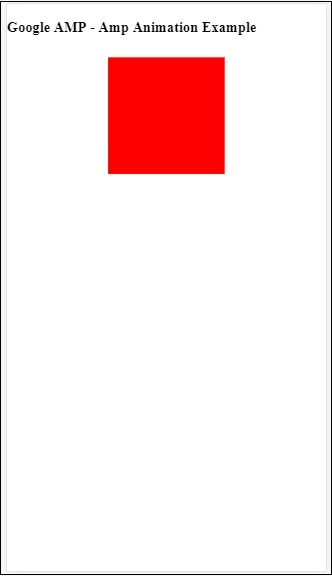
動畫觸發器
使用 trigger = ”visibility”,動畫預設應用。為了在事件上啟動動畫,我們必須刪除 trigger = ”visibility” 並新增事件以啟動動畫,如下例所示:
示例
<!doctype html>
<html amp lang = "en">
   <head>
      <meta charset = "utf-8">
      <script async src = "https://cdn.ampproject.org/v0.js"></script>
      <title>Google AMP - Amp Video</title>
      <link rel = "canonical" href = "http://example.ampproject.org/article-metadata.html">
      <meta name = "viewport" content = "width = device-width,
      minimum-scale = 1,initial-scale = 1">
      <style amp-boilerplate>
         body{
            -webkit-animation:
            -amp-start 8s steps(1,end) 0s 1 normal both;-moz-animation:
            -amp-start 8s steps(1,end) 0s 1 normal both;-ms-animation:
            -amp-start 8s steps(1,end) 0s 1 normal both;animation:
            -amp-start 8s steps(1,end) 0s 1 normal both
         }
         @-webkit-keyframes
         -amp-start{from{visibility:hidden}to{visibility:visible}}@-moz-keyframes
         -amp-start{from{visibility:hidden}to{visibility:visible}}@-ms-keyframes
         -amp-start{from{visibility:hidden}to{visibility:visible}}@-o-keyframes
         -amp-start{from{visibility:hidden}to{visibility:visible}}@keyframes
         -amp-start{from{visibility:hidden}to{visibility:visible}}
      </style>
      <noscript>
         <style amp-boilerplate>
            body{
               -webkit-animation:none;
               -moz-animation:none;
               -ms-animation:none;
               animation:none}
         </style>
      </noscript>
      <script async custom-element = "amp-animation"
         src = "https://cdn.ampproject.org/v0/amp-animation-0.1.js">
      </script>
      <style amp-custom>
         div {
            width: 100px;
            height: 100px;
            background-color: red;
            position: relative;
            margin: 0 auto;
            transform:scale(2);
         }
         @keyframes example {
            0% {transform:scale(2)}
            75% {transform:scale(1)}
            100% {transform:scale(0.5)}
         }
         button{
            background-color: #ACAD5C;
            color: white;
            padding: 12px 20px;
            border: none;
            border-radius: 4px;
            cursor: pointer;
            float: left;
         }
      </style>
   </head>
   <body>
      <h3>Google AMP - Amp Animation Example</h3>
      <amp-animation id = "anim1" layout = "nodisplay">
         <script type = "application/json">
            {
               "duration": "3s",
               "fill": "both",
               "direction": "alternate",
               "animations": [{
                  "selector": "#image1",
                  "easing": "cubic-bezier(0,0,.21,1)",
                  "keyframes":"example"
               }]
            }
         </script>
      </amp-animation>
      <button on = "tap:anim1.start">Start</button>
      <br/>
      <br/>
      <div id = "image1"></div>
   </body>
</html>
請注意,動畫將在點選“開始”按鈕時啟動。
輸出
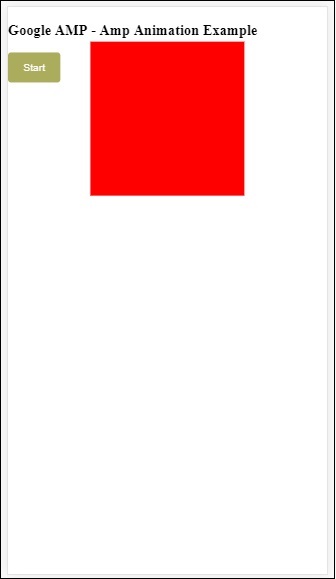
我們在 On 上使用了名為start 的動作來啟動動畫。類似地,還支援其他動作,如下所示:
- start (開始)
- pause (暫停)
- restart (重新開始)
- resume (繼續)
- togglePause (切換暫停)
- seekTo (跳轉到)
- reverse (反轉)
- finish (結束)
- cancel (取消)
讓我們看一個可以應用該動作的實際示例。
示例
<!doctype html>
<html amp lang = "en">
   <head>
      <meta charset = "utf-8">
      <script async src = "https://cdn.ampproject.org/v0.js"></script>
      <title>Google AMP - Amp Video</title>
      <link rel = "canonical" href = "http://example.ampproject.org/article-metadata.html">
      <meta name = "viewport" content = "width=device-width,minimum-scale = 1,initial-scale = 1">

      <style amp-boilerplate>
         body{
            -webkit-animation:
            -amp-start 8s steps(1,end) 0s 1 normal both;-moz-animation:
            -amp-start 8s steps(1,end) 0s 1 normal both;-ms-animation:
            -amp-start 8s steps(1,end) 0s 1 normal both;animation:
            -amp-start 8s steps(1,end) 0s 1 normal both
         }
         @-webkit-keyframes
         -amp-start{from{visibility:hidden}to{visibility:visible}}@-moz-keyframes
         -amp-start{from{visibility:hidden}to{visibility:visible}}@-ms-keyframes
         -amp-start{from{visibility:hidden}to{visibility:visible}}@-o-keyframes
         -amp-start{from{visibility:hidden}to{visibility:visible}}@keyframes
         -amp-start{from{visibility:hidden}to{visibility:visible}}
      </style>

      <noscript>
         <style amp-boilerplate>
            body{
               -webkit-animation:none;
               -moz-animation:none;
               -ms-animation:none;
               animation:none}
         </style>
      </noscript>
      <script async custom-element = "amp-animation"
         src = "https://cdn.ampproject.org/v0/amp-animation-0.1.js">
      </script>
      <style amp-custom>
         #image1 {
            width: 100px;
            height: 100px;
            background-color: red;
            position: relative;
            margin: 0 auto;
            transform:scale(2);
         }
         @keyframes example {
            0% {transform:scale(2)}
            75% {transform:scale(1)}
            100% {transform:scale(0.5)}
         }
         button1{
            background-color: #ACAD5C;
            color: white;
            padding: 12px 20px;
            border: none;
            border-radius: 4px;
            cursor: pointer;
            float: left;
         }
      </style>
   </head>
   <body>
      <h3>Google AMP - Amp Animation Example</h3>
      <amp-animation id = "anim1" layout = "nodisplay">
         <script type = "application/json">
            {
               "duration": "3s",
               "fill": "both",
               "direction": "alternate",
               "animations": [{
                  "selector": "#image1",
                  "easing": "cubic-bezier(0,0,.21,1)",
                  "keyframes":"example"
               }]
            }
         </script>
      </amp-animation>
      <button on = "tap:anim1.start">Start</button>
      <button on = "tap:anim1.pause">Pause</button>
      <button on = "tap:anim1.resume">Resume</button>
      <button on = "tap:anim1.reverse">Reverse</button>
      <button on = "tap:anim1.cancel">cancel</button>
      <button on = "tap:anim1.finish">finish</button>
      <button on = "tap:anim1.togglePause">togglePause</button>
      <button on = "tap:anim1.seekTo(percent = 1.00)">seekTo(100%)</button>
      <br/>
      <br/>
      <br/>
      <br/>
      <div id="image1"></div>
   </body>
</html>
輸出
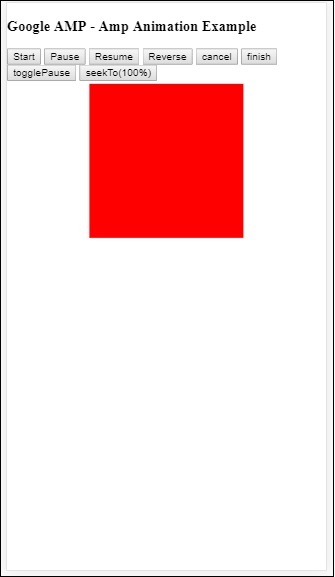
廣告