
- Java 數字影像處理
- DIP - 首頁
- DIP - 簡介
- DIP - Java BufferedImage 類
- DIP - 影像下載與上傳
- DIP - 影像畫素
- DIP - 灰度轉換
- DIP - 增強影像對比度
- DIP - 增強影像亮度
- DIP - 增強影像銳度
- DIP - 影像壓縮技術
- DIP - 新增影像邊框
- DIP - 影像金字塔
- DIP - 基本閾值化
- DIP - 影像形狀轉換
- DIP - 高斯濾波器
- DIP - 盒式濾波器
- DIP - 腐蝕與膨脹
- DIP - 水印
- DIP - 卷積理解
- DIP - Prewitt 運算元
- DIP - Sobel 運算元
- DIP - Kirsch 運算元
- DIP - Robinson 運算元
- DIP - Laplacian 運算元
- DIP - 加權平均濾波器
- DIP - 建立縮放效果
- DIP - 開源庫
- DIP - OpenCV 簡介
- DIP - OpenCV 灰度轉換
- DIP - 顏色空間轉換
- DIP 有用資源
- DIP - 快速指南
- DIP - 有用資源
- DIP - 討論
Java 數字影像處理 - 影像畫素
影像包含一個二維畫素陣列。實際上,正是這些畫素的值構成了影像。通常,影像可以是彩色或灰度的。
在 Java 中,BufferedImage 類用於處理影像。您需要呼叫BufferedImage 類的getRGB()方法來獲取畫素的值。
獲取畫素值
可以使用以下語法接收畫素值:
Color c = new Color(image.getRGB(j, i));
獲取 RGB 值
方法getRGB()將行和列索引作為引數,並返回相應的畫素。對於彩色影像,它返回三個值,即 (紅色、綠色、藍色)。它們可以按如下方式獲取:
c.getRed();
c.getGreen();
c.getBlue();
獲取影像的寬度和高度
可以透過呼叫 BufferedImage 類的getWidth()和getHeight()方法來獲取影像的高度和寬度。其語法如下:
int width = image.getWidth();
int height = image.getHeight();
除了這些方法之外,BufferedImage 類還支援其他方法。它們簡要描述如下:
| 序號 | 方法及描述 |
|---|---|
| 1 |
copyData(WritableRaster outRaster) 它計算 BufferedImage 的任意矩形區域,並將其複製到指定的 WritableRaster 中。 |
| 2 |
getColorModel() 它返回影像的 ColorModel。 |
| 3 |
getData() 它將影像作為單個大圖塊返回。 |
| 4 |
getData(Rectangle rect) 它計算並返回 BufferedImage 的任意區域。 |
| 5 |
getGraphics() 此方法返回 Graphics2D,但此處是為了向後相容。 |
| 6 |
getHeight() 它返回 BufferedImage 的高度。 |
| 7 |
getMinX() 它返回此 BufferedImage 的最小 x 座標。 |
| 8 |
getMinY() 它返回此 BufferedImage 的最小 y 座標。 |
| 9 |
getRGB(int x, int y) 它返回預設 RGB 顏色模型 (TYPE_INT_ARGB) 和預設 sRGB 色彩空間中的整數畫素。 |
| 10 |
getType() 它返回影像型別。 |
示例
以下示例演示了 java BufferedImage 類的用法,該類顯示大小為 (100 x 100) 的影像的畫素:
import java.awt.*;
import java.awt.image.BufferedImage;

import java.io.*;

import javax.imageio.ImageIO;
import javax.swing.JFrame;

class Pixel {
   BufferedImage image;
   int width;
   int height;

   public Pixel() {
      try {
         File input = new File("blackandwhite.jpg");
         image = ImageIO.read(input);
         width = image.getWidth();
         height = image.getHeight();

         int count = 0;

         for(int i=0; i<height; i++) {

            for(int j=0; j<width; j++) {

               count++;
               Color c = new Color(image.getRGB(j, i));
               System.out.println("S.No: " + count + " Red: " + c.getRed() +"  Green: " + c.getGreen() + " Blue: " + c.getBlue());
            }
         }

      } catch (Exception e) {}
   }

   static public void main(String args[]) throws Exception {
      Pixel obj = new Pixel();
   }
}
輸出
執行以上示例時,它將列印以下影像的畫素:
原始影像

畫素輸出
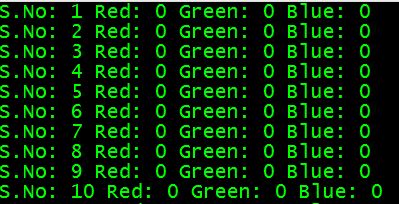
如果向下滾動輸出,則會看到以下模式:
