
- Microsoft Expression Web 教程
- MS Expression Web - 首頁
- MS Expression Web - 概述
- 環境設定
- MS Expression Web - 新建網站
- 空白網頁
- 網頁佈局
- MS Expression Web - HTML 佈局
- 水平導航
- 垂直導航
- MS Expression Web - 驗證頁面
- 動態網頁模板
- MS Expression Web - 搜尋頁面
- MS Expression Web - 圖片
- MS Expression Web - 超連結
- MS Expression Web - 影片
- SQL 資料來源
- MS Expression Web - MS Word
- MS Expression Web - 網格檢視
- MS Expression Web - 主頁
- MS Expression Web - 資料表
- MS Expression Web - 釋出
- 備份網站
- MS Expression Web - 載入項
- MS Expression Web 資源
- MS Expression Web - 快速指南
- MS Expression Web - 資源
- MS Expression Web - 討論
Microsoft Expression Web - HTML 佈局
在本章中,我們將學習另一種設計頁面佈局的方法。在上一章中,我們使用了樣式表將樣式應用於頁首、頁尾等,但您也可以在 HTML 頁面本身中指定樣式,而無需使用額外的樣式表。
這不是推薦的設計佈局的方式,但是為了理解的目的,我們將在本文中介紹此技術。請嘗試按照以下步驟操作。
步驟 1 - 讓我們新增一個 HTML 頁面並將其命名為layoutdemo.html
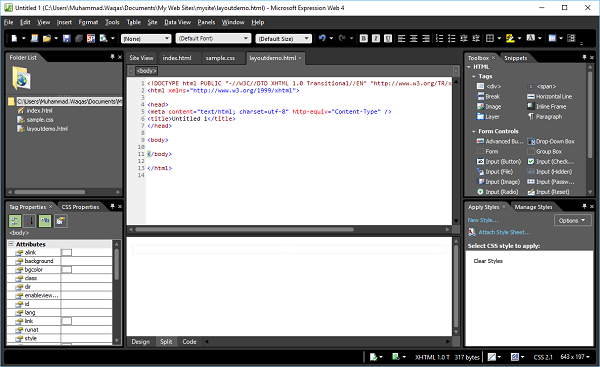
步驟 2 - 現在從工具箱中新增<div>標籤。
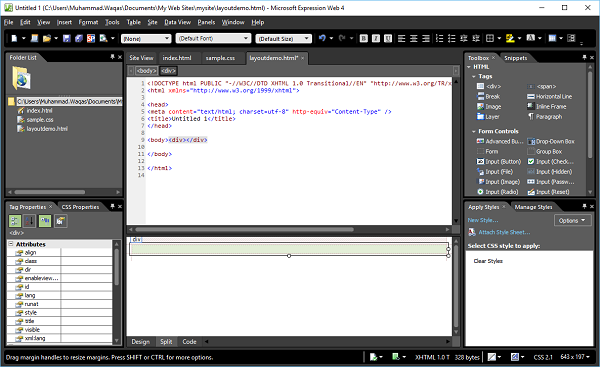
步驟 3 - 在應用樣式面板中,點選新建樣式…
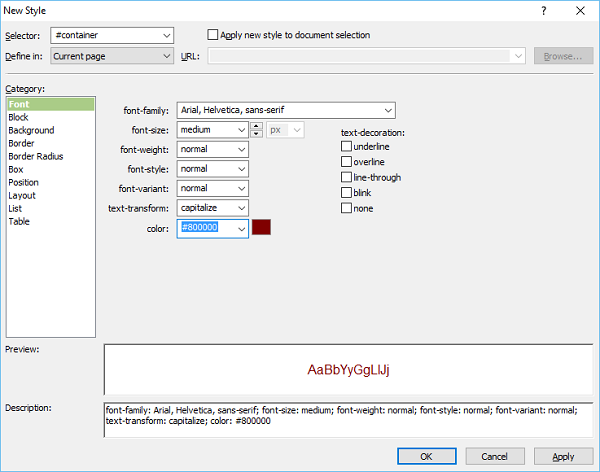
步驟 4 - 當您從“定義位置”下拉列表中選擇“當前頁面”選項時,樣式將儲存在同一 HTML 頁面中。設定頁面的字型,然後轉到“背景”類別。
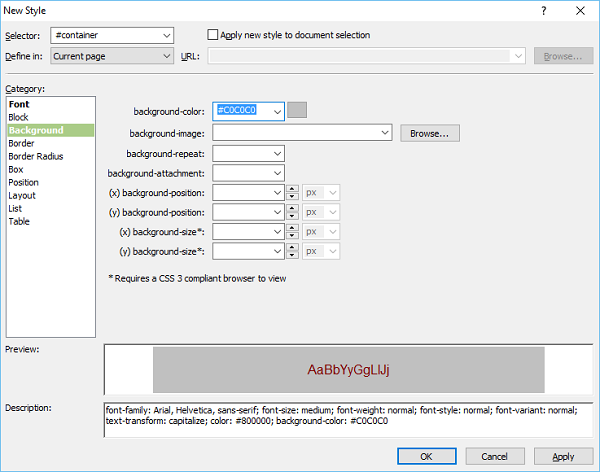
步驟 5 - 設定背景顏色。您還可以設定邊框、盒子和位置類別,然後單擊“確定”。
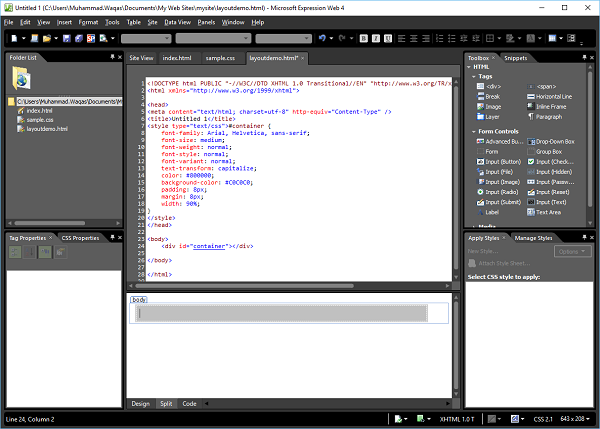
layoutdemo.html
您可以看到樣式已新增到同一 HTML 檔案中。
<!DOCTYPE html PUBLIC "-//W3C//DTD XHTML 1.0 Transitional//EN"
   "http://www.w3.org/TR/xhtml1/DTD/xhtml1-transitional.dtd">
<html xmlns = "http://www.w3.org/1999/xhtml">
   <head>
      <meta content = "text/html; charset = utf-8" http-equiv = "Content-Type" />
      <title>Untitled 1</title>
      <style type = "text/css">
         #container {
            font-family: Arial, Helvetica, sans-serif;
            font-size: medium;
            font-weight: normal;
            font-style: normal;
            font-variant: normal;
            text-transform: capitalize;
            color: #800000;
            background-color: #C0C0C0;
            padding: 8px;
            margin: 8px;
            width: 90%;
         }
      </style>
   </head>

   <body>
      <div id = "container"></div>
   </body>
</html>
類似地,您可以新增其他樣式,例如頁首、頁尾、主要內容等,如上所示。
廣告