
- FastAPI 教程
- FastAPI - 首頁
- FastAPI - 簡介
- FastAPI - Hello World
- FastAPI - OpenAPI
- FastAPI - Uvicorn
- FastAPI - 型別提示
- FastAPI - IDE 支援
- FastAPI - REST 架構
- FastAPI - 路徑引數
- FastAPI - 查詢引數
- FastAPI - 引數驗證
- FastAPI - Pydantic
- FastAPI - 請求體
- FastAPI - 模板
- FastAPI - 靜態檔案
- FastAPI - HTML 表單模板
- FastAPI - 訪問表單資料
- FastAPI - 上傳檔案
- FastAPI - Cookie 引數
- FastAPI - 頭部引數
- FastAPI - 響應模型
- FastAPI - 巢狀模型
- FastAPI - 依賴項
- FastAPI - CORS
- FastAPI - CRUD 操作
- FastAPI - SQL 資料庫
- FastAPI - 使用 MongoDB
- FastAPI - 使用 GraphQL
- FastAPI - Websockets
- FastAPI - FastAPI 事件處理器
- FastAPI - 掛載子應用
- FastAPI - 中介軟體
- FastAPI - 掛載 Flask 應用
- FastAPI - 部署
- FastAPI 有用資源
- FastAPI - 快速指南
- FastAPI - 有用資源
- FastAPI - 討論
FastAPI - 靜態檔案
通常需要在模板響應中包含一些即使存在某些動態資料也不會更改的資源。此類資源稱為靜態資產。媒體檔案(.png、.jpg 等)、用於執行某些前端程式碼的 JavaScript 檔案或用於格式化 HTML 的樣式表(.CSS 檔案)都是靜態檔案的示例。
為了處理靜態檔案,您需要一個名為aiofiles的庫。
pip3 install aiofiles
接下來,從fastapi.staticfiles模組匯入StaticFiles類。它的物件是 FastAPI 應用程式物件的mount()方法的引數之一,用於將當前應用程式資料夾中的"static"子資料夾分配給儲存和服務應用程式的所有靜態資產。
app.mount(app.mount("/static", StaticFiles(directory="static"), name="static")
示例
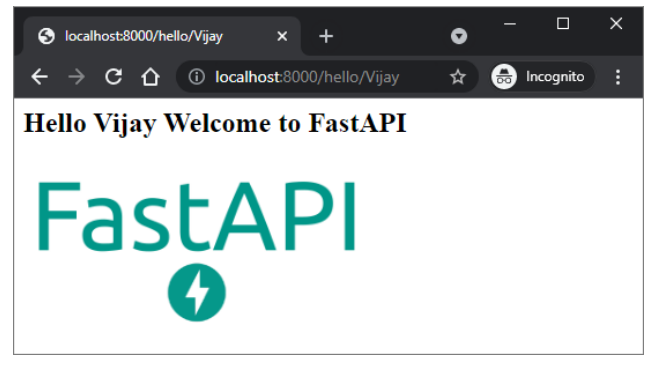
在以下示例中,需要在 hello.html 模板中呈現 FastAPI 徽標。因此,首先將“fa-logo.png”檔案放置在 static 資料夾中。現在可以使用 HTML 程式碼中<img>標籤的src屬性來使用它。
from fastapi import FastAPI, Request
from fastapi.responses import HTMLResponse
from fastapi.templating import Jinja2Templates
from fastapi.staticfiles import StaticFiles
app = FastAPI()
templates = Jinja2Templates(directory="templates")
app.mount("/static", StaticFiles(directory="static"), name="static")
@app.get("/hello/{name}", response_class=HTMLResponse)
async def hello(request: Request, name:str):
   return templates.TemplateResponse("hello.html", {"request": request, "name":name})
\templates\hello.html的 HTML 程式碼如下所示:
<html>
   <body>
      <h2>Hello {{name}} Welcome to FastAPI</h2>
      <img src="{{ url_for('static', path='fa-logo.png') }}" alt="" width="300">
   </body>
</html>
</pre>
執行 Uvicorn 伺服器並訪問 URL https:///hello/Vijay。徽標將顯示在瀏覽器視窗中,如下所示。
示例
這是另一個靜態檔案的示例。JavaScript 程式碼 hello.js 包含myfunction()的定義,該函式在以下 HTML 指令碼(\templates\hello.html)中的onload事件上執行。
<html>
   <head>
      <title>My Website</title>
      <script src="{{ url_for('static', path='hello.js') }}"></script>
   </head>
   <body onload="myFunction()">
      <div id="time" style="text-align:right; width="100%"></div>
      <h1><div id="ttl">{{ name }}</div></h1>
   </body>
</html>
hello.js程式碼如下所示:(\static\hello.js)
function myFunction() {
   var today = new Date();
   var h = today.getHours();
   var m = today.getMinutes();
   var s = today.getSeconds();
   var msg="";
   if (h<12) {
      msg="Good Morning, ";
   }
   if (h>=12 && h<18) {
      msg="Good Afternoon, ";
   }
   if (h>=18) {
      msg="Good Evening, ";
   }
   var x=document.getElementById('ttl').innerHTML;
   document.getElementById('ttl').innerHTML = msg+x;
   document.getElementById('time').innerHTML = h + ":" + m + ":" + s;
}
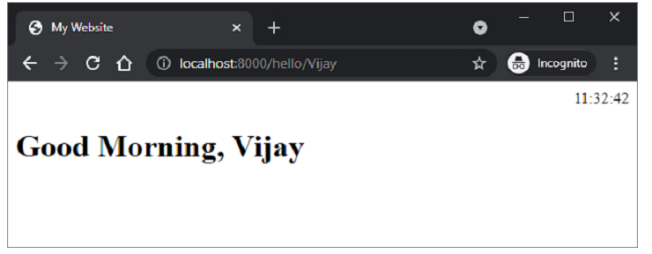
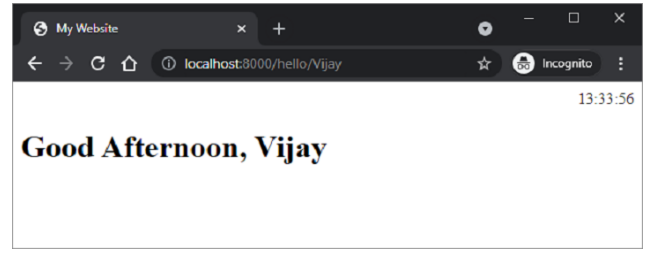
該函式檢測當前時間的值,並根據一天中的時間為msg變數分配適當的值(早上好、下午好或晚上好)。
儲存/static/hello.js,修改\templates\hello.html並重新啟動伺服器。瀏覽器應顯示當前時間及其下方的相應訊息。
廣告