
- FastAPI 教程
- FastAPI - 主頁
- FastAPI - 簡介
- FastAPI - Hello World
- FastAPI - OpenAPI
- FastAPI - Uvicorn
- FastAPI - 型別提示
- FastAPI - IDE 支援
- FastAPI - Rest 架構
- FastAPI - 路徑引數
- FastAPI - 查詢引數
- FastAPI - 引數驗證
- FastAPI - Pydantic
- FastAPI - 請求正文
- FastAPI - 模板
- FastAPI - 靜態檔案
- FastAPI - HTML 表單模板
- FastAPI - 訪問表單資料
- FastAPI - 上傳檔案
- FastAPI - Cookie 引數
- FastAPI - 頭引數
- FastAPI - 響應模型
- FastAPI - 巢狀模型
- FastAPI - 依賴關係
- FastAPI - CORS
- FastAPI - Crud 操作
- FastAPI - SQL 資料庫
- FastAPI - 使用 MongoDB
- FastAPI - 使用 GraphQL
- FastAPI - Websockets
- FastAPI - FastAPI 事件處理程式
- FastAPI - 裝載子應用程式
- FastAPI - 中介軟體
- FastAPI - 裝載 Flast 應用程式
- FastAPI - 部署
- FastAPI 有用資源
- FastAPI - 快速指南
- FastAPI - 有用資源
- FastAPI - 討論
FastAPI - HTML 表單模板
讓我們嚮應用程式新增另一個路由"/login",該路由渲染具有簡單登入表單的 html 模板。登入頁面的 HTML 程式碼如下所示 −
<html>
   <body>
      <form action="/submit" method="POST">
         <h3>Enter User name</h3>
         <p><input type='text' name='nm'/></p>
         <h3>Enter Password</h3>
         <p><input type='password' name='pwd'/></p>
         <p><input type='submit' value='Login'/></p>
      </form>
   </body>
</html>
請注意,action 引數設定為 "/submit" 路由且 action 設定為 POST。這對於進一步的討論很重要。
在main.py檔案中新增login()函式如下 −
@app.get("/login/", response_class=HTMLResponse)
async def login(request: Request):
   return templates.TemplateResponse("login.html", {"request": request})
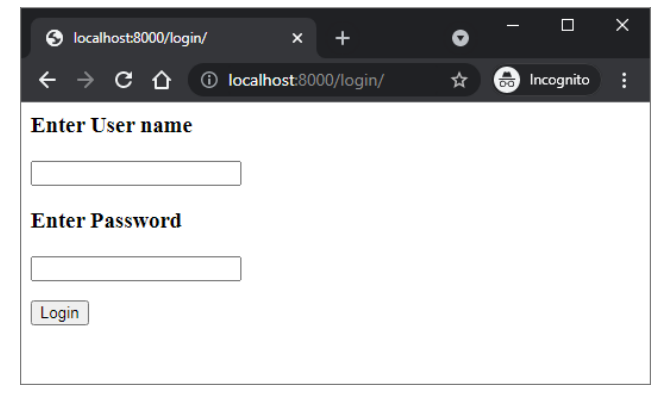
網址 https://:8000/login 將按如下方式呈現登入表單 −
廣告