
- FastAPI 教程
- FastAPI - 首頁
- FastAPI - 簡介
- FastAPI - Hello World
- FastAPI - OpenAPI
- FastAPI - Uvicorn
- FastAPI - 型別提示
- FastAPI - IDE 支援
- FastAPI - REST 架構
- FastAPI - 路徑引數
- FastAPI - 查詢引數
- FastAPI - 引數驗證
- FastAPI - Pydantic
- FastAPI - 請求體
- FastAPI - 模板
- FastAPI - 靜態檔案
- FastAPI - HTML 表單模板
- FastAPI - 訪問表單資料
- FastAPI - 上傳檔案
- FastAPI - Cookie 引數
- FastAPI - 頭部引數
- FastAPI - 響應模型
- FastAPI - 巢狀模型
- FastAPI - 依賴項
- FastAPI - CORS
- FastAPI - CRUD 操作
- FastAPI - SQL 資料庫
- FastAPI - 使用 MongoDB
- FastAPI - 使用 GraphQL
- FastAPI - Websockets
- FastAPI - FastAPI 事件處理器
- FastAPI - 掛載子應用
- FastAPI - 中介軟體
- FastAPI - 掛載 Flask 應用
- FastAPI - 部署
- FastAPI 有用資源
- FastAPI - 快速指南
- FastAPI - 有用資源
- FastAPI - 討論
FastAPI - CRUD 操作
REST 架構使用 HTTP 動詞或方法對資源進行操作。POST、GET、PUT 和 DELETE 方法分別執行建立、讀取、更新和刪除操作。
在下面的示例中,我們將使用 Python 列表作為記憶體資料庫並在其上執行 CRUD 操作。首先,讓我們設定一個 FastAPI 應用物件並宣告一個名為 Book 的 Pydantic 模型。
from fastapi import FastAPI
from pydantic import BaseModel
app = FastAPI()
data = []
class Book(BaseModel):
   id: int
   title: str
   author: str
   publisher: str
使用 @app.post() 裝飾器填充此模型的物件,並將其追加到書籍列表中(宣告書籍列表的資料)。
@app.post("/book")
def add_book(book: Book):
   data.append(book.dict())
   return data
在 Swagger UI 中,執行此操作函式幾次並新增一些資料。
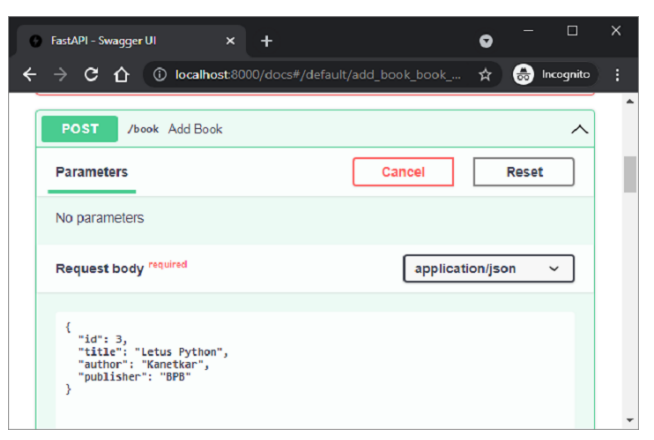
伺服器的 JSON 響應顯示了迄今為止新增的書籍列表。
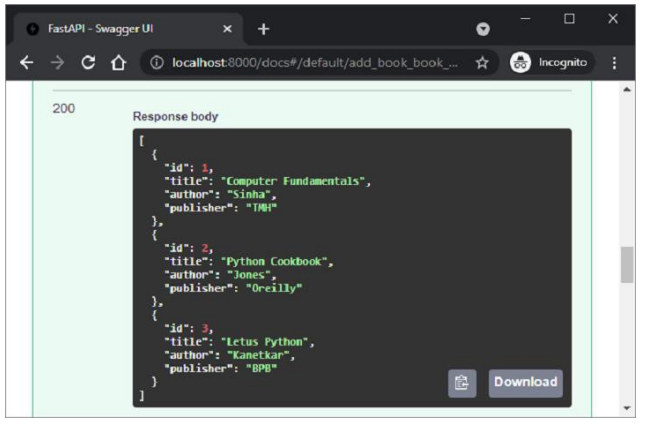
要檢索列表,請定義一個繫結到 @app.get() 裝飾器的操作函式,如下所示:
@app.get("/list")
def get_books():
   return data
要檢索具有其 id 作為路徑引數的書籍,請定義 get() 操作裝飾器和 get_book() 函式,如下所示:
@app.get("/book/{id}")
def get_book(id: int):
   id = id - 1
   return data[id]
/list 路由檢索所有書籍。
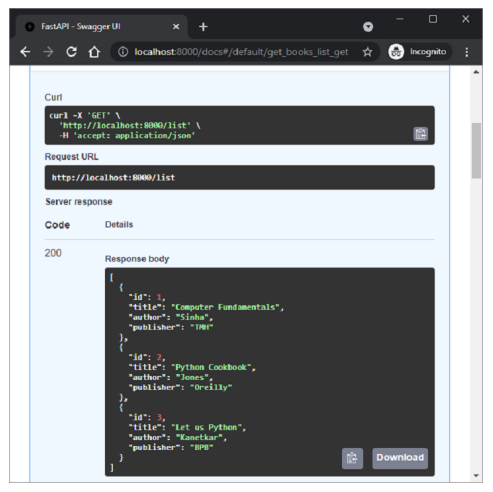
另一方面,在“/book/1”路由中使用“id”作為路徑引數。
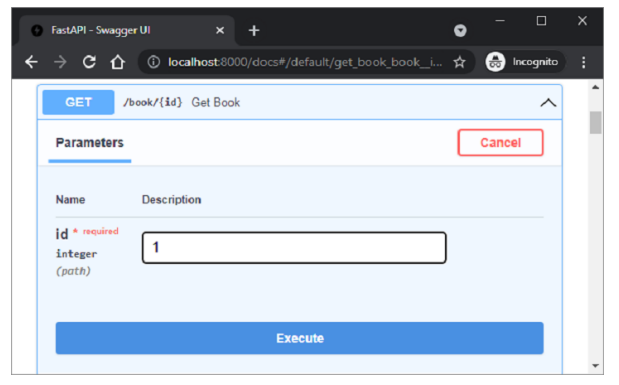
將檢索 id=1 的書籍,這可以在 Swagger UI 的伺服器響應中看到。
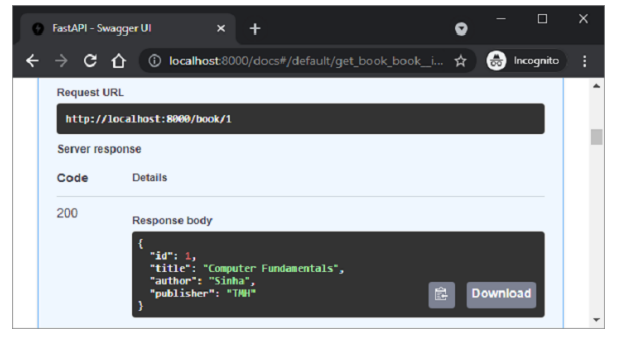
接下來,定義 @app.put() 裝飾器,該裝飾器修改資料列表中的物件。此裝飾器也為 id 欄位提供路徑引數。
@app.put("/book/{id}")
def add_book(id: int, book: Book):
   data[id-1] = book
   return data
在 Swagger UI 中檢查此操作函式。將 id 設定為 1,並在請求體中將釋出者的值更改為 BPB。
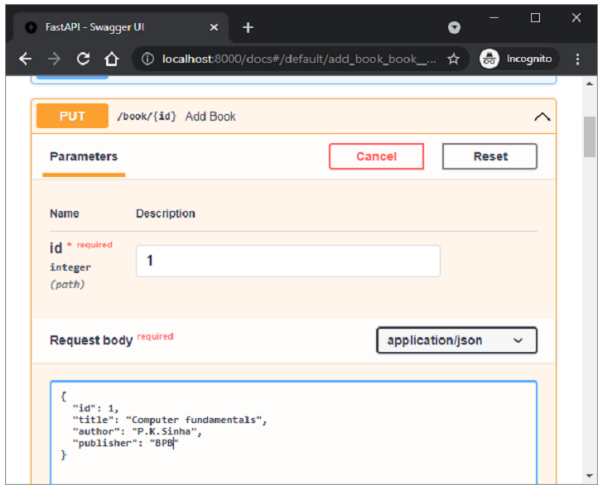
執行後,響應顯示列表中 id=1 的物件已更新為新值。
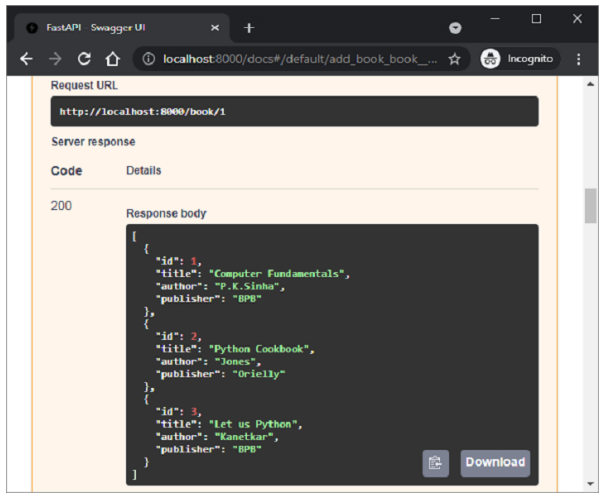
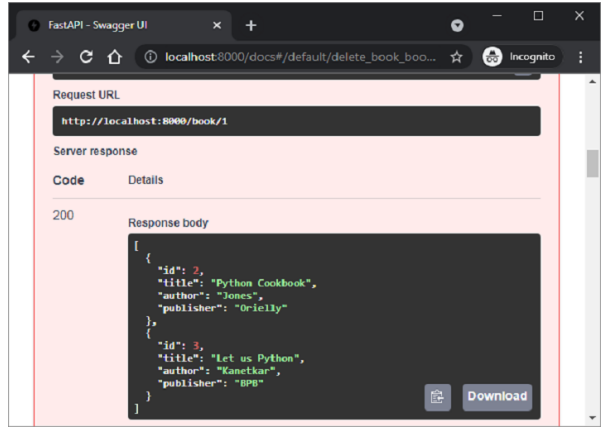
最後,我們定義 @app.delete() 裝飾器以刪除與路徑引數對應的物件。
@app.delete("/book/{id}")
def delete_book(id: int):
   data.pop(id-1)
   return data
將 id 設定為 1 作為路徑引數並執行函式。
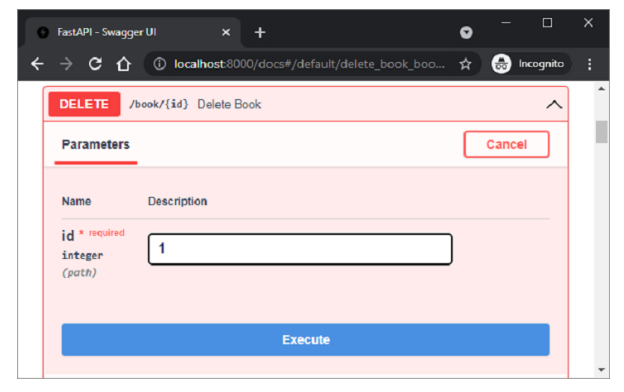
執行後,列表現在僅顯示兩個物件。
廣告