
- FastAPI 教程
- FastAPI - 首頁
- FastAPI - 簡介
- FastAPI - Hello World
- FastAPI - OpenAPI
- FastAPI - Uvicorn
- FastAPI - 型別提示
- FastAPI - IDE 支援
- FastAPI - REST 架構
- FastAPI - 路徑引數
- FastAPI - 查詢引數
- FastAPI - 引數驗證
- FastAPI - Pydantic
- FastAPI - 請求體
- FastAPI - 模板
- FastAPI - 靜態檔案
- FastAPI - HTML 表單模板
- FastAPI - 訪問表單資料
- FastAPI - 上傳檔案
- FastAPI - Cookie 引數
- FastAPI - 頭部引數
- FastAPI - 響應模型
- FastAPI - 巢狀模型
- FastAPI - 依賴注入
- FastAPI - CORS
- FastAPI - CRUD 操作
- FastAPI - SQL 資料庫
- FastAPI - 使用 MongoDB
- FastAPI - 使用 GraphQL
- FastAPI - WebSockets
- FastAPI - FastAPI 事件處理器
- FastAPI - 掛載子應用
- FastAPI - 中介軟體
- FastAPI - 掛載 Flask 應用
- FastAPI - 部署
- FastAPI 有用資源
- FastAPI - 快速指南
- FastAPI - 有用資源
- FastAPI - 討論
FastAPI - OpenAPI
在瀏覽器中輸入以下 URL 以自動生成互動式文件。
http://127.0.0.1:8000/docs
FastAPI 使用 Swagger UI 生成此文件。瀏覽器將顯示以下內容:
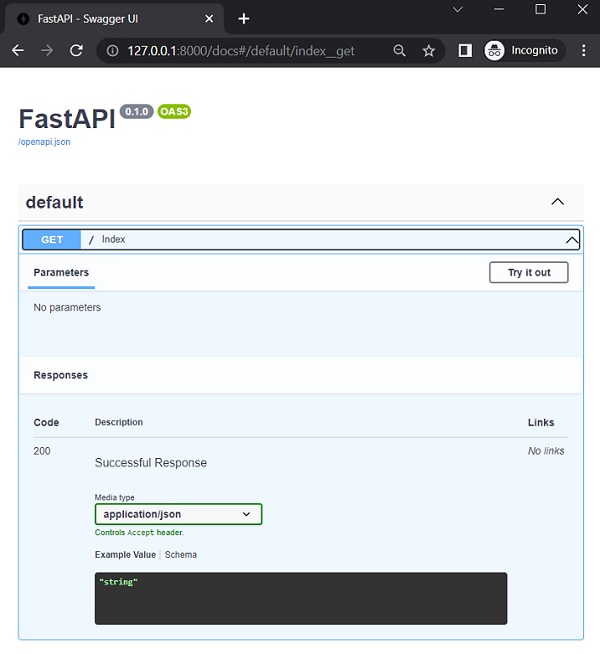
點選“試一下”按鈕,然後點選隨後出現的“執行”按鈕。
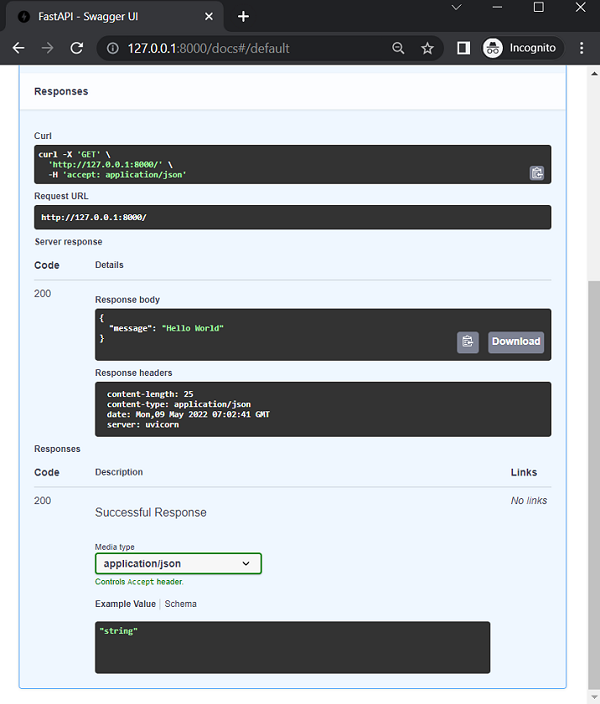
您可以看到內部執行的Curl命令、請求URL、響應頭以及伺服器響應的JSON格式。
FastAPI 使用OpenAPI規範生成模式。該規範確定如何定義API路徑、路徑引數等。OpenAPI標準定義的API模式決定了如何使用JSON模式傳送資料。從您的瀏覽器訪問http://127.0.0.1:8000/openapi.json。將顯示如下格式整齊的JSON響應:
{
   "openapi": "3.0.2",
   "info": {
      "title": "FastAPI",
      "version": "0.1.0"
   },
   "paths": {
      "/": {
         "get": {
            "summary": "Index",
            "operationId": "index__get",
            "responses": {
               "200": {
                  "description": "Successful Response",
                  "content": {
                     "application/json": {
                        "schema": {}
                     }
                  }
               }
            }
         }
      }
   }
}
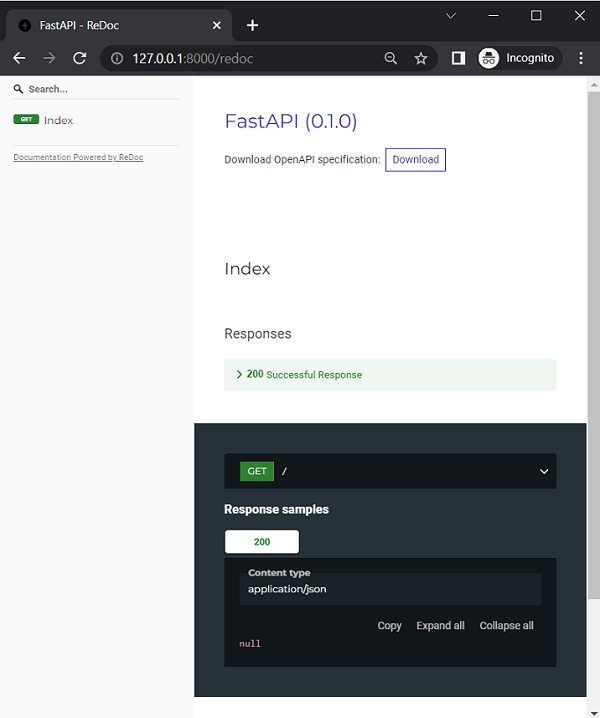
FastAPI 還支援Redoc提供的另一種自動文件方法( https://github.com/Redocly/redoc)。
在瀏覽器的位址列中輸入https://:8000/redoc作為URL。
廣告