
- WPF 教程
- WPF - 首頁
- WPF - 概述
- WPF - 環境設定
- WPF - Hello World
- WPF - XAML 概述
- WPF - 元素樹
- WPF - 依賴屬性
- WPF - 路由事件
- WPF - 控制元件
- WPF - 佈局
- WPF - 佈局巢狀
- WPF - 輸入
- WPF - 命令列
- WPF - 資料繫結
- WPF - 資源
- WPF - 模板
- WPF - 樣式
- WPF - 觸發器
- WPF - 除錯
- WPF - 自定義控制元件
- WPF - 異常處理
- WPF - 本地化
- WPF - 互動
- WPF - 2D 圖形
- WPF - 3D 圖形
- WPF - 多媒體
- WPF 有用資源
- WPF - 快速指南
- WPF - 有用資源
- WPF - 討論
WPF - 依賴屬性
在 WPF 應用程式中,依賴屬性是一種特殊的屬性,它擴充套件了 CLR 屬性。它利用了 WPF 屬性系統中提供的特定功能。
定義依賴屬性的類必須繼承自 **DependencyObject** 類。XAML 中使用的許多 UI 控制元件類都派生自 **DependencyObject** 類,並且它們支援依賴屬性,例如 Button 類支援 **IsMouseOver** 依賴屬性。
下面的 XAML 程式碼建立了一個具有某些屬性的按鈕。
<Window x:Class = "WPFDependencyProperty.MainWindow"
   xmlns = "http://schemas.microsoft.com/winfx/2006/xaml/presentation"
   xmlns:x = "http://schemas.microsoft.com/winfx/2006/xaml"
   xmlns:local = "clr-namespace:WPFDependencyProperty"
   Title = "MainWindow" Height = "350" Width = "604">

   <Grid>
      <Button  Height = "40" Width = "175" Margin = "10" Content = "Dependency Property">
         <Button.Style>
            <Style TargetType = "{x:Type Button}">
               <Style.Triggers>

                  <Trigger Property = "IsMouseOver" Value = "True">
                     <Setter Property = "Foreground" Value = "Red" />
                  </Trigger>

               </Style.Triggers>
            </Style>
         </Button.Style>
      </Button>
   </Grid>

</Window>
XAML 中的 x:Type 標記擴充套件與 C# 中的 typeof() 功能類似。當指定採用物件型別的屬性時使用它,例如 <Style TargetType = "{x:Type Button}">
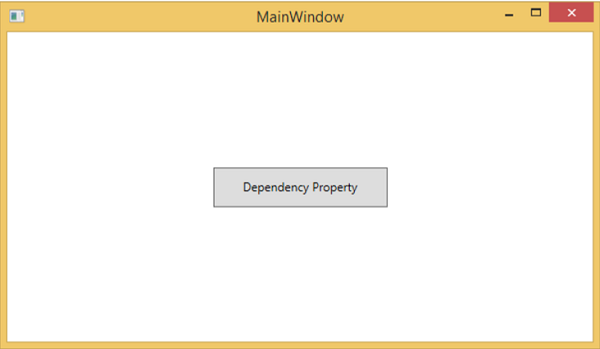
編譯並執行上述程式碼後,您將獲得以下 **MainWindow**。當滑鼠懸停在按鈕上時,它會更改按鈕的前景色。當滑鼠離開按鈕時,它會恢復到原來的顏色。
為什麼我們需要依賴屬性
在應用程式中使用依賴屬性可以獲得各種好處。在以下情況下,可以使用依賴屬性代替 CLR 屬性:
- 如果要設定樣式
- 如果要進行資料繫結
- 如果要使用資源(靜態或動態資源)
- 如果要支援動畫
基本上,依賴屬性提供了許多使用 CLR 屬性無法獲得的功能。
下面列出了 **依賴屬性** 和其他 **CLR 屬性** 的主要區別:
CLR 屬性可以使用 **getter** 和 **setter** 直接讀寫類的私有成員。相反,依賴屬性不儲存在本地物件中。
依賴屬性儲存在 DependencyObject 類提供的鍵/值對字典中。它還節省了大量記憶體,因為它只在屬性更改時才儲存屬性。它也可以在 XAML 中繫結。
自定義依賴屬性
在 .NET 框架中,也可以定義自定義依賴屬性。請按照以下步驟在 C# 中定義自定義依賴屬性。
使用系統呼叫 register 宣告並註冊您的 **依賴屬性**。
為屬性提供 **setter** 和 **getter**。
定義一個 **靜態處理程式**,它將全域性處理發生的任何更改
定義一個 **例項處理程式**,它將處理對該特定例項發生的任何更改。
下面的 C# 程式碼定義了一個依賴屬性來設定使用者控制元件的 **SetText** 屬性。
using System;
using System.Collections.Generic;
using System.Linq;
using System.Text;
using System.Threading.Tasks;

using System.Windows;
using System.Windows.Controls;
using System.Windows.Data;
using System.Windows.Documents;
using System.Windows.Input;
using System.Windows.Media;
using System.Windows.Media.Imaging;
using System.Windows.Navigation;
using System.Windows.Shapes;

namespace WpfApplication3 {
   /// <summary>
      /// Interaction logic for UserControl1.xaml
   /// </summary>

   public partial class UserControl1 : UserControl {

      public UserControl1() {
         InitializeComponent();
      }

      public static readonly DependencyProperty SetTextProperty =
         DependencyProperty.Register("SetText", typeof(string), typeof(UserControl1), new
            PropertyMetadata("", new PropertyChangedCallback(OnSetTextChanged)));

      public string SetText {
         get { return (string)GetValue(SetTextProperty); }
         set { SetValue(SetTextProperty, value); }
      }

      private static void OnSetTextChanged(DependencyObject d,
         DependencyPropertyChangedEventArgs e) {
         UserControl1 UserControl1Control = d as UserControl1;
         UserControl1Control.OnSetTextChanged(e);
      }

      private void OnSetTextChanged(DependencyPropertyChangedEventArgs e) {
         tbTest.Text = e.NewValue.ToString();
      }
   }
}
這是定義 TextBlock 為使用者控制元件的 XAML 檔案,並且 Text 屬性將由 SetText 依賴屬性分配給它。
下面的 XAML 程式碼建立了一個使用者控制元件並初始化其 **SetText** 依賴屬性。
<Window x:Class = "WpfApplication3.MainWindow"
   xmlns = "http://schemas.microsoft.com/winfx/2006/xaml/presentation"
   xmlns:x = "http://schemas.microsoft.com/winfx/2006/xaml"
   xmlns:views = "clr-namespace:WpfApplication3"
   Title = "MainWindow" Height = "350" Width = "604">

   <Grid>
      <views:UserControl1 SetText = "Hellow World"/>
   </Grid>

</Window>
讓我們執行這個應用程式。您可以立即觀察到,在我們的 MainWindow 中,使用者控制元件的依賴屬性已成功用作 Text。
