
- Google Plus 教程
- Google Plus - 首頁
- Google Plus - 簡介
- Google Plus - 人脈
- Google Plus - 圈子
- Google Plus - 社群
- Google Plus - 環聊
- Google Plus - 活動
- Google Plus - 釋出內容
- Google Plus - 上傳帖子
- Google Plus - 編輯帖子
- Google Plus - 刪除帖子
- Google Plus - 重新分享帖子
- Google Plus - 報告帖子
- 培養使用者參與度
- Google Plus - 檢視通知
- Google Plus - 新增管理員
- Google Plus - 設定設定
- Google Plus - 通知設定
- Google Plus - 圈子設定
- Google Plus - 照片和影片設定
- Google Plus - 個人資料設定
- Google Plus - 刪除帳戶
- Google Plus - 洞察
- Google Plus - 最佳化流程
- Google Plus - 最佳化頁面
- Google Plus - 認領個性化網址
- Google Plus - +帖子廣告
- Google Plus - 整合流程
- Google Plus - 徽章
- Google Plus - 建立徽章
- 連線 YouTube
- Google Plus - 社交連結
- Google Plus 有用資源
- Google Plus - 快速指南
- Google Plus - 有用資源
- Google Plus - 討論
Google Plus - 環聊
這個由 Google 提供的通訊平臺,包括影片聊天、訊息傳遞和 VoIP 功能。它是 Google 提供的一項免費服務,提供單人聊天或群聊。群聊最多可容納 10 人。Google 環聊使用者可以輕鬆地與其他使用者共享檔案,例如影像和影片。
此平臺還提供“環聊直播”選項,我們可以透過 Google+ 將即時影片聊天和討論廣播到全世界。這些影片聊天和討論對所有人開放。它可以被編輯,廣播的副本可以透過 YouTube 頻道共享。
環聊是與任何人溝通並輕鬆獲得即時回覆的好方法。此外,您可以一次將影片或圖片上傳給一個或多個朋友。
要廣播我們的環聊直播,我們需要 -
YouTube 頻道 - 確保擁有 YouTube 帳戶。如果沒有,請建立一個帳戶。
Google+ 個人資料 - 確保 Google+ 頁面已連線到 YouTube 帳戶。如今它們會自動連線,但現有使用者應將其連線到 Google+ 頁面。
建立環聊
步驟 1 - 開啟 Google+ 頁面。
步驟 2 - 在頁面左側的下拉選單中搜索環聊。
步驟 3 - 點選“+ 新建環聊”。檢查並新增要新增到環聊的人員。
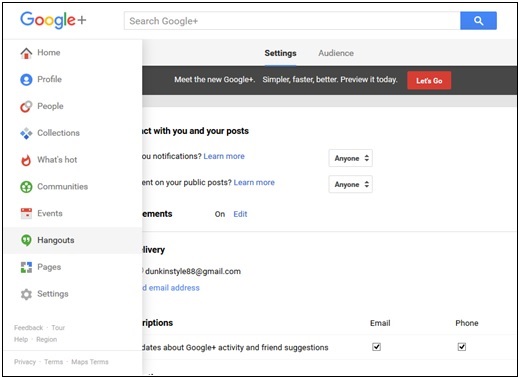
步驟 4 - 步驟 4:選擇環聊的格式,即影片或文字環聊。我們還可以隨時透過點選聊天視窗頂部出現的攝像頭按鈕將文字聊天更改為影片聊天。
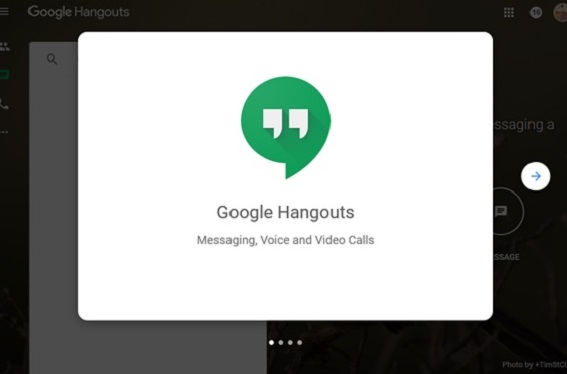
我們可以透過環聊共享表情符號或圖片。我們還可以向圖片和影片新增濾鏡。聊天結束後,點選關閉 (x) 按鈕。
廣告