
- Google Plus 教程
- Google Plus - 首頁
- Google Plus - 簡介
- Google Plus - 人脈拓展
- Google Plus - 圈子
- Google Plus - 社群
- Google Plus - 環聊
- Google Plus - 活動
- Google Plus - 釋出內容
- Google Plus - 上傳帖子
- Google Plus - 編輯帖子
- Google Plus - 刪除帖子
- Google Plus - 轉發帖子
- Google Plus - 舉報帖子
- 培養使用者參與度
- Google Plus - 檢視通知
- Google Plus - 新增管理員
- Google Plus - 設定設定
- Google Plus - 通知設定
- Google Plus - 圈子設定
- Google Plus - 照片和影片設定
- Google Plus - 個人資料設定
- Google Plus - 刪除帳戶
- Google Plus - 資料分析
- Google Plus - 最佳化流程
- Google Plus - 最佳化頁面
- Google Plus - 認領個性化網址
- Google Plus - +Post 廣告
- Google Plus - 整合流程
- Google Plus - 徽章
- Google Plus - 建立徽章
- 連線 YouTube
- Google Plus - 社交連結
- Google Plus 有用資源
- Google Plus - 快速指南
- Google Plus - 有用資源
- Google Plus - 討論
Google Plus - 社群
Google+ 社群在尋找擁有相似愛好或興趣的人方面發揮著重要作用。它有助於將人們聚集在一起,討論特定的興趣,例如時尚、科學、動物等。社群是使用者加入後分享或提問與特定主題相關的特定問題或評論的地方。可以邀請人們加入社群,並且可以透過置頂帖子、標籤等來管理頁面。版主甚至可以管理在社群中分享與社群無關內容的人。如果我們不想接收通知,可以從社群頁面將其關閉。
我們可以建立我們自己的社群。在建立個人資料之前,需要記住以下幾點:
檢查設定,確保它是公開的還是私有的。
照片給人留下第一印象。因此,明智地選擇能夠很好地展現社群的照片。
“關於”部分很重要。這是人們用來獲取有關社群資訊的部分。撰寫有關社群的清晰且合乎邏輯的資訊,以便人們瞭解建立社群的目的以及我們希望透過社群分享的內容。
建立社群
步驟 1 - 從導航選單中選擇“社群”。
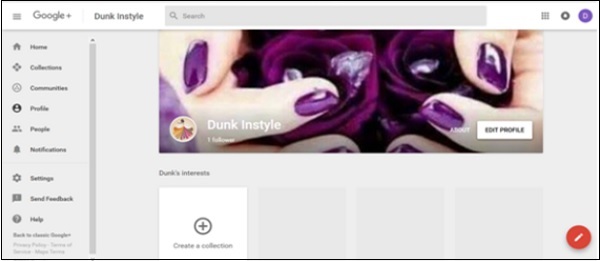
步驟 2 - 點選“建立社群”。
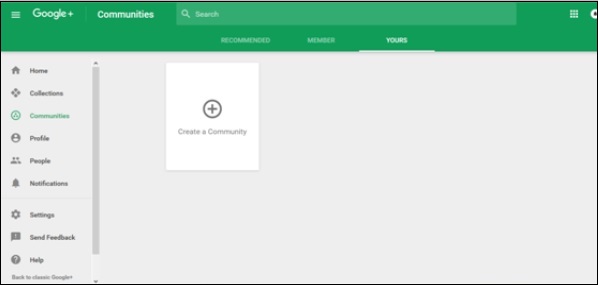
步驟 3 - 選擇隱私選項,即社群應該是“公開的”還是“私有的”。
步驟 4 - 為“社群”命名。
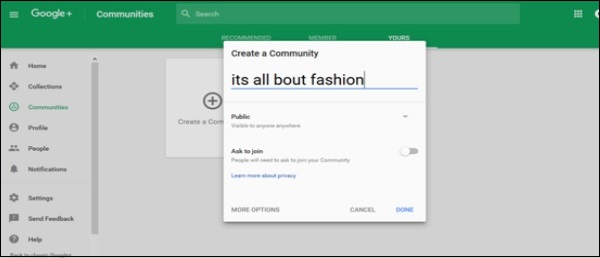
步驟 5 - 點選“完成”。
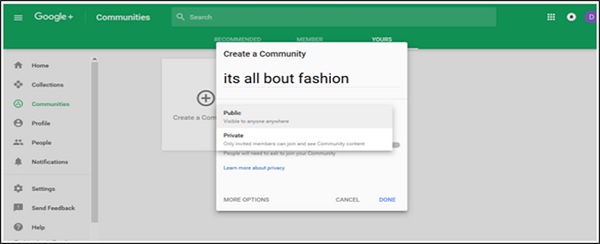
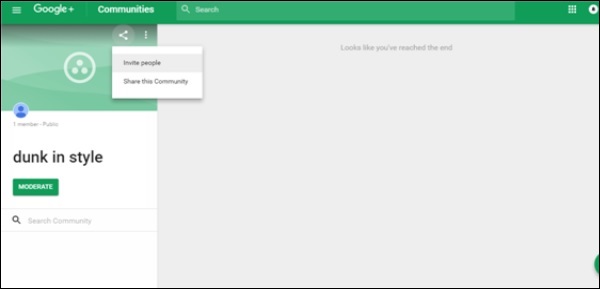
步驟 6 - 新增或邀請人們加入“社群”,並分享社群以獲得大量受眾。
公開社群和私有社群的區別
私有社群 - 當我們為社群選擇私有選項時,我們必須選擇人們是否可以搜尋我們的社群。
公開社群 - 當我們為社群選擇公開選項時,我們必須選擇人們是否可以申請加入您的社群。
請務必仔細選擇此選項,因為您以後無法更改您的選擇。
廣告