
- Google Plus 教程
- Google Plus - 首頁
- Google Plus - 簡介
- Google Plus - 人脈
- Google Plus - 圈子
- Google Plus - 社群
- Google Plus - 聊天
- Google Plus - 活動
- Google Plus - 釋出內容
- Google Plus - 上傳帖子
- Google Plus - 編輯帖子
- Google Plus - 刪除帖子
- Google Plus - 重新分享帖子
- Google Plus - 報告帖子
- 培養使用者參與度
- Google Plus - 檢查通知
- Google Plus - 新增管理員
- Google Plus - 設定設定
- Google Plus - 通知設定
- Google Plus - 圈子設定
- Google Plus - 照片和影片設定
- Google Plus - 個人資料設定
- Google Plus - 刪除賬戶
- Google Plus - 洞察
- Google Plus - 最佳化流程
- Google Plus - 最佳化頁面
- Google Plus - 認領個性化網址
- Google Plus - +帖子廣告
- Google Plus - 整合流程
- Google Plus - 徽章
- Google Plus - 建立徽章
- 連線 YouTube
- Google Plus - 社交連結
- Google Plus 有用資源
- Google Plus - 快速指南
- Google Plus - 有用資源
- Google Plus - 討論
Google Plus - 圈子
Google 圈子可用於將不同的人分組。它可能是家庭成員、同事或一群有共同興趣的人。當我們向特定圈子新增人員時,他們會收到被新增到圈子的通知。圈子成員可以檢視圈子中的帖子和照片。我們也可以隨時向圈子新增或刪除人員。圈子有助於與合適的人分享正確的資訊。
例如,這是一個與“朋友”圈子分享笑話的好方法,而與“工作”圈子分享業務事宜。新增到圈子的人也可以在我們的 Google 聊天中使用。預設情況下,新增到圈子的人員和頁面是公開可見的。但是,我們可以從設定中更改隱私選項。在所有圈子中每天新增 5000 個頁面和個人資料的限制。如果我們已達到此限制,則必須等待另一天才可以新增更多個人資料和頁面。
如何建立圈子?
步驟 1 - 開啟 Google+ 賬戶。
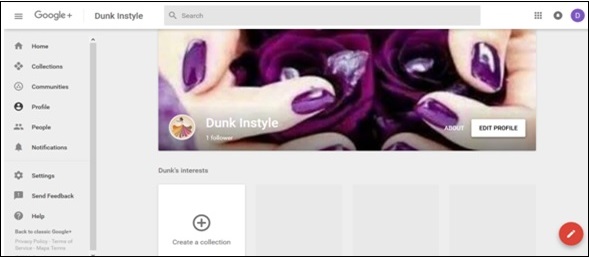
步驟 2 - 從導航選單中點選“人員”。
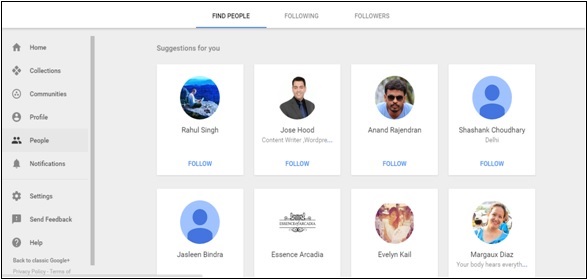
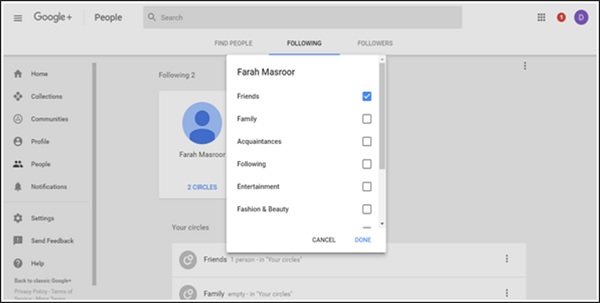
步驟 3 - 點選如下螢幕截圖所示的“關注”選項卡。
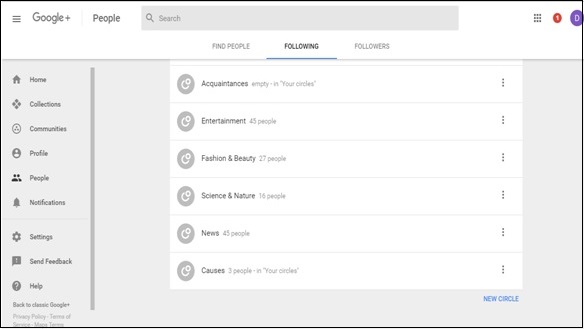
步驟 4 - 向下滾動並點選上面螢幕截圖中顯示的“新建圈子”。
步驟 5 - 為圈子命名,完成後點選“建立”。
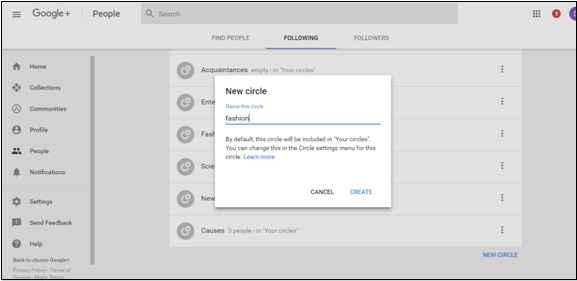
向圈子新增人員
步驟 1 - 開啟要新增到圈子的人員的個人資料。
步驟 2 - 點選要將該人員新增到其中的圈子。
步驟 3 - 點選“完成”。
從圈子中移除人員
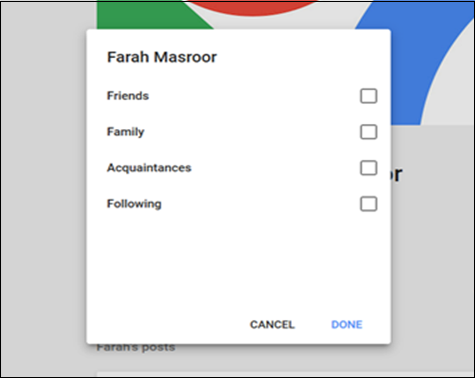
步驟 1 - 開啟要從圈子中移除的人員的個人資料。
步驟 2 - 點選該人員所在的圈子,然後從選單中取消選中該圈子。
步驟 3 - 點選“完成”。
廣告