
- Google Plus 教程
- Google Plus - 首頁
- Google Plus - 簡介
- Google Plus - 人脈
- Google Plus - 圈子
- Google Plus - 社群
- Google Plus - 環聊
- Google Plus - 活動
- Google Plus - 釋出內容
- Google Plus - 上傳帖子
- Google Plus - 編輯帖子
- Google Plus - 刪除帖子
- Google Plus - 重新分享帖子
- Google Plus - 報告帖子
- 培養使用者參與度
- Google Plus - 檢查通知
- Google Plus - 新增管理員
- Google Plus - 設定設定
- Google Plus - 通知設定
- Google Plus - 圈子設定
- Google Plus - 照片和影片設定
- Google Plus - 個人資料設定
- Google Plus - 刪除賬戶
- Google Plus - 洞察
- Google Plus - 最佳化流程
- Google Plus - 最佳化頁面
- Google Plus - 認領個性化網址
- Google Plus - +Post 廣告
- Google Plus - 整合流程
- Google Plus - 徽章
- Google Plus - 建立徽章
- 連線 YouTube
- Google Plus - 社交連結
- Google Plus 有用資源
- Google Plus - 快速指南
- Google Plus - 有用資源
- Google Plus - 討論
Google Plus - 徽章
Google+ 平臺是一個有效的平臺,可以與其他社交網路平臺整合。Google+ 允許與所有其他平臺(如 YouTube、Twitter 等)進行互動。我們可以在我們的 Google+ 賬戶上提供我們網站/頁面的按鈕,人們可以使用該按鈕輕鬆導航到該頁面。這會為我們的網站/頁面帶來更多流量。如果需要 Google 身份驗證,我們可以開發我們自己的徽章、+1 按鈕和關注按鈕。
新增徽章
Google+ 徽章類似於 FB 的“贊”按鈕或 Twitter 上的“推文”按鈕。最好讓其他人知道我們在 Google+ 上。它可以幫助客戶透過點選我們頁面上提供的徽章直接點贊或關注我們。
來自其他平臺的人也可以透過點選徽章一鍵與我們或我們的頁面聯絡。新增徽章可以證明該頁面已透過驗證。徽章可以帶來更多關注者。確保徽章對我們的業務具有吸引力和適宜性。
有三種不同的徽章:
- Google+ 個人資料徽章
- Google+ 頁面徽章
- Google+ 社群徽章
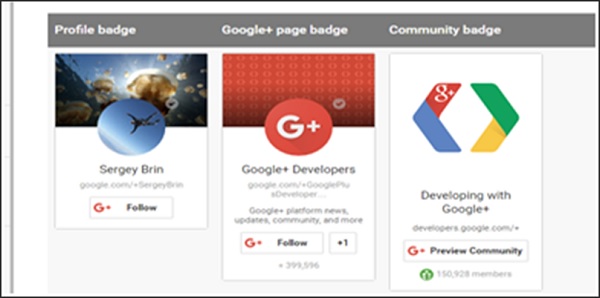
Google+ 個人資料徽章
Google+ 個人資料徽章供人們直接關注我們的個人資料,這有助於訪客直接聯絡我們。它為人們提供了一個選項,讓他們可以直接將我們新增到他們的圈子中。
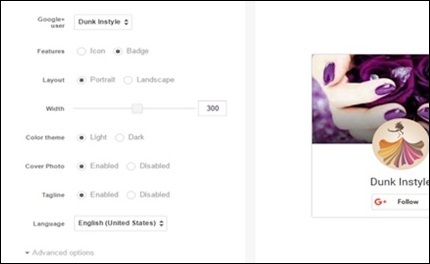
以下是將個人資料徽章呈現到我們網站上的程式碼。
<script src="https://apis.google.com/js/platform.js" async defer></script>
<g:person href="https://plus.google.com/{profileId}" datarel="author"></g:person>
Google+ 頁面徽章
Google+ 頁面徽章供人們關注我們的頁面,這與訪客直接與我們互動的個人資料頁面不同。
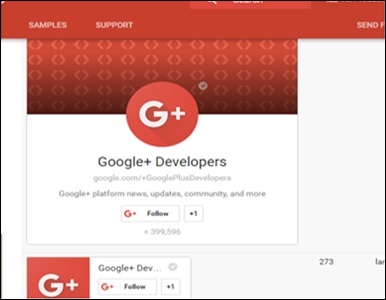
以下是將頁面徽章呈現到我們網站上的程式碼。
<script src="https://apis.google.com/js/platform.js" async defer></script>
<g:page href="https://plus.google.com/{pageId}"></g:page>
Google+ 社群徽章
Google+ 社群徽章供人們直接預覽他們的社群。它可以幫助人們找到他們的社群並參與他們感興趣的話題。
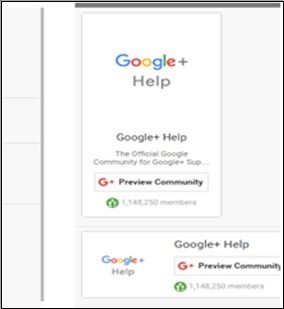
以下是將社群徽章呈現到我們網站上的程式碼。
<script src="https://apis.google.com/js/platform.js" async defer></script>
<g:community href="https://plus.google.com/communities/{communityId}"></g:community>
廣告