
- Sublime Text 教程
- Sublime Text - 首頁
- Sublime Text – 簡介
- Sublime Text – 安裝
- Sublime Text – 資料目錄
- 建立第一個文件
- 編輯第一個文字文件
- 程式碼編輯模式
- Sublime Text – Sublime Linter
- Sublime Text – 快捷鍵
- Sublime Text – 程式碼片段
- Sublime Text – 宏
- Sublime Text – 鍵繫結
- Sublime Text – 列選擇
- Sublime Text – 縮排
- Sublime Text – 基本設定
- Sublime Text – 主題管理
- 理解 Vintage 模式
- Sublime Text – Vintage 命令
- Sublime Text – 測試 Javascript 程式碼
- Sublime Text – 測試 Python 程式碼
- Sublime Text - 拼寫檢查
- Sublime Text – 外掛
- Sublime Text – 選單
- Sublime Text – 字型子選單
- Sublime Text – 開發外掛
- Sublime Text – 命令面板
- 除錯 PHP 應用程式
- 除錯 Javascript 應用程式
- Sublime Text – 批處理
- 無干擾模式
- SublimeCodeIntel 外掛
- Sublime Text 有用資源
- Sublime Text - 快速指南
- Sublime Text - 有用資源
- Sublime Text - 討論
Sublime Text - 拼寫檢查
Sublime Text 編輯器使用Hunspell進行拼寫檢查。Hunspell是 LibreOffice、Mozilla Thunderbird、Google Chrome 和許多專有軟體包的拼寫檢查器。Sublime Text 編輯器包含字典支援,可以對單詞進行正確的拼寫檢查。
詞典
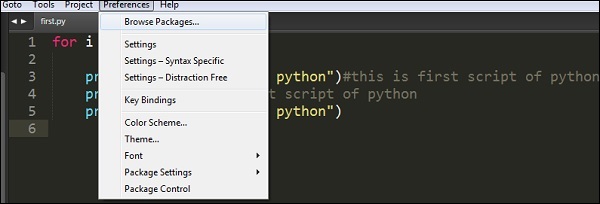
Sublime Text 包含 UTF-8 編碼的詞典。要在 Sublime Text 編輯器中實現詞典,應首先將其轉換為 UTF-8。如果使用者擁有 UTF-8 編碼的詞典,則可以使用 Sublime Text 編輯器中的首選項選項安裝它。
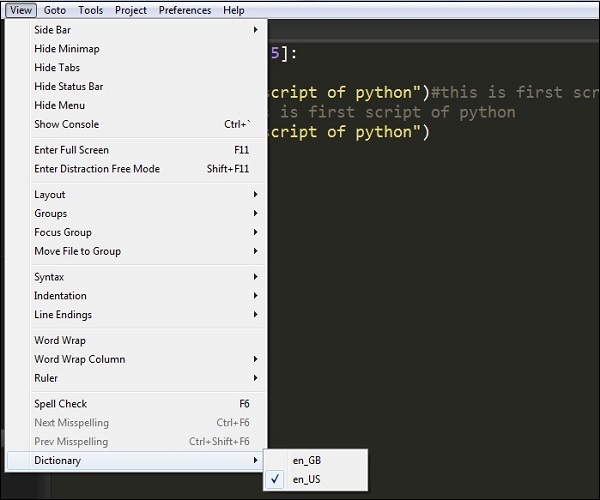
您可以從檢視 → 詞典選單中選擇詞典,如給定螢幕截圖所示:
詞典設定
Sublime Text 編輯器的拼寫檢查定義了兩個設定:
- 拼寫檢查 (Spell_check)
- 詞典 (Dictionary)
// Set to true to turn spell checking on by default
"spell_check": false,

// Word list to use for spell checking
"dictionary": "Packages/Language - English/en_US.dic"
這些配置包含在設定檔案中。新增和忽略的單詞分別儲存在使用者設定下的added_words和ignored_words鍵中。
廣告