- Yii 教程
- Yii - 首頁
- Yii - 概覽
- Yii - 安裝
- Yii - 建立頁面
- Yii - 應用程式結構
- Yii - 入口指令碼
- Yii - 控制器
- Yii - 使用控制器
- Yii - 使用操作
- Yii - 模型
- Yii - 小部件
- Yii - 模組
- Yii - 檢視
- Yii - 佈局
- Yii - 資源
- Yii - 資源轉換
- Yii - 擴充套件
- Yii - 建立擴充套件
- Yii - HTTP 請求
- Yii - 響應
- Yii - URL 格式
- Yii - URL 路由
- Yii - URL 規則
- Yii - HTML 表單
- Yii - 驗證
- Yii - 特設驗證
- Yii - AJAX 驗證
- Yii - 會話
- Yii - 使用快閃記憶體資料
- Yii - Cookie
- Yii - 使用 Cookie
- Yii - 檔案上傳
- Yii - 格式化
- Yii - 分頁
- Yii - 排序
- Yii - 屬性
- Yii - 資料提供者
- Yii - 資料小部件
- Yii - ListView 小部件
- Yii - GridView 小部件
- Yii - 事件
- Yii - 建立事件
- Yii - 行為
- Yii - 建立行為
- Yii - 配置
- Yii - 依賴注入
- Yii - 資料庫訪問
- Yii - 資料訪問物件
- Yii - 查詢構建器
- Yii - Active Record
- Yii - 資料庫遷移
- Yii - 主題
- Yii - RESTful API
- Yii - RESTful API 實踐
- Yii - 欄位
- Yii - 測試
- Yii - 快取
- Yii - 片段快取
- Yii - 別名
- Yii - 日誌記錄
- Yii - 錯誤處理
- Yii - 身份驗證
- Yii - 授權
- Yii - 本地化
- Yii - Gii
- Gii – 建立模型
- Gii – 生成控制器
- Gii – 生成模組
- Yii 有用資源
- Yii - 快速指南
- Yii - 有用資源
- Yii - 討論
Yii - URL 規則
URL 規則是 yii\web\UrlRule 的一個例項。當啟用漂亮 URL 格式時,urlManager 元件使用在其 rules 屬性中宣告的 URL 規則。
為了解析請求,URL 管理器按照宣告的順序獲取規則,並查詢第一個規則。
步驟 1 − 修改 config/web.php 檔案中的 urlManager 元件。
'urlManager' => [
   'showScriptName' => false,
   'enablePrettyUrl' => true,
   'rules' => [
      'about' => 'site/about',
   ]
],
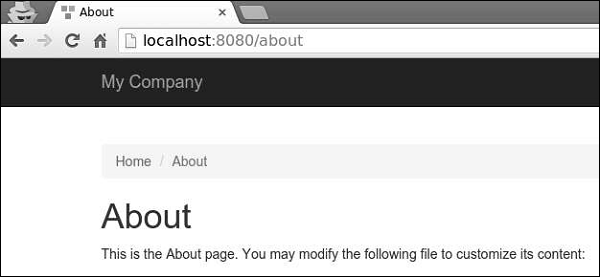
步驟 2 − 在您的 Web 瀏覽器中訪問 https://:8080/about,您將看到關於頁面。
URL 規則可以與此模式關聯查詢引數 −
<ParamName:RegExp>,其中 −
ParamName − 引數名稱
RegExp − 用於匹配引數值的可選正則表示式
假設,我們聲明瞭以下 URL 規則 −
[
   'articles/<year:\d{4}>/<category>' => 'article/index',
   'articles' => 'article/index',
   'article/<id:\d+>' => 'article/view',
]
當規則用於解析時 −
- /index.php/articles 被解析為 article/index
- /index.php/articles/2014/php 被解析為 article/index
- /index.php/article/100 被解析為 article/view
- /index.php/articles/php 被解析為 articles/php
當規則用於建立 URL 時 −
Url::to(['article/index']) 建立 /index.php/articles
Url::to(['article/index', 'year' => 2014, 'category' => 'php']) 建立 /index.php/articles/2014/php
Url::to(['article/view', 'id' => 100]) 建立 /index.php/article/100
Url::to(['article/view', 'id' => 100, 'source' => 'ad']) 建立 /index.php/article/100?source=ad
Url::to(['article/index', 'category' => 'php']) 建立 /index.php/article/index?category=php
要向 URL 新增字尾,您應該配置 yii\web\UrlManager::$suffix 屬性。
步驟 3 − 修改 config/web.php 檔案中的 urlComponent。
'urlManager' => [
   'showScriptName' => false,
   'enablePrettyUrl' => true,
   'enableStrictParsing' => true,
   'suffix' => '.html'
],
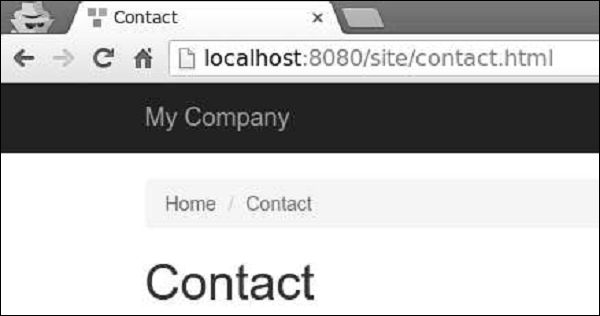
步驟 4 − 在 Web 瀏覽器的位址列中輸入地址 https://:8080/site/contact.html,您將在螢幕上看到以下內容。注意 html 字尾。