
- React Native 教程
- React Native - 主頁
- 核心概念
- React Native - 概述
- React Native - 環境設定
- React Native - 應用
- React Native - 狀態
- React Native - 屬性
- React Native - 樣式
- React Native - Flexbox
- React Native - ListView
- React Native - 文字輸入
- React Native - ScrollView
- React Native - 圖片
- React Native - HTTP
- React Native - 按鈕
- React Native - 動畫
- React Native - 除錯
- React Native - 路由
- React Native - 執行 IOS
- React Native - 執行 Android
- 元件和 API
- React Native - View
- React Native - WebView
- React Native - Modal
- React Native - ActivityIndicator
- React Native - Picker
- React Native - 狀態列
- React Native - Switch
- React Native - Text
- React Native - Alert
- React Native - 地理位置
- React Native - AsyncStorage
- React Native 實用資源
- React Native - 快速指南
- React Native - 實用資源
- React Native - 討論
React Native - 按鈕
在本文件中,我們將向您展示 react Native 中的可觸控元件。我們將它們稱為“可觸控”,因為它們可提供內建動畫效果,並且我們可以使用 onPress 屬性來處理觸控事件。
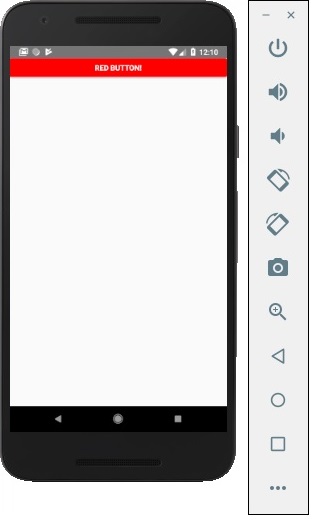
Facebook 提供了 Button 元件,可用作通用按鈕。考慮以下示例來理解這一點。
App.js
import React, { Component } from 'react'
import { Button } from 'react-native'

const App = () => {
   const handlePress = () => false
   return (
      <Button
         onPress = {handlePress}
         title = "Red button!"
         color = "red"
      />
   )
}
export default App
如果預設 Button 元件無法滿足您的需求,您可以使用以下元件之一。
Touchable Opacity
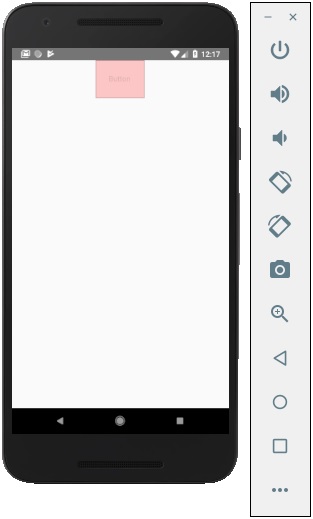
當觸控該元素時,此元素將更改元素的不透明度。
App.js
import React from 'react'
import { TouchableOpacity, StyleSheet, View, Text } from 'react-native'

const App = () => {
   return (
      <View style = {styles.container}>
         <TouchableOpacity>
            <Text style = {styles.text}>
               Button
            </Text>
         </TouchableOpacity>
      </View>
   )
}
export default App

const styles = StyleSheet.create ({
   container: {
      alignItems: 'center',
   },
   text: {
      borderWidth: 1,
      padding: 25,
      borderColor: 'black',
      backgroundColor: 'red'
   }
})
Touchable Highlight
當用戶按下元素時,它將變暗並且底色將顯現。
App.js
import React from 'react'
import { View, TouchableHighlight, Text, StyleSheet } from 'react-native'

const App = (props) => {
   return (
      <View style = {styles.container}>
         <TouchableHighlight>
            <Text style = {styles.text}>
               Button
            </Text>
         </TouchableHighlight>
      </View>
   )
}
export default App

const styles = StyleSheet.create ({
   container: {
      alignItems: 'center',
   },
   text: {
      borderWidth: 1,
      padding: 25,
      borderColor: 'black',
      backgroundColor: 'red'
   }
})
Touchable Native Feedback
當按下元素時,這將模擬墨水動畫效果。
App.js
import React from 'react'
import { View, TouchableNativeFeedback, Text, StyleSheet } from 'react-native'

const Home = (props) => {
   return (
      <View style = {styles.container}>
         <TouchableNativeFeedback>
            <Text style = {styles.text}>
               Button
            </Text>
         </TouchableNativeFeedback>
      </View>
   )
}
export default Home

const styles = StyleSheet.create ({
   container: {
      alignItems: 'center',
   },
   text: {
      borderWidth: 1,
      padding: 25,
      borderColor: 'black',
      backgroundColor: 'red'
   }
})
Touchable Without Feedback
當您想在沒有任何動畫效果的情況下處理觸控事件時,應使用此元素。通常,此元件使用的並不多。
<TouchableWithoutFeedback>
   <Text>
      Button
   </Text>
</TouchableWithoutFeedback>
廣告