
- React Native 教程
- React Native - 主頁
- 核心概念
- React Native - 概覽
- React Native - 環境設定
- React Native - 應用程式
- React Native - 狀態
- React Native - 道具
- React Native - 樣式
- React Native - Flexbox
- React Native - ListView
- React Native - 文字輸入
- React Native - ScrollView
- React Native - 影像
- React Native - HTTP
- React Native - 按鈕
- React Native - 動畫
- React Native - 除錯
- React Native - 路由器
- React Native - 執行 IOS
- React Native - 執行 Android
- 元件和 API
- React Native - View
- React Native - WebView
- React Native - Modal
- React Native - ActivityIndicator
- React Native - Picker
- React Native - Status Bar
- React Native - Switch
- React Native - Text
- React Native - Alert
- React Native - 地理位置
- React Native - AsyncStorage
- React Native 有用資源
- React Native - 快速指南
- React Native - 有用資源
- React Native - 討論
React Native - 應用程式
如果您開啟預設應用,可以看出 app.js 檔案 wygląda
import React from 'react';
import { StyleSheet, Text, View } from 'react-native';

export default class App extends React.Component {
   render() {
      return (
         <View style = {styles.container}>
            <Text>Open up App.js to start working on your app!</Text>
            <Text>Changes you make will automatically reload.</Text>
            <Text>Shake your phone to open the developer menu.</Text>
         </View>
      );
   }
}

const styles = StyleSheet.create({
   container: {
      flex: 1,
      backgroundColor: '#fff',
      alignItems: 'center',
      justifyContent: 'center',
   },
});
輸出

你好,世界
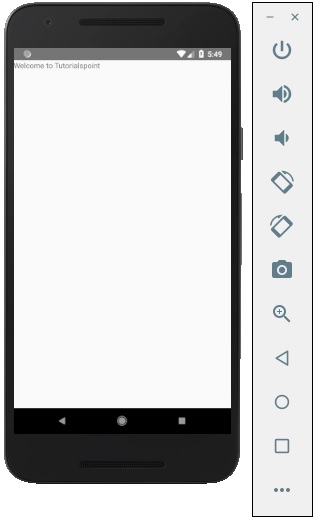
要顯示一條簡單的訊息,內容為“歡迎來到 Tutorialspoint”,可移除 CSS 部分,並將要列印的訊息插入由 <<text></text> 標籤包裝在 <<view></view> 內,如下所示。
import React from 'react';
import { StyleSheet, Text, View } from 'react-native';

export default class App extends React.Component {
   render() {
      return (
         <View>
            <Text>Welcome to Tutorialspoint</Text>
         </View>
      );
   }
}
廣告