
- Meteor 教程
- Meteor - 主頁
- Meteor - 概覽
- Meteor - 環境設定
- Meteor - 第一個應用程式
- Meteor - 模板
- Meteor - 集合
- Meteor - 表單
- Meteor - 事件
- Meteor - 會話
- Meteor - 跟蹤器
- Meteor - 軟體包
- Meteor - 核心 API
- Meteor - Check
- Meteor - Blaze
- Meteor - 計時器
- Meteor - EJSON
- Meteor - HTTP
- Meteor - 電子郵件
- Meteor - 資產
- Meteor - 安全
- Meteor - 排序
- Meteor - 帳戶
- Meteor - 方法
- Meteor - Package.js
- Meteor - 釋出和訂閱
- Meteor - 結構
- Meteor - 部署
- Meteor - 在移動裝置上執行
- Meteor - 待辦事項應用程式
- Meteor - 最佳實踐
- Meteor 有用資源
- Meteor - 快速指南
- Meteor - 有用資源
- Meteor - 討論
Meteor - 計時器
Meteor 提供自己的 setTimeout 和 setInterval 方法。這些方法用於確保所有全域性變數都具有正確的值。它們的工作方式與常規 JavaScript setTimout 和 setInterval 類似。
超時
這是 Meteor.setTimeout 示例。
Meteor.setTimeout(function() {
   console.log("Timeout called after three seconds...");
}, 3000);
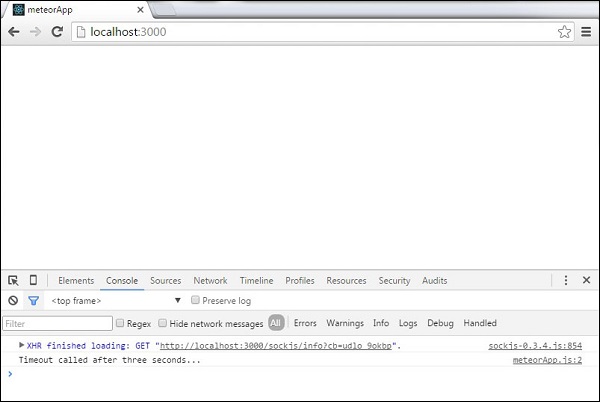
我們可以在控制檯中看到,超時函式在應用程式啟動後被呼叫。
間隔
以下示例展示如何設定和清除間隔。
meteorApp.html
<head>
   <title>meteorApp</title>
</head>

<body>
   <div>
      {{> myTemplate}}
   </div>
</body>

<template name = "myTemplate">
   <button>CLEAR</button>
</template>
我們將設定將在每次間隔呼叫後更新的初始 counter 變數。
meteorApp.js
if (Meteor.isClient) {

   var counter = 0;

   var myInterval = Meteor.setInterval(function() {
      counter ++
      console.log("Interval called " + counter + " times...");
   }, 3000);

   Template.myTemplate.events({

      'click button': function() {
         Meteor.clearInterval(myInterval);
         console.log('Interval cleared...')
      }
   });
}
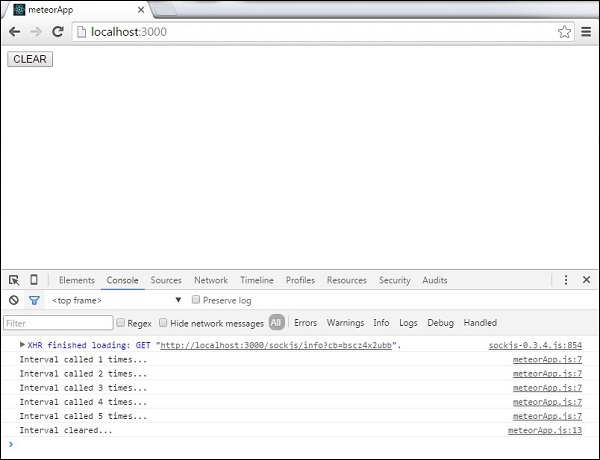
控制檯將每三秒記錄一次更新的 counter 變數。我們可以透過單擊 清除 按鈕來停止此操作。這將呼叫 clearInterval 方法。
廣告