
- Meteor 教程
- Meteor - 首頁
- Meteor - 概述
- Meteor - 環境設定
- Meteor - 第一個應用程式
- Meteor - 模板
- Meteor - 集合
- Meteor - 表單
- Meteor - 事件
- Meteor - Session
- Meteor - Tracker
- Meteor - 包
- Meteor - 核心 API
- Meteor - Check
- Meteor - Blaze
- Meteor - 定時器
- Meteor - EJSON
- Meteor - HTTP
- Meteor - 郵件
- Meteor - 資源
- Meteor - 安全性
- Meteor - 排序
- Meteor - 賬戶
- Meteor - 方法
- Meteor - Package.js
- Meteor - 釋出和訂閱
- Meteor - 結構
- Meteor - 部署
- Meteor - 在移動裝置上執行
- Meteor - 待辦事項應用程式
- Meteor - 最佳實踐
- Meteor 有用資源
- Meteor - 快速指南
- Meteor - 有用資源
- Meteor - 討論
Meteor - Blaze
Blaze 是一個用於構建即時響應式模板的 Meteor 包。
渲染方法
此方法用於將模板渲染到 DOM 中。首先,我們將建立 **myNewTemplate**,它將被渲染。我們還將新增 **myContainer**,它將用作父元素,因此 **render** 方法知道在哪裡渲染我們的模板。
meteorApp.html
<head>
   <title>meteorApp</title>
</head>

<body>
   <div id = "myContainer">
   </div>
</body>

<template name = "myNewTemplate">
   <p>Text from my new template...</p>
</template>
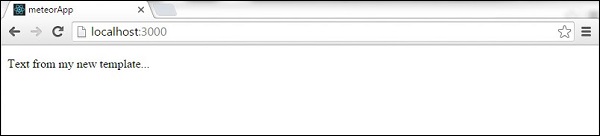
接下來,我們將建立一個渲染函式,它將接受兩個引數。第一個是要渲染的模板,第二個是我們上面提到的父元素。
meteorApp.js
Meteor.startup(function () {

   if(Meteor.isClient) {
      var myNewTemplate = Template.myNewTemplate;
      var myContainer = document.getElementById('myContainer');
      Blaze.render(myNewTemplate, myContainer);
   }
});
帶資料的渲染
如果您需要以響應方式傳遞一些資料,可以使用 **renderWithData** 方法。HTML 將與上一示例完全相同。
meteorApp.html
<head>
   <title>meteorApp</title>
</head>

<body>
   <div id = "myContainer">
   </div>
</body>

<template name = "myNewTemplate">
   <p>Text from my new template...</p>
</template>
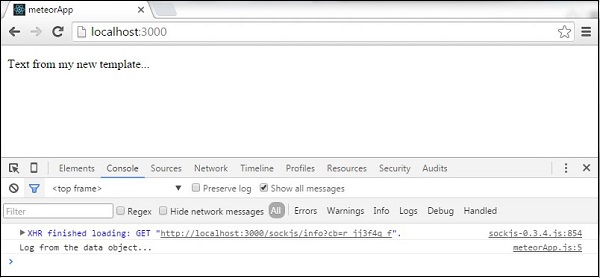
我們可以將我們的資料作為第二個引數新增到 **Meteor.renderWithData** 方法中。其他兩個引數與前面的示例相同。在此示例中,我們的資料是一個將記錄一些文字的函式。
meteorApp.js
Meteor.startup(function () {

   if(Meteor.isClient) {
      var myNewTemplate = Template.myNewTemplate;

      var myData = function() {
         console.log('Log from the data object...')
      }

      var myContainer = document.getElementById('myContainer');
      Blaze.renderWithData(myNewTemplate, myData, myContainer);
   }
});
移除方法
我們可以新增 **remove** 方法。
meteorApp.html
<head>
   <title>meteorApp</title>
</head>

<body>
   <div id = "myContainer">
   </div>
</body>

<template name = "myNewTemplate">
   <p>Text from my new template...</p>
</template>
在此示例中,我們正在渲染將在三秒鐘後移除的模板。請注意我們用於移除模板的 **Blaze.Remove** 方法。
meteorApp.js
Meteor.startup(function () {

   if(Meteor.isClient) {
      var myNewTemplate = Template.myNewTemplate;
      var myContainer = document.getElementById('myContainer');
      var myRenderedTemplate = Blaze.render(myNewTemplate, myContainer);

      Meteor.setTimeout(function() {
         Blaze.remove(myRenderedTemplate);
      }, 3000);
   }
});
下表顯示了可以使用的其他方法。
| 序號 | 方法及詳情 |
|---|---|
| 1 | Blaze.getData([elementOrView]) 用於從渲染元素中檢索資料。 |
| 2 | Blaze.toHTML(templateOrView) 用於將模板或檢視渲染為字串。 |
| 3 | Blaze.toHTMLWithData(templateOrView, data) 用於使用附加資料將模板或檢視渲染為字串。 |
| 4 | new Blaze.View([name], renderFunction) 用於建立一個新的 Blaze DOM 的響應式部分。 |
| 5 | Blaze.currentView 用於獲取當前檢視。 |
| 6 | Blaze.getView([element]) 用於獲取當前檢視。 |
| 7 | Blaze.With(data, contentFunc) 用於構造一個在上下文中渲染一些內容的檢視。 |
| 8 | Blaze.If(conditionFunc, contentFunc, [elseFunc]) 用於構造一個渲染一些條件內容的檢視。 |
| 9 | Blaze.Unless(conditionFunc, contentFunc, [elseFunc]) 用於構造一個渲染一些條件內容的檢視(**Blaze.if** 的反向)。 |
| 10 | Blaze.Each(argFunc, contentFunc, [elseFunc]) 用於構造一個為每個專案渲染 **contentFunct** 的檢視。 |
| 11 | new Blaze.Template([viewName], renderFunction) 用於使用名稱和內容構造一個新的 Blaze 檢視。 |
| 12 | Blaze.isTemplate(value) 用於返回 true,如果值為模板物件。 |