
- Meteor 教程
- Meteor - 首頁
- Meteor - 概述
- Meteor - 環境搭建
- Meteor - 第一個應用
- Meteor - 模板
- Meteor - 集合
- Meteor - 表單
- Meteor - 事件
- Meteor - Session
- Meteor - Tracker
- Meteor - 包
- Meteor - 核心 API
- Meteor - 檢查
- Meteor - Blaze
- Meteor - 定時器
- Meteor - EJSON
- Meteor - HTTP
- Meteor - 郵件
- Meteor - 資源
- Meteor - 安全性
- Meteor - 排序
- Meteor - 賬戶
- Meteor - 方法
- Meteor - Package.js
- Meteor - 釋出與訂閱
- Meteor - 結構
- Meteor - 部署
- Meteor - 移動端執行
- Meteor - ToDo 應用
- Meteor - 最佳實踐
- Meteor 有用資源
- Meteor - 快速指南
- Meteor - 有用資源
- Meteor - 討論
Meteor - 模板
Meteor 模板使用三個頂級標籤。前兩個是head和body。這些標籤的功能與普通HTML中的相同。第三個標籤是template。在這裡,我們將HTML連線到JavaScript。
簡單模板
下面的例子展示了它是如何工作的。我們正在建立一個具有name = "myParagraph"屬性的模板。我們的template標籤建立在body元素下面,但是,我們需要在它渲染到螢幕上之前包含它。我們可以使用{{> myParagraph}}語法來實現。在我們的模板中,我們使用了雙大括號({{text}})。這是Meteor模板語言,稱為Spacebars。
在我們的JavaScript檔案中,我們設定了Template.myParagraph.helpers({})方法,這將是我們與模板的連線。在這個例子中,我們只使用了text輔助函式。
meteorApp.html
<head>
   <title>meteorApp</title>
</head>

<body>
   <h1>Header</h1>
   {{> myParagraph}}
</body>

<template name = "myParagraph">
   <p>{{text}}</p>
</template>
meteorApp.js
if (Meteor.isClient) {

   // This code only runs on the client
   Template.myParagraph.helpers({
      text: 'This is paragraph...'
   });
}
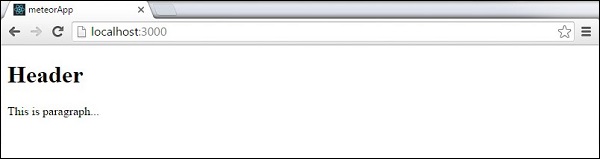
儲存更改後,輸出如下:
塊模板
在下面的例子中,我們使用{{#each paragraphs}}迭代paragraphs陣列,併為每個值返回模板name = "paragraph"。
meteorApp.html
<head>
   <title>meteorApp</title>
</head>

<body>
   <div>
      {{#each paragraphs}}
         {{> paragraph}}
      {{/each}}
   </div>
</body>

<template name = "paragraph">
   <p>{{text}}</p>
</template>
我們需要建立paragraphs輔助函式。這將是一個包含五個文字值的陣列。
meteorApp.js
if (Meteor.isClient) {

   // This code only runs on the client
   Template.body.helpers({
      paragraphs: [
         { text: "This is paragraph 1..." },
         { text: "This is paragraph 2..." },
         { text: "This is paragraph 3..." },
         { text: "This is paragraph 4..." },
         { text: "This is paragraph 5..." }
      ]
   });
}
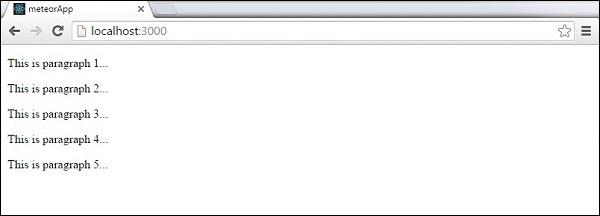
現在,我們可以在螢幕上看到五個段落。
廣告