- XAML 教程
- XAML - 首頁
- XAML - 概述
- XAML - 環境設定
- 在 macOS 上編寫 XAML 應用程式
- XAML 與 C# 程式碼
- XAML 與 VB.NET
- XAML - 構建塊
- XAML - 控制元件
- XAML - 佈局
- XAML - 事件處理
- XAML - 資料繫結
- XAML - 標記擴充套件
- XAML - 依賴屬性
- XAML - 資源
- XAML - 模板
- XAML - 樣式
- XAML - 觸發器
- XAML - 除錯
- XAML - 自定義控制元件
- XAML 有用資源
- XAML - 快速指南
- XAML - 有用資源
- XAML - 討論
XAML - 標記擴充套件
在 XAML 應用程式中,標記擴充套件是一種獲取值的方法/技術,該值既不是特定的 XAML 物件也不是基本型別。標記擴充套件可以透過開啟和關閉花括號來定義,在這些花括號內,定義了標記擴充套件的範圍。
資料繫結和靜態資源是標記擴充套件。在System.xaml中有一些預定義的XAML標記擴充套件可以使用。
讓我們來看一個簡單的示例,其中使用了預定義的 XAML 標記擴充套件StaticResources。
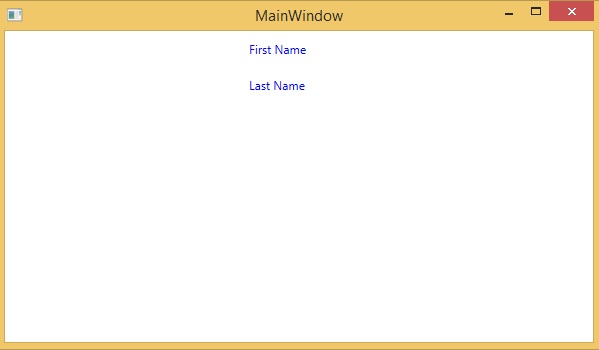
下面的 XAML 程式碼建立了兩個文字塊,並具有一些屬性,其前景色在Window.Resources中定義。
<Window x:Class = "XAMLStaticResourcesMarkupExtension.MainWindow"
   xmlns = "http://schemas.microsoft.com/winfx/2006/xaml/presentation"
   xmlns:x = "http://schemas.microsoft.com/winfx/2006/xaml"
   Title = "MainWindow" Height = "350" Width = "525">

   <Window.Resources>
      <SolidColorBrush Color = "Blue" x:Key = "myBrush"></SolidColorBrush>
   </Window.Resources>

   <Grid>
      <StackPanel Orientation = "Vertical">
         <TextBlock Foreground = "{StaticResource myBrush}" Text = "First Name"
            Width = "100" Margin = "10" />
         <TextBlock Foreground = "{StaticResource myBrush}" Text = "Last Name"
            Width = "100" Margin = "10" />
      </StackPanel>
   </Grid>

</Window>
在Window.Resources中,您可以看到使用了x:Key,它唯一標識在 XAML 定義的字典中建立和引用的元素,以便在資源字典中標識資源。
編譯並執行上述程式碼後,它將生成以下 MainWindow。您可以看到兩個具有藍色前景色文字塊。
在 XAML 中,也可以透過繼承 MarkupExtension 類並覆蓋 ProvideValue 方法(MarkupExtension 類中的抽象方法)來定義自定義標記擴充套件。
讓我們來看一個自定義標記擴充套件的簡單示例。
<Window x:Class = "XAMLMarkupExtension.MainWindow"
   xmlns = "http://schemas.microsoft.com/winfx/2006/xaml/presentation"
   xmlns:x = "http://schemas.microsoft.com/winfx/2006/xaml"
   xmlns:my = "clr-namespace:XAMLMarkupExtension"
   Title = "MainWindow" Height = "350" Width = "525">

   <Grid>
      <Button Content = "{my:MyMarkupExtension FirstStr = Markup, SecondStr = Extension}"
         Width = "200" Height = "20" />
   </Grid>

</Window>
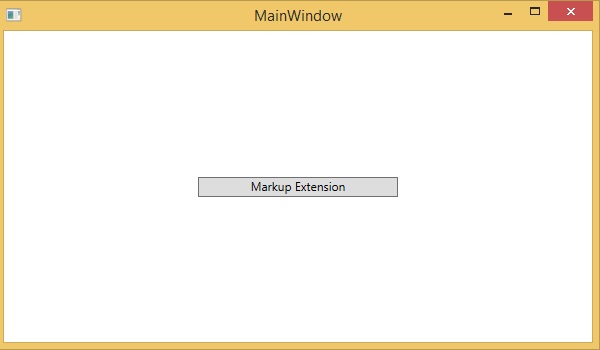
在上面的 XAML 程式碼中,建立了一個按鈕,並具有一些屬性,對於內容值,使用了自定義標記擴充套件(my:MyMarkupExtension),並使用了兩個值“Markup”和“Extension”,它們分別分配給 FirstStr 和 SecondStr。
實際上,MyMarkupExtension是一個從MarkupExtension派生的類,如下所示的 C# 實現。此類包含兩個字串變數 FirstStr 和 SecondStr,它們被連線起來,並將該字串從 ProvideValue 方法返回到按鈕的 Content。
using System;
using System.Collections.Generic;
using System.Linq;
using System.Text;
using System.Threading.Tasks;

using System.Windows;
using System.Windows.Controls;
using System.Windows.Data;
using System.Windows.Documents;
using System.Windows.Input;
using System.Windows.Markup;
using System.Windows.Media;
using System.Windows.Media.Imaging;
using System.Windows.Navigation;
using System.Windows.Shapes;

namespace XAMLMarkupExtension {
   /// <summary>
      /// Interaction logic for MainWindow.xaml
   /// </summary>

   public partial class MainWindow : Window {
      public MainWindow() {
         InitializeComponent();
      }
   }
   public class MyMarkupExtension : MarkupExtension {
      public MyMarkupExtension() { }
      public String FirstStr { get; set; }
      public String SecondStr { get; set; }

      public override object ProvideValue(IServiceProvider serviceProvider) {
        return FirstStr + " " + SecondStr;
      }
   }
}
讓我們執行此應用程式,您可以在我們的 MainWindow 中立即看到“markup extension”已成功用作按鈕的內容。