
- TurboGears 教程
- TurboGears - 首頁
- TurboGears - 概覽
- TurboGears - 環境
- TurboGears - 第一個程式
- TurboGears - 依賴項
- TurboGears - 服務模板
- TurboGears - HTTP 方法
- Genshi 模板語言
- TurboGears - 包含
- TurboGears - JSON 渲染
- TurboGears - URL 層次結構
- TurboGears - Toscawidgets 表單
- TurboGears - 驗證
- TurboGears - 快閃記憶體訊息
- TurboGears - Cookie 和會話
- TurboGears - 快取
- TurboGears - Sqlalchemy
- TurboGears - 建立模型
- TurboGears - CRUD 操作
- TurboGears - 資料網格
- TurboGears - 分頁
- TurboGears - 管理員訪問
- 授權與認證
- TurboGears - 使用 MongoDB
- TurboGears - 腳手架
- TurboGears - 鉤子
- TurboGears - 編寫擴充套件
- TurboGears - 可插拔應用程式
- TurboGears - RESTful 應用程式
- TurboGears - 部署
- TurboGears 有用資源
- TurboGears - 快速指南
- TurboGears - 有用資源
- TurboGears - 討論
TurboGears - URL 層次結構
有時,Web 應用程式可能需要具有多級 URL 結構。TurboGears 可以遍歷物件層次結構以查詢可以處理請求的適當方法。
使用 gearbox “快速啟動” 的專案在專案的 lib 資料夾中有一個 BaseController 類。它可用作“Hello/hello/lib/base.py”。它充當所有子控制器的基類。為了在應用程式中新增 URL 的子級,請設計一個名為 BlogController 的子類,該子類派生自 BaseController。
此 BlogController 具有兩個控制器函式,index() 和 post()。兩者都旨在分別公開一個模板,blog.html 和 post.html。
注意 - 這些模板放在一個子資料夾中 - templates/blog
class BlogController(BaseController):

   @expose('hello.templates.blog.blog')
   def index(self):
      return {}

   @expose('hello.templates.blog.post')
   def post(self):
      from datetime import date
      now = date.today().strftime("%d-%m-%y")
      return {'date':now}
現在在 RootController 類(在 root.py 中)中宣告此類的物件,如下所示:
class RootController(BaseController):
   blog = BlogController()
之前頂層 URL 的其他控制器函式將在此類中存在。
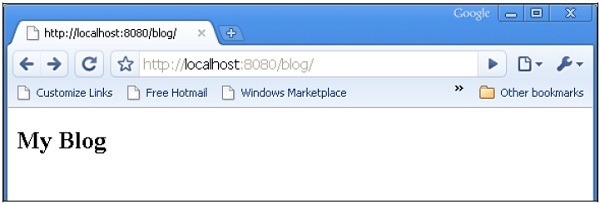
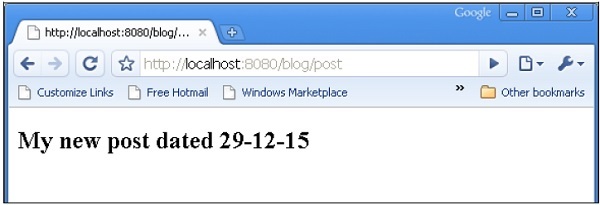
當輸入 URL https://:8080/blog/ 時,它將對映到 BlogController 類中的 index() 控制器函式。類似地,https://:8080/blog/post 將呼叫 post() 函式。
blog.html 和 post.html 的程式碼如下所示:
Blog.html

<html>
   <body>
      <h2>My Blog</h2>
   </body>
</html>

post.html

<html>
   <body>
      <h2>My new post dated $date</h2>
   </body>
</html>
當輸入 URL https://:8080/blog/ 時,它將產生以下輸出:
當輸入 URL https://:8080/blog/post 時,它將產生以下輸出:
廣告