
- TurboGears 教程
- TurboGears - 首頁
- TurboGears - 概述
- TurboGears - 環境
- TurboGears - 第一個程式
- TurboGears - 依賴項
- TurboGears - 服務模板
- TurboGears - HTTP 方法
- Genshi 模板語言
- TurboGears - 包含
- TurboGears - JSON 渲染
- TurboGears - URL 層次結構
- TurboGears - Toscawidgets 表單
- TurboGears - 驗證
- TurboGears - 快閃記憶體訊息
- TurboGears - Cookie 和會話
- TurboGears - 快取
- TurboGears - Sqlalchemy
- TurboGears - 建立模型
- TurboGears - CRUD 操作
- TurboGears - 資料網格
- TurboGears - 分頁
- TurboGears - 管理員訪問
- 授權和身份驗證
- TurboGears - 使用 MongoDB
- TurboGears - 腳手架
- TurboGears - 鉤子
- TurboGears - 編寫擴充套件
- TurboGears - 可插拔應用程式
- TurboGears - RESTful 應用程式
- TurboGears - 部署
- TurboGears 有用資源
- TurboGears - 快速指南
- TurboGears - 有用資源
- TurboGears - 討論
TurboGears - 依賴項
一個 TurboGears 專案包含以下目錄:
Config - 專案設定和配置依賴於此目錄
Controllers - 所有專案控制器,即 Web 應用程式的邏輯
i18n - 支援語言的翻譯檔案
Lib - 實用程式 Python 函式和類
Model - 資料庫模型
Public Static Files - CSS、JavaScript 和影像
Templates - 控制器公開的模板。
Tests - 執行的測試集。
Websetup - 在應用程式設定時執行的函式。
如何安裝專案
現在需要安裝此專案。專案的基本目錄中已提供了一個setup.py檔案。執行此指令碼時,將安裝專案依賴項。
Python setup.py develop
預設情況下,在專案設定時會安裝以下依賴項:
- Beaker
- Genshi
- zope.sqlalchemy
- sqlalchemy
- alembic
- repoze.who
- tw2.forms
- tgext.admin ≥ 0.6.1
- WebHelpers2
- babel
安裝完成後,透過在 shell 中發出以下命令來啟動開發伺服器上的專案服務:
Gearbox serve –reload –debug
按照上述命令為預構建的示例專案提供服務。在瀏覽器中開啟https://:8080。此現成的示例應用程式簡要介紹了 TurboGears 框架本身。
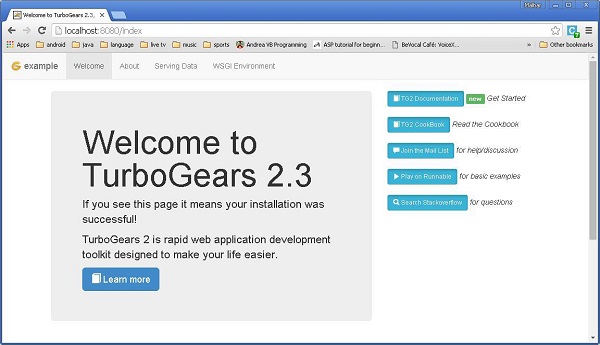
在此 Hello 專案中,預設控制器在 controllers 目錄中建立為Hello/hello/controllers.root.py。讓我們用以下程式碼修改 root.py:
from hello.lib.base import BaseController
from tg import expose, flash

class RootController(BaseController):
   movie = MovieController()
   @expose()
   def index(self):
      return "<h1>Hello World</h1>"

   @expose()
   def _default(self, *args, **kw):
      return "This page is not ready"
準備好一個基本的可執行應用程式後,可以在控制器類中新增更多檢視。在上面的Mycontroller類中,添加了一個新方法sayHello()。@expose()裝飾器將/sayHello URL 附加到它。此函式旨在從 URL 中接受名稱作為引數。
透過“gearbox serve”命令啟動伺服器後,https://:8080。即使輸入以下 URL,也會在瀏覽器中顯示 Hello World 訊息:
https://:8080/
https://:8080/index
所有這些 URL 都對映到RootController.index()方法。此類還具有_default()方法,當 URL 未對映到任何特定函式時,將呼叫此方法。對 URL 的響應透過 @expose() 裝飾器對映到函式。
可以從 URL 向公開的函式傳送引數。以下函式從 URL 讀取名稱引數。
@expose()
def sayHello(self, name):
   return '<h3>Hello %s</h3>' %name
在瀏覽器中,作為對 URL 的響應,將看到以下輸出:https://:8080/?name=MVL
Hello MVL
TurboGears 自動將 URL 引數對映到函式引數。我們的 RootController 類繼承自 BaseController。這在應用程式的lib 資料夾中的base.py中定義。
其程式碼如下:
from tg import TGController, tmpl_context
from tg import request

__all__ = ['BaseController']

def __call__(self, environ, context):
   tmpl_context.identity = request.identity
   return TGController.__call__(self, environ, context)
TGController.__call__ 將請求路由到的控制器方法分派出去。