
- Aurelia 教程
- Aurelia - 首頁
- Aurelia - 概覽
- Aurelia - 環境設定
- Aurelia - 第一個應用程式
- Aurelia - 元件
- Aurelia - 元件生命週期
- Aurelia - 自定義元素
- Aurelia - 依賴項注入
- Aurelia - 配置
- Aurelia - 外掛
- Aurelia - 資料繫結
- Aurelia - 繫結行為
- Aurelia - 轉換
- Aurelia - 事件
- Aurelia - 事件聚合器
- Aurelia - 表單
- Aurelia - HTTP
- Aurelia - Refs
- Aurelia - 路由
- Aurelia - 歷史
- Aurelia - 動畫
- Aurelia - 對話方塊
- Aurelia - 本地化
- Aurelia - 工具
- Aurelia - 捆綁
- Aurelia - 除錯
- Aurelia - 社群
- Aurelia - 最佳實踐
- Aurelia - 有用資源
- Aurelia - 快速指南
- Aurelia - 有用資源
- Aurelia - 討論
Aurelia - 歷史
在本章中,你將學習如何使用aurelia-history外掛。
步驟 1 - 安裝外掛
該外掛已作為標準配置的一部分提供。如果你已經將aurelia.use.standardConfiguration()設為手動配置的一部分,你可以開始了。
main.js
export function configure(aurelia) {
   aurelia.use
   .standardConfiguration()
   .developmentLogging();

   aurelia.start().then(() => aurelia.setRoot());
}
步驟 2 - 使用歷史記錄
我們將使用上一章(Aurelia - 路由)的示例。如果我們想要設定返回或前進功能,我們可以使用帶有back()和forward()方法的history物件。我們會在路由配置之後新增這個功能。
app.js
export class App {
   configureRouter(config, router) {
      config.title = 'Aurelia';
      config.map([
         { route: ['','home'],  name: 'home',
            moduleId: './pages/home/home',  nav: true, title:'Home' },
         { route: 'about',  name: 'about',
            moduleId: './pages/about/about',    nav: true, title:'About' }
      ]);
      this.router = router;
   }
   goBack() {
      history.back();
   }
	goForward() {
      history.forward();
   }
}
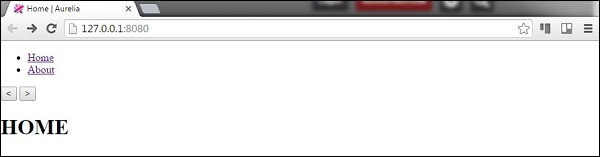
現在,讓我們在我們view中新增兩個按鈕。
app.html
<template>
   <nav>
      <ul>
         <li repeat.for = "row of router.navigation">
            <a href.bind = "row.href">${row.title}</a>
         </li>
      </ul>
   </nav>

   <button click.delegate = "goBack()"></button>
   //The button used for navigationg back...

   <button click.delegate = "goForward()"></button>
   //The button used for navigationg forward...

   <router-view></router-view>
</template>
使用者可以透過點選我們新增的按鈕來返回和前進。
廣告