
- Aurelia 教程
- Aurelia - 主頁
- Aurelia - 概述
- Aurelia - 環境設定
- Aurelia - 第一個應用程式
- Aurelia - 元件
- Aurelia - 元件生命週期
- Aurelia - 自定義元素
- Aurelia - 依賴項注入
- Aurelia - 配置
- Aurelia - 外掛
- Aurelia - 資料繫結
- Aurelia - 繫結行為
- Aurelia - 轉換器
- Aurelia - 事件
- Aurelia - 事件聚合器
- Aurelia - 表單
- Aurelia - HTTP
- Aurelia - 引用
- Aurelia - 路由
- Aurelia - 歷史
- Aurelia - 動畫
- Aurelia - 對話方塊
- Aurelia - 本地化
- Aurelia - 工具
- Aurelia - 捆綁
- Aurelia - 除錯
- Aurelia - 社群
- Aurelia - 最佳實踐
- Aurelia 實用資源
- Aurelia - 快速指南
- Aurelia - 有用資源
- Aurelia - 討論
Aurelia - 自定義元素
Aurelia 提供了一種動態新增元件的方式。你可以在應用程式的不同部分重複使用單個元件,而無需多次包含 HTML。在本教程中,你將學習如何實現此目的。
步驟 1 - 建立自定義元件
讓我們在 src 資料夾中建立一個新的 components 資料夾。
C:\Users\username\Desktop\aureliaApp\src>mkdir components
在此資料夾中,我們將建立 custom-component.html。此元件將稍後插入 HTML 頁面。
custom-component.html
<template>
   <p>This is some text from dynamic component...</p>
</template>
步驟 2 - 建立主元件
我們將在 app.js 中建立簡單元件。它將用於在螢幕上呈現 頁首 和 頁尾 文字。
app.js
export class MyComponent {
   header = "This is Header";
   content = "This is content";
}
步驟 3 - 新增自定義元件
在我們 app.html 檔案中,我們需要 require custom-component.html 才能動態插入它。完成此操作後,我們可以新增一個新元素 custom-component。
app.html
<template>
   <require from = "./components/custom-component.html"></require>

   <h1>${header}</h1>
   <p>${content}</p>
   <custom-component></custom-component>
</template>
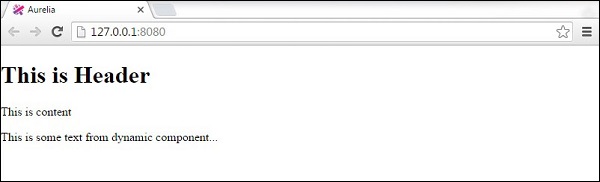
以下是輸出。頁首 和 頁尾 文字從 app.js 中的 myComponent 中呈現。其他文字從 custom-component.js 中呈現。
廣告