
- Aurelia 教程
- Aurelia - 首頁
- Aurelia - 概述
- Aurelia - 環境設定
- Aurelia - 第一個應用程式
- Aurelia - 元件
- Aurelia - 元件生命週期
- Aurelia - 自定義元素
- Aurelia - 依賴注入
- Aurelia - 配置
- Aurelia - 外掛
- Aurelia - 資料繫結
- Aurelia - 繫結行為
- Aurelia - 轉換器
- Aurelia - 事件
- Aurelia - 事件聚合器
- Aurelia - 表單
- Aurelia - HTTP
- Aurelia - Refs
- Aurelia - 路由
- Aurelia - 歷史記錄
- Aurelia - 動畫
- Aurelia - 對話方塊
- Aurelia - 本地化
- Aurelia - 工具
- Aurelia - 打包
- Aurelia - 除錯
- Aurelia - 社群
- Aurelia - 最佳實踐
- Aurelia 有用資源
- Aurelia - 快速指南
- Aurelia - 有用資源
- Aurelia - 討論
Aurelia - 轉換器
如果您需要在 Aurelia 應用程式中轉換一些值,可以使用轉換器,而不是手動將值轉換為所需的格式。
轉換日期
當我們想要將預設日期值轉換為某個特定格式時,可以使用momentJS庫。這是一個用於操作日期的小型庫。
C:\Users\username\Desktop\aureliaApp>jspm install moment
讓我們建立一個新的檔案converters.js。我們將使用此檔案新增轉換器特定的程式碼。使用以下命令或手動建立檔案。
C:\Users\username\Desktop\aureliaApp>touch converters.js
converter.js
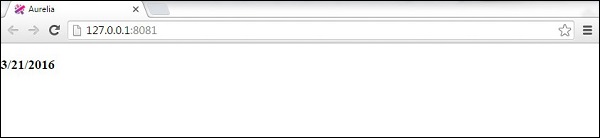
在此檔案中,我們將匯入moment庫並將DateFormatValueConverter設定為僅返回月份、日期和年份值,而無需其他資料。需要注意的重要一點是,Aurelia 可以識別任何以ValueConverter結尾的類。這就是我們的類名為什麼是DateFormatValueConverter。此類將註冊為dateFormat,我們以後可以在檢視中使用它。
converters.js
import moment from 'moment';

export class DateFormatValueConverter {
   toView(value) {
      return moment(value).format('M/D/YYYY');
   }
}
在app.js中,我們將只使用當前日期。這將是我們的檢視模型。
app.js
export class App {
   constructor() {
      this.currentDate = new Date();
   }
}
我們已經在自定義元素章節中討論了require。管道符號 | 用於應用轉換器。我們只使用dateFormat,因為這是 Aurelia 註冊DateFormatValueConverter的方式。
app.html
<template>
   <require from = "./converters"></require>

   <h3>${currentDate | dateFormat}</h3>
</template>
轉換貨幣
這是一個貨幣格式化的示例。您會注意到,這個概念與上面的示例相同。首先,我們需要從命令提示符安裝numeral庫。
C:\Users\username\Desktop\aureliaApp>jspm install numeral
轉換器將設定貨幣格式。
converters.js
import numeral from 'numeral';

export class CurrencyFormatValueConverter {
   toView(value) {
      return numeral(value).format('($0,0.00)');
   }
}
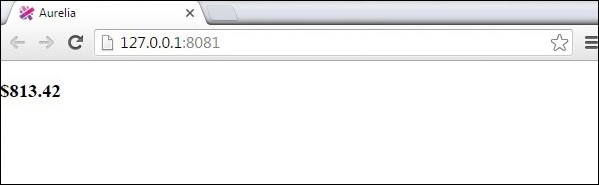
檢視模型將只生成一個隨機數。我們將使用它作為貨幣值,並每秒更新一次。
app.js
export class App {
   constructor() {
      this.update();
      setInterval(() => this.update(), 1000);
   }
   update() {
      this.myCurrency = Math.random() * 1000;
   }
}
我們的檢視將顯示隨機生成的數字,並將其轉換為貨幣。
app.html
<template>
   <require from = "./converters"></require>

   <h3>${myCurrency | currencyFormat}</h3>
</template>
廣告