
- Aurelia 教程
- Aurelia——主頁
- Aurelia——概述
- Aurelia——環境設定
- Aurelia——第一個應用程式
- Aurelia——元件
- Aurelia——元件生命週期
- Aurelia——自定義元素
- Aurelia——依賴項注入
- Aurelia——配置
- Aurelia——外掛
- Aurelia——資料繫結
- Aurelia——繫結行為
- Aurelia——轉換器
- Aurelia——事件
- Aurelia——事件聚合器
- Aurelia——表單
- Aurelia——HTTP
- Aurelia——引用
- Aurelia——路由
- Aurelia——歷史
- Aurelia——動畫
- Aurelia——對話方塊
- Aurelia——本地化
- Aurelia——工具
- Aurelia——打包
- Aurelia——除錯
- Aurelia——社群
- Aurelia——最佳實踐
- Aurelia 有用資源
- Aurelia——快速指南
- Aurelia——有用資源
- Aurelia——討論
Aurelia——繫結行為
在本章,您將學習如何使用行為。您可以將繫結行為視為一個過濾器,它可以改變繫結資料並以不同的格式顯示資料。
節流
此行為用於設定某些繫結更新應多久發生一次。我們可以使用節流來降低輸入檢視模型更新的速率。請考慮上一章中的示例。預設速率為200 毫秒。我們可以透過將&;節流:2000新增到我們的輸入來將它更改為2 秒。
app.js
export class App {
   constructor() {
      this.myData = 'Enter some text!';
   }
}
app.html
<template>
   <input id = "name" type = "text" value.bind = "myData & throttle:2000" />
   <h3>${myData}</h3>
</template>
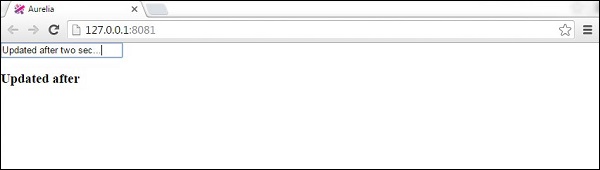
去抖
去抖幾乎與節流相同。區別在於,去抖將在使用者停止鍵入後更新繫結。以下示例將在使用者停止鍵入兩秒後更新繫結。
app.js
export class App {
   constructor() {
      this.myData = 'Enter some text!';
   }
}
app.html
<template>
   <input id = "name" type = "text" value.bind = "myData & debounce:2000" />
   <h3>${myData}</h3>
</template>
oneTime
oneTime在效能方面是最有效的行為。如果您知道資料只需要繫結一次,則應始終使用它。
app.js
export class App {
   constructor() {
      this.myData = 'Enter some text!';
   }
}
app.html
<template>
   <input id = "name" type = "text" value.bind = "myData & oneTime" />
   <h3>${myData}</h3>
</template>
上例將文字繫結到檢視。但是,如果我們更改預設文字,則不會發生任何情況,因為它僅繫結一次。
廣告