- Zend Framework 教程
- Zend Framework - 首頁
- Zend Framework - 簡介
- Zend Framework - 安裝
- 骨架應用
- Zend Framework - MVC 架構
- Zend Framework - 概念
- Zend Framework - 服務管理器
- Zend Framework - 事件管理器
- Zend Framework - 模組系統
- 應用結構
- Zend Framework - 建立模組
- Zend Framework - 控制器
- Zend Framework - 路由
- Zend Framework - 檢視層
- Zend Framework - 佈局
- 模型與資料庫
- 不同的資料庫
- 表單與驗證
- Zend Framework - 檔案上傳
- Zend Framework - Ajax
- Cookie 管理
- Session 管理
- Zend Framework - 認證
- 郵件管理
- Zend Framework - 單元測試
- Zend Framework - 錯誤處理
- Zend Framework - 工作示例
- Zend Framework 有用資源
- Zend Framework - 快速指南
- Zend Framework - 有用資源
- Zend Framework - 討論
Zend Framework - 檔案上傳
檔案上傳是表單程式設計中的一個主要概念。Zend Framework 提供了透過zend-form 和 zend-inputfilter 元件上傳檔案所需的所有必要項。
FileInput 類
zend-inputfilter 元件提供 Zend\InputFilter\FileInput 類來處理 html 檔案輸入元素 – <input type = 'file' />。FileInput 與其他輸入過濾器類似,但有一些例外。它們如下所示:
由於 PHP 將上傳的檔案詳細資訊儲存在$_FILES 全域性陣列中,因此 FileInput 僅透過 $_FILES 收集上傳的檔案資訊。
FileInput 類處理資料之前需要進行驗證。這與其他輸入過濾器的行為相反。
Zend\Validator\File\UploadFile 是要使用的預設驗證器。UploadFile 驗證檔案輸入詳細資訊。
要在表單中新增檔案上傳型別,我們需要使用 input 型別File。部分程式碼如下所示:
$form->add(array(
   'name' => 'imagepath',
   'type' => 'File',
   'options' => array('label' => 'Picture',),
));
另一個用於檔案上傳的類是 Zend\Filter\File\RenameUpload。RenameUpload 用於將上傳的檔案移動到我們想要的位置。使用檔案過濾器的部分類如下所示:
$file = new FileInput('imagepath');
$file->getValidatorChain()->attach(new UploadFile());
$file->getFilterChain()->attach(
   new RenameUpload([
      'target'    => './public/tmpuploads/file',
      'randomize' => true,
      'use_upload_extension' => true
   ]));
$inputFilter->add($file);
這裡,RenameUpload 的選項如下:
target - 上傳檔案的目標路徑。
randomize - 新增隨機字串以防止上傳檔案重複。
use_upload_extension - 將檔案的副檔名附加到上傳檔案的目標。
檔案上傳 - 工作示例
讓我們修改 tutorial 模組幷包含一個圖片上傳功能。
修改資料庫表
讓我們透過執行以下 SQL 命令向 book 表新增imagepath 列:
ALTER TABLE `book` ADD `imagepath` VARCHAR(255) NOT NULL AFTER 'imagepath';
更新 BookForm.php
在 book 表單中新增檔案輸入元素以上傳圖片 – myapp/module/Tutorial/src/Model/BookForm.php。
在 BookForm 類的__construct 方法中包含以下程式碼。
$this->add(array(
   'name' => 'imagepath',
   'type' => 'File',
   'options' => array ('label' => 'Picture',),
));
更新 Book.php
對 Book 類進行以下更改 – myapp/module/Tutorial/src/Model/Book.php。
為圖片新增一個新的屬性imagepath。
public $imagepath;
更新getInputFilter 方法,如下所示:
為檔案輸入元素新增FileInput 過濾器。
設定UploadFile 驗證以驗證檔案輸入元素。
配置RenameUpload 將上傳的檔案移動到正確的目標位置。
部分程式碼清單如下:
$file = new FileInput('imagepath');
$file->getValidatorChain()->attach(new UploadFile());
$file->getFilterChain()->attach(
   new RenameUpload([
      'target'    => './public/tmpuploads/file',
      'randomize' => true, 'use_upload_extension' => true
   ]));
$inputFilter->add($file);
更新exchangeArray 方法以包含imagepath 屬性。imagepath 可能來自表單或資料庫。如果 imagepath 來自表單,則格式將是一個具有以下規範的陣列:
array(1) {
   ["imagepath"] => array(5) {
      ["name"]     => string "myimage.png"
      ["type"]     => string "image/png"
      ["tmp_name"] => string
         "public/tmpuploads/file_<random_string>.<image_ext>"
      ["error"]    => int <error_number>
      ["size"]     => int <size>
   }
}
如果 imagepath 來自資料庫,它將是一個簡單的字串。解析 imagepath 的部分程式碼清單如下:
if(!empty($data['imagepath'])) {
   if(is_array($data['imagepath'])) {
      $this->imagepath = str_replace("./public", "", $data['imagepath']['tmp_name']);
   } else {
      $this->imagepath = $data['imagepath'];
   }
} else {
   $data['imagepath'] = null;
}
Book 模型的完整清單如下:
<?php
namespace Tutorial\Model;
use Zend\InputFilter\InputFilterInterface;
use Zend\InputFilter\InputFilterAwareInterface;
use Zend\Filter\File\RenameUpload;
use Zend\Validator\File\UploadFile;
use Zend\InputFilter\FileInput;
use Zend\InputFilter\InputFilter;

class Book implements InputFilterAwareInterface {
   public $id;
   public $author;
   public $title;
   public $imagepath;
   protected $inputFilter;
   public function setInputFilter(InputFilterInterface $inputFilter) {
      throw new \Exception("Not used");
   }
   public function getInputFilter() {
      if (!$this->inputFilter) {
         $inputFilter = new InputFilter();
         $inputFilter->add(array(
            'name' => 'id',
            'required' => true,
            'filters' => array(
               array('name' => 'Int'),
            ),
         ));
         $inputFilter->add(array(
            'name' => 'author',
            'required' => true,
            'filters' => array(
               array('name' => 'StripTags'),
               array('name' => 'StringTrim'),
            ),
            'validators' => array(
               array(
                  'name' => 'StringLength',
                  'options' => array(
                     'encoding' => 'UTF-8',
                     'min' => 1,
                     'max' => 100,
                  ),
               ),
            ),
         ));
         $inputFilter->add(array(
            'name' => 'title',
            'required' => true,
            'filters' => array(
               array('name' => 'StripTags'),
               array('name' => 'StringTrim'),
            ),
            'validators' => array(
               array(
                  'name' => 'StringLength',
                  'options' => array(
                     'encoding' => 'UTF-8',
                     'min' => 1,
                     'max' => 100,
                  ),
               ),
            ),
         ));
         $file = new FileInput('imagepath');
         $file->getValidatorChain()->attach(new UploadFile());
         $file->getFilterChain()->attach(
            new RenameUpload([
               'target'    => './public/tmpuploads/file',
               'randomize' => true,
               'use_upload_extension' => true
            ]));
            $inputFilter->add($file);
            $this->inputFilter = $inputFilter;
      }
      return $this->inputFilter;
   }
   public function exchangeArray($data) {
      $this->id = (!empty($data['id'])) ? $data['id'] : null;
      $this->author = (!empty($data['author'])) ? $data['author'] : null;
      $this->title = (!empty($data['title'])) ? $data['title'] : null;

      if(!empty($data['imagepath'])) {
         if(is_array($data['imagepath'])) {
            $this->imagepath = str_replace("./public", "",
               $data['imagepath']['tmp_name']);
         } else {
            $this->imagepath = $data['imagepath'];
         }
      } else {
         $data['imagepath'] = null;
      }
   }
}
更新 BookTable.php
我們已經更新了BookForm 和Book 模型。現在,我們更新BookTable 並修改saveBook 方法。這足以將 imagepath 條目包含在資料陣列$data 中。
部分程式碼清單如下:
$data = array('author' => $book->author, 'title'  => $book->title,
   'imagepath' => $book->imagepath
);
BookTable 類的完整程式碼清單如下:
<?php
namespace Tutorial\Model;
use Zend\Db\TableGateway\TableGatewayInterface;

class BookTable {
   protected $tableGateway;
   public function __construct(TableGatewayInterface $tableGateway) {
      $this->tableGateway = $tableGateway;
   }
   public function fetchAll() {
      $resultSet = $this->tableGateway->select();
      return $resultSet;
   }
   public function getBook($id) {
      $id  = (int) $id;
      $rowset = $this->tableGateway->select(array('id' => $id));
      $row = $rowset->current();
      if (!$row) {
         throw new \Exception("Could not find row $id");
      }
      return $row;
   }
   public function saveBook(Book $book) {
      $data = array (
         'author' => $book->author,
         'title'  => $book->title,
         'imagepath' => $book->imagepath
      );
      $id = (int) $book->id;
      if ($id == 0) {
         $this->tableGateway->insert($data);
      } else {
         if ($this->getBook($id)) {
            $this->tableGateway->update($data, array('id' => $id));
         } else {
            throw new \Exception('Book id does not exist');
         }
      }
   }
}
更新 TutorialController.php 中的 addAction:檔案上傳資訊將在$_FILES 全域性陣列中可用,並且可以使用Request's getFiles() 方法訪問它。因此,合併釋出的資料和檔案上傳資訊,如下所示。
$post = array_merge_recursive(
   $request->getPost()->toArray(),
   $request->getFiles()->toArray()
);
addAction() 方法的完整列表如下:
public function addAction() {
   $form = new BookForm();
   $form->get('submit')->setValue('Add');
   $request = $this->getRequest();
   if ($request->isPost()) {
      $book = new Book();
      $form->setInputFilter($book->getInputFilter());
      $post = array_merge_recursive(
         $request->getPost()->toArray(),
         $request->getFiles()->toArray()
      );
      $form->setData($post);
      if ($form->isValid()) {
         $book->exchangeArray($form->getData());
         $this->bookTable->saveBook($book);

         // Redirect to list of Tutorial
         return $this->redirect()->toRoute('tutorial');
      }
   }
   return array('form' => $form);
}
更新 add.phtml 的檢視
最後,更改“add.phtml”幷包含如下所示的 imagepath 檔案輸入元素:
echo $this->formRow($form->get('imagepath'))."<br>";
完整列表如下:
<?php
$title = 'Add new Book';
$this->headTitle($title);
?>
<h1><?php echo $this->escapeHtml($title); ?></h1>
<?php
if(!empty($form)) {
   $form->setAttribute('action', $this->url('tutorial', array('action' => 'add')));
   $form->prepare();
   echo $this->form()->openTag($form);
   echo $this->formHidden($form->get('id'));
   echo $this->formRow($form->get('author'))."<br>";
   echo $this->formRow($form->get('title'))."<br>";
   echo $this->formRow($form->get('imagepath'))."<br>";
   echo $this->formSubmit($form->get('submit'));
   echo $this->form()->closeTag();
}
執行應用程式
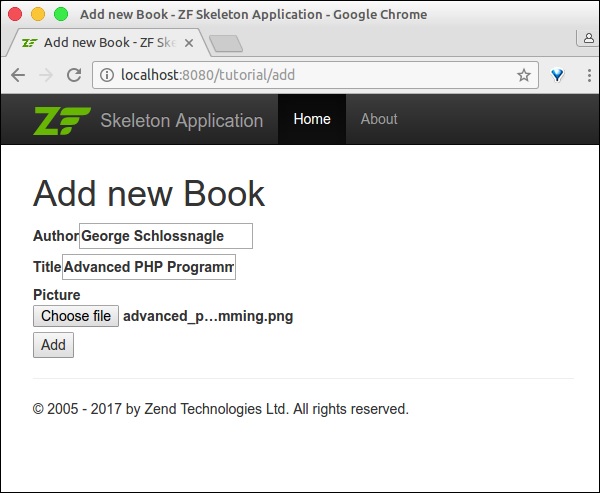
最後,在https://:8080/tutorial/add 執行應用程式並新增新記錄。
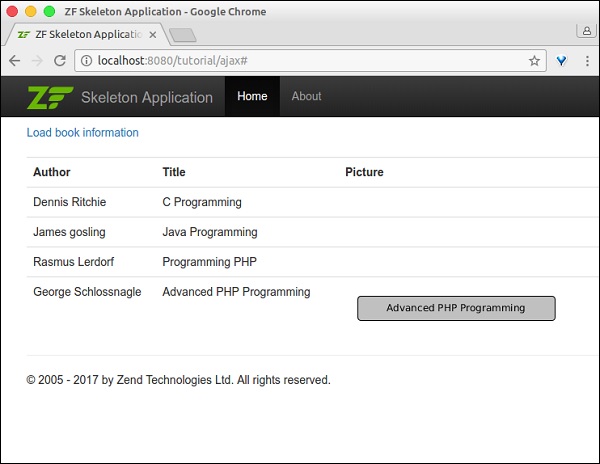
結果將如以下螢幕截圖所示:
表單頁面
索引頁面