- Python Pyramid 教程
- Python Pyramid - 首頁
- Python Pyramid - 概述
- Pyramid - 環境設定
- Python Pyramid - Hello World
- Pyramid - 應用配置
- Python Pyramid - URL 路由
- Python Pyramid - 檢視配置
- Python Pyramid - 路由字首
- Python Pyramid - 模板
- Pyramid - HTML 表單模板
- Python Pyramid - 靜態資源
- Python Pyramid - 請求物件
- Python Pyramid - 響應物件
- Python Pyramid - 會話
- Python Pyramid - 事件
- Python Pyramid - 訊息閃現
- Pyramid - 使用 SQLAlchemy
- Python Pyramid - Cookiecutter
- Python Pyramid - 建立專案
- Python Pyramid - 專案結構
- Python Pyramid - 包結構
- 手動建立專案
- 命令列 Pyramid
- Python Pyramid - 測試
- Python Pyramid - 日誌
- Python Pyramid - 安全性
- Python Pyramid - 部署
- Python Pyramid 有用資源
- Python Pyramid - 快速指南
- Python Pyramid - 有用資源
- Python Pyramid - 討論
Python Pyramid - 靜態資源
通常需要在模板響應中包含一些即使存在某些動態資料也不會更改的資源。此類資源稱為靜態資源。媒體檔案(.png、.jpg 等)、用於執行某些前端程式碼的 JavaScript 檔案或用於格式化 HTML(.css 檔案)的樣式表都是靜態檔案的示例。
Pyramid 將這些靜態資源從伺服器檔案系統中的指定目錄提供給客戶端瀏覽器。Configurator 物件的add_static_view() 方法定義了包含靜態檔案(如影像、JavaScript 和 CSS 檔案)的資料夾的路由名稱和路徑。
按照慣例,使用“static”目錄來儲存靜態資源,並按如下方式使用 add_static_view():
config.add_static_view(name='static', path='static')
定義靜態路由後,可以在 HTML 指令碼中使用request.static_url() 方法獲取靜態資源的路徑。
靜態影像
在下面的示例中,將在 logo.html 模板中呈現 Pyramid 徽標。因此,首先將 "pyramid.png" 檔案放置在 static 資料夾中。現在,它可以作為 HTML 程式碼中 <img> 標記的 src 屬性使用。
<html>
<body>
   <h1>Hello, {{ name }}. Welcome to Pyramid</h1>
   <img src="{{request.static_url('app:static/pyramid.png')}}">
</body>
</html>
示例
應用程式程式碼使用add_static_view()更新配置器,並定義index()檢視呈現上述模板。
from wsgiref.simple_server import make_server
from pyramid.config import Configurator
from pyramid.response import Response
from pyramid.view import view_config

@view_config(route_name='index', renderer='templates/logo.html')

def index(request):
   return {'name':request.matchdict['name']}

if __name__ == '__main__':
   with Configurator() as config:
      config.include('pyramid_jinja2')
      config.add_jinja2_renderer(".html")
      config.add_route('index', '/{name}')
      config.add_static_view(name='static', path='app:static')
      config.scan()
      app = config.make_wsgi_app()
   server = make_server('0.0.0.0', 6543, app)
   server.serve_forever()
輸出
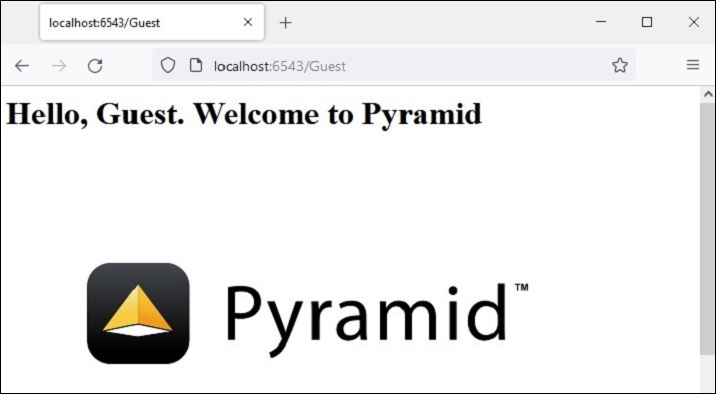
執行上述程式碼以啟動伺服器。在瀏覽器中使用https://:6543/Guest作為 URL。這裡“Guest”是檢視函式在matchdict物件中獲取的路徑引數,並作為上下文傳遞給 logo.html 模板。瀏覽器現在將顯示 Pyramid 徽標。
JavaScript 作為靜態資源
這是靜態檔案的另一個示例。JavaScript 程式碼hello.js包含myfunction()的定義,該函式將在以下 HTML 指令碼(templates\hello.html)的onload事件中執行。
<html>
<head>
   <script src="{{request.static_url('app:static/hello.js')}}"></script>
</head>
<body onload="myFunction()">
   <div id="time" style="text-align:right; width="100%"></div>
   <h1><div id="ttl">{{ name }}</div></h1>
</body>
</html>
示例
儲存在 static 資料夾中的hello.js程式碼如下:
function myFunction() {
   var today = new Date();
   var h = today.getHours();
   var m = today.getMinutes();
   var s = today.getSeconds();
   var msg="";
   if (h<12)
   {
      msg="Good Morning, ";
   }
   if (h>=12 && h<18)
   {
      msg="Good Afternoon, ";
   }
   if (h>=18)
   {
      msg="Good Evening, ";
   }
   var x=document.getElementById('ttl').innerHTML;
   document.getElementById('ttl').innerHTML = msg+x;
   document.getElementById('time').innerHTML = h + ":" + m + ":" + s;
}
輸出
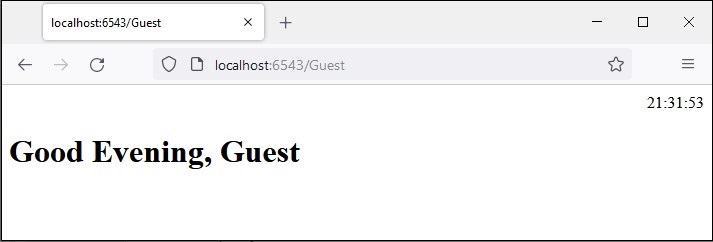
該函式檢測當前時間的值,並根據一天中的時間為msg變數分配適當的值(早上好、下午好或晚上好)。
將hello.js儲存在static資料夾中,將hello.html儲存在templates資料夾中,然後重新啟動伺服器。瀏覽器應該顯示當前時間及其下方的相應訊息。