
- PyGTK 教程
- PyGTK - 首頁
- PyGTK - 簡介
- PyGTK - 環境搭建
- PyGTK - Hello World
- PyGTK - 重要類
- PyGTK - 視窗類
- PyGTK - 按鈕類
- PyGTK - 標籤類
- PyGTK - 輸入框類
- PyGTK - 訊號處理
- PyGTK - 事件處理
- PyGTK - 容器
- PyGTK - 箱式容器類
- PyGTK - 按鈕盒類
- PyGTK - 對齊類
- PyGTK - 事件盒類
- PyGTK - 佈局類
- PyGTK - 組合框類
- PyGTK - 切換按鈕類
- PyGTK - 複選框類
- PyGTK - 單選按鈕類
- PyGTK - 選單欄、選單和選單項
- PyGTK - 工具欄類
- PyGTK - 調整類
- PyGTK - 範圍類
- PyGTK - 刻度類
- PyGTK - 捲軸類
- PyGTK - 對話方塊類
- PyGTK - 訊息對話方塊類
- PyGTK - 關於對話方塊類
- PyGTK - 字型選擇對話方塊
- PyGTK - 顏色選擇對話方塊
- PyGTK - 檔案選擇對話方塊
- PyGTK - 筆記本類
- PyGTK - 框架類
- PyGTK - 帶邊框的框架類
- PyGTK - 樹形檢視類
- PyGTK - 分割窗格類
- PyGTK - 狀態列類
- PyGTK - 進度條類
- PyGTK - 視口類
- PyGTK - 滾動視窗類
- PyGTK - 箭頭類
- PyGTK - 圖片類
- PyGTK - 繪圖區域類
- PyGTK - 旋轉按鈕類
- PyGTK - 日曆類
- PyGTK - 剪貼簿類
- PyGTK - 標尺類
- PyGTK - 超時
- PyGTK - 拖放
- PyGTK 有用資源
- PyGTK - 快速指南
- PyGTK - 有用資源
- PyGTK - 討論
PyGTK - Hello World
使用 PyGTK 建立視窗非常簡單。首先,我們需要在程式碼中匯入 gtk 模組。
import gtk
gtk 模組包含 gtk.Window 類。它的物件構建一個頂級視窗。我們從 gtk.Window 派生一個類。
class PyApp(gtk.Window):
定義建構函式並呼叫 gtk.window 類的 show_all() 方法。
def __init__(self):
   super(PyApp, self).__init__()
   self.show_all()
現在,我們必須宣告此類的物件並透過呼叫其 main() 方法啟動事件迴圈。
PyApp()
gtk.main()
建議我們在父視窗中新增一個標籤 “Hello World”。
label = gtk.Label("Hello World")
self.add(label)
以下是顯示 “Hello World” 的完整程式碼:
import gtk

class PyApp(gtk.Window):
   def __init__(self):
      super(PyApp, self).__init__()
      self.set_default_size(300,200)
      self.set_title("Hello World in PyGTK")
      label = gtk.Label("Hello World")
      self.add(label)
      self.show_all()
PyApp()
gtk.main()
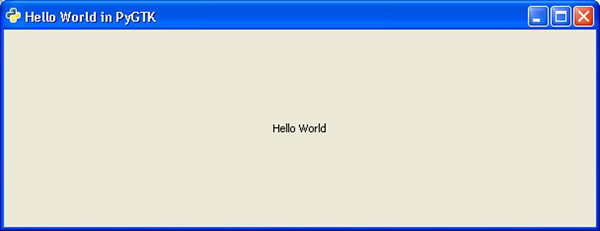
上述程式碼的實現將產生以下輸出:
廣告