
- Biopython 教程
- Biopython - 首頁
- Biopython - 簡介
- Biopython - 安裝
- 建立簡單應用
- Biopython - 序列
- 高階序列操作
- 序列 I/O 操作
- Biopython - 序列比對
- Biopython - BLAST 概述
- Biopython - Entrez 資料庫
- Biopython - PDB 模組
- Biopython - 基序物件
- Biopython - BioSQL 模組
- Biopython - 群體遺傳學
- Biopython - 基因組分析
- Biopython - 表型微陣列
- Biopython - 繪圖
- Biopython - 聚類分析
- Biopython - 機器學習
- Biopython - 測試技術
- Biopython 資源
- Biopython - 快速指南
- Biopython - 有用資源
- Biopython - 討論
Biopython - 安裝
本節介紹如何在您的機器上安裝 Biopython。安裝非常簡單,只需不到五分鐘。
步驟 1 - 驗證 Python 安裝
Biopython 旨在與 Python 2.5 或更高版本一起使用。因此,必須首先安裝 python。在命令提示符中執行以下命令:
> python --version
定義如下:

如果正確安裝,它將顯示 python 的版本。否則,下載最新版本的 python,安裝它,然後再次執行該命令。
步驟 2 - 使用 pip 安裝 Biopython
在所有平臺上,使用命令列中的 pip 安裝 Biopython 非常簡單。輸入以下命令:
> pip install biopython
您將在螢幕上看到以下響應:

更新舊版本的 Biopython:
> pip install biopython –-upgrade
您將在螢幕上看到以下響應:

執行此命令後,將在安裝最新版本之前刪除舊版本的 Biopython 和 NumPy(Biopython 依賴於它)。
步驟 3 - 驗證 Biopython 安裝
現在,您已成功在您的機器上安裝了 Biopython。要驗證 Biopython 是否已正確安裝,請在您的 python 控制檯中輸入以下命令:

它顯示 Biopython 的版本。
替代方法 - 使用原始碼安裝 Biopython
要使用原始碼安裝 Biopython,請按照以下說明操作:
從以下連結下載 Biopython 的最新版本:https://biopython.org/wiki/Download
截至目前,最新版本為biopython-1.72。
下載檔案並解壓縮壓縮的檔案檔案,移動到原始碼資料夾並輸入以下命令:
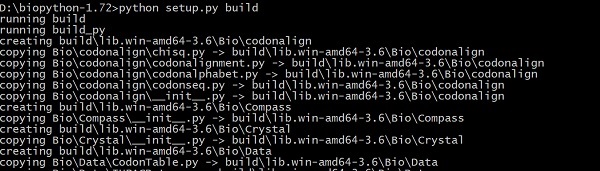
> python setup.py build
這將根據以下說明從原始碼構建 Biopython:
現在,使用以下命令測試程式碼:
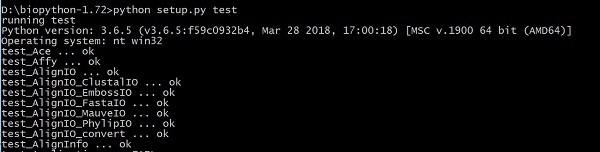
> python setup.py test
最後,使用以下命令安裝:
> python setup.py install

廣告