- ASP.NET MVC 教程
- ASP.NET MVC - 首頁
- ASP.NET MVC - 概述
- ASP.NET MVC - 模式
- ASP.NET MVC - 環境設定
- ASP.NET MVC - 入門
- ASP.NET MVC - 生命週期
- ASP.NET MVC - 路由
- ASP.NET MVC - 控制器
- ASP.NET MVC - 操作
- ASP.NET MVC - 過濾器
- ASP.NET MVC - 選擇器
- ASP.NET MVC - 檢視
- ASP.NET MVC - 資料模型
- ASP.NET MVC - 輔助器
- ASP.NET MVC - 模型繫結
- ASP.NET MVC - 資料庫
- ASP.NET MVC - 驗證
- ASP.NET MVC - 安全性
- ASP.NET MVC - 快取
- ASP.NET MVC - Razor
- ASP.NET MVC - 資料註解
- Nuget 包管理
- ASP.NET MVC - Web API
- ASP.NET MVC - 腳手架
- ASP.NET MVC - Bootstrap
- ASP.NET MVC - 單元測試
- ASP.NET MVC - 部署
- ASP.NET MVC - 自託管
- ASP.NET MVC 有用資源
- ASP.NET MVC - 快速指南
- ASP.NET MVC - 有用資源
- ASP.NET MVC - 討論
ASP.NET MVC - 選擇器
操作選擇器是可應用於操作方法的屬性,用於影響響應請求時呼叫哪個操作方法。它幫助路由引擎選擇正確的操作方法來處理特定請求。
在編寫操作方法時,它起著非常關鍵的作用。這些選擇器將根據操作方法前面修改後的名稱決定方法呼叫的行為。它通常用於為操作方法的名稱設定別名。
操作選擇器屬性有三種類型:
- ActionName
- NonAction
- ActionVerbs
ActionName
此類表示用於操作名稱的屬性。它還允許開發人員使用與方法名稱不同的操作名稱。
讓我們來看一下上一章中的一個簡單示例,其中我們有包含兩個操作方法的 HomeController。
using System;
using System.Collections.Generic;
using System.Linq;

using System.Web;
using System.Web.Mvc;

namespace MVCFiltersDemo.Controllers {
   public class HomeController : Controller{
      // GET: Home
      public string Index(){
         return "This is ASP.Net MVC Filters Tutorial";
      }

      public string GetCurrentTime(){
         return DateTime.Now.ToString("T");
      }
   }
}
讓我們透過在 GetCurrentTime() 上方編寫 [ActionName("CurrentTime")] 來為 GetCurrentTime 應用 ActionName 選擇器,如下面的程式碼所示。
using System;
using System.Collections.Generic;
using System.Linq;

using System.Web;
using System.Web.Mvc;

namespace MVCFiltersDemo.Controllers {
   public class HomeController : Controller{
      // GET: Home
      public string Index(){
         return "This is ASP.Net MVC Filters Tutorial";
      }

      [ActionName("CurrentTime")]
      public string GetCurrentTime(){
         return DateTime.Now.ToString("T");
      }
   }
}
現在執行此應用程式並在瀏覽器中輸入以下 URL **https://:62833/Home/CurrentTime**,您將收到以下輸出。
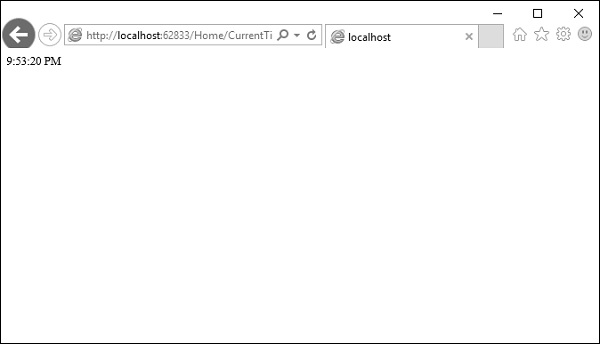
您可以看到,我們在上面的 URL 中使用了 CurrentTime,而不是原始操作名稱 GetCurrentTime。
NonAction
NonAction 是另一個內建屬性,它指示控制器的公共方法不是操作方法。當您希望某個方法不被視為操作方法時,可以使用它。
讓我們透過在 HomeController 中新增另一個方法並使用以下程式碼應用 NonAction 屬性來看一個簡單的示例。
using MVCFiltersDemo.ActionFilters;
using System;
using System.Collections.Generic;
using System.Linq;

using System.Web;
using System.Web.Mvc;

namespace MVCFiltersDemo.Controllers {
   public class HomeController : Controller{
      // GET: Home
      public string Index(){
         return "This is ASP.Net MVC Filters Tutorial";
      }

      [ActionName("CurrentTime")]
      public string GetCurrentTime(){
         return TimeString();
      }

      [NonAction]
      public string TimeString(){
         return "Time is " + DateTime.Now.ToString("T");
      }
   }
}
新方法 TimeString 從 GetCurrentTime() 呼叫,但您不能在 URL 中將其用作操作。
讓我們執行此應用程式並在瀏覽器中指定以下 URL **https://:62833/Home/CurrentTime**。您將收到以下輸出。
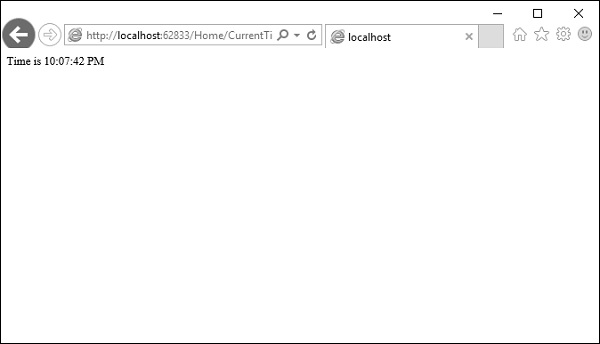
現在讓我們檢查 URL 中的 ** /TimeString** 作為操作,看看會發生什麼。
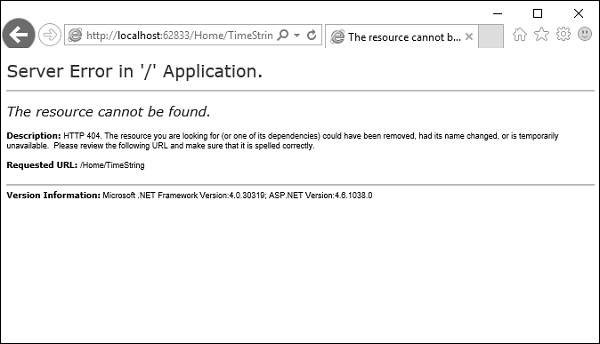
您可以看到它給出了“404—未找到”錯誤。
ActionVerbs
您可以應用的另一個選擇器過濾器是 ActionVerbs 屬性。因此,這將特定操作的指示限制為特定的 HttpVerbs。您可以定義兩個具有相同名稱的不同操作方法,但一種操作方法響應 HTTP Get 請求,另一種操作方法響應 HTTP Post 請求。
MVC 框架支援以下 ActionVerbs。
- HttpGet
- HttpPost
- HttpPut
- HttpDelete
- HttpOptions
- HttpPatch
讓我們來看一個簡單的例子,我們將建立一個 EmployeeController。
using System;
using System.Collections.Generic;
using System.Linq;

using System.Web;
using System.Web.Mvc;

namespace MVCControllerDemo.Controllers {
   public class EmployeeController : Controller{
      // GET: Employee
      public ActionResult Search(string name = “No name Entered”){
         var input = Server.HtmlEncode(name);
         return Content(input);
      }
   }
}
現在讓我們使用以下程式碼新增另一個具有相同名稱的操作方法。
using System;
using System.Collections.Generic;
using System.Linq;

using System.Web;
using System.Web.Mvc;

namespace MVCControllerDemo.Controllers {
   public class EmployeeController : Controller{
      // GET: Employee
      //public ActionResult Index()
      //{
         // return View();
      //}

      public ActionResult Search(string name){
         var input = Server.HtmlEncode(name);
         return Content(input);
      }

      public ActionResult Search(){
         var input = "Another Search action";
         return Content(input);
      }
   }
}
執行此應用程式時,它將出錯,因為 MVC 框架無法確定應該為請求選擇哪個操作方法。
讓我們使用以下程式碼為要作為響應的操作指定 HttpGet ActionVerb。
using System;
using System.Collections.Generic;
using System.Linq;

using System.Web;
using System.Web.Mvc;

namespace MVCControllerDemo.Controllers {
   public class EmployeeController : Controller{
      // GET: Employee
      //public ActionResult Index()
      //{
         // return View();
      //}

      public ActionResult Search(string name){
         var input = Server.HtmlEncode(name);
         return Content(input);
      }

      [HttpGet]
      public ActionResult Search(){
         var input = "Another Search action";
         return Content(input);
      }
   }
}
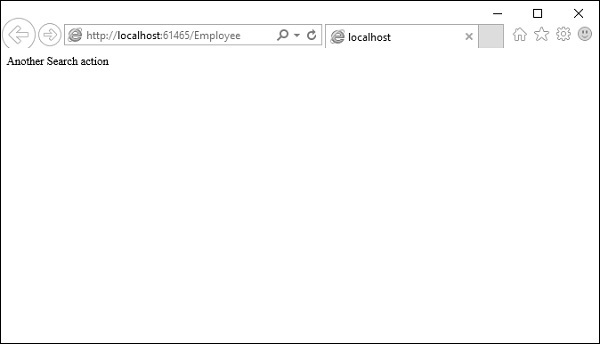
執行此應用程式時,您將收到以下輸出。