

- Drupal 基礎教程
- Drupal - 首頁
- Drupal - 概述
- Drupal - 安裝
- Drupal - 架構
- Drupal - 主選單
- Drupal - 塊與區域
- Drupal - 主題與佈局
- Drupal - 首頁
- Drupal - 靜態頁面
- Drupal - 建立部落格
- Drupal - 建立文章
- Drupal - 建立頁面
- Drupal - 建立內容
- Drupal - 修改內容
- Drupal - 刪除內容
- Drupal - 釋出內容
- Drupal - 選單管理
- Drupal - 分類法
- Drupal - 評論
- Drupal - 使用者管理
- Drupal - 最佳化
- Drupal - 站點備份
- Drupal - 站點升級
- Drupal - 公告
- Drupal 高階
- Drupal - URL 別名
- Drupal - 站點搜尋
- Drupal - 錯誤處理
- Drupal - 多語言內容
- Drupal - 觸發器與操作
- Drupal - 社交網路
- Drupal - 國際化
- Drupal - 擴充套件
- Drupal - 預設模組
- Drupal - 面板模組
- Drupal - 書籍模組
- Drupal - 聚合器模組
- Drupal - 聯絡模組
- Drupal - 表單模組
- Drupal - 投票模組
- Drupal - 站點安全
- Drupal 電子商務
- Drupal - 設定購物車
- Drupal - 建立產品
- Drupal - 建立類別
- Drupal - 設定稅費
- Drupal - 設定折扣
- Drupal - 接收捐款
- Drupal - 設定運輸
- Drupal - 設定支付
- Drupal - 發票生成
- Drupal - 郵件通知
- Drupal - 訂單歷史
- Drupal 有用資源
- Drupal - 問答
- Drupal - 快速指南
- Drupal - 有用資源
- Drupal - 討論
Drupal - 面板模組
本章將學習如何在 Drupal 中使用面板模組。面板模組用於翻譯自定義面板的面板,帶有可選標題,這些標題將作為變數儲存,可以快速翻譯或編輯。
以下是新增面板模組的步驟。
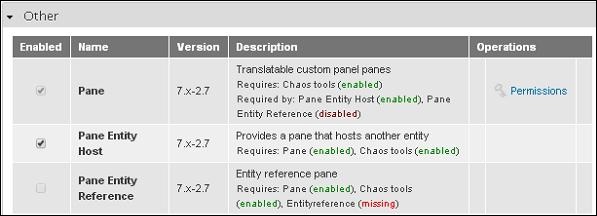
步驟 1 − 從連結下載面板模組的最新檔案,並安裝到您的 Drupal 站點。
步驟 2 − 啟用您想要使用的模組,然後單擊頁面底部的儲存配置。
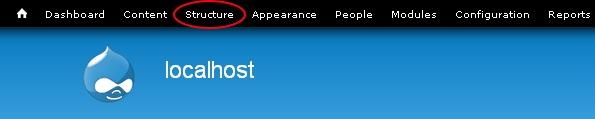
步驟 3 − 單擊選單欄中的結構。
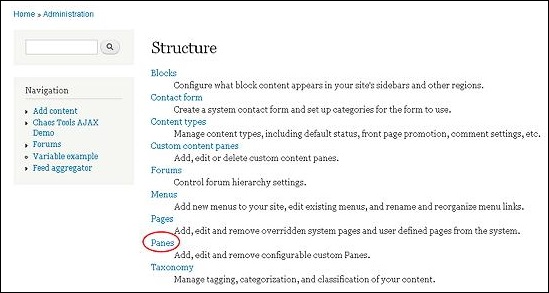
步驟 4 − 單擊面板。
步驟 5 − 然後單擊新增面板以新增新的面板。
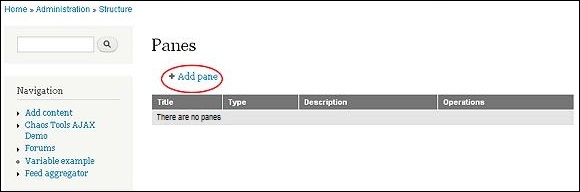
步驟 6 − 將顯示面板頁面,如下面的螢幕截圖所示。
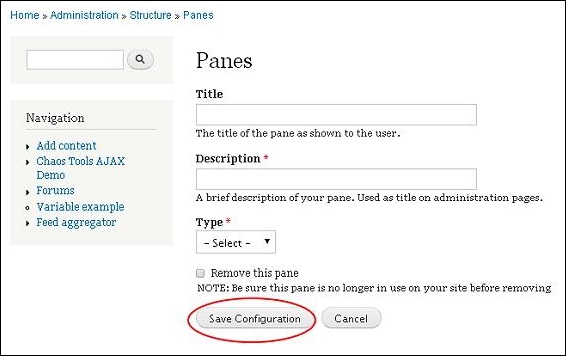
它包含以下欄位。
標題 − 在此框中輸入您的面板標題。
描述 − 用一行或一句話描述您的面板。
型別 − 根據需要選擇型別,可以是文字或實體宿主。
填寫詳細資訊後,單擊儲存配置。
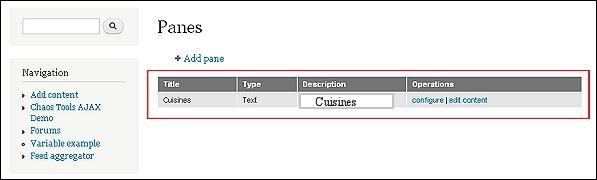
步驟 7 − 您的面板模組將顯示在下面的圖片中。如果要對面板進行任何更改,請單擊編輯。
步驟 8 − 將顯示面板頁面。
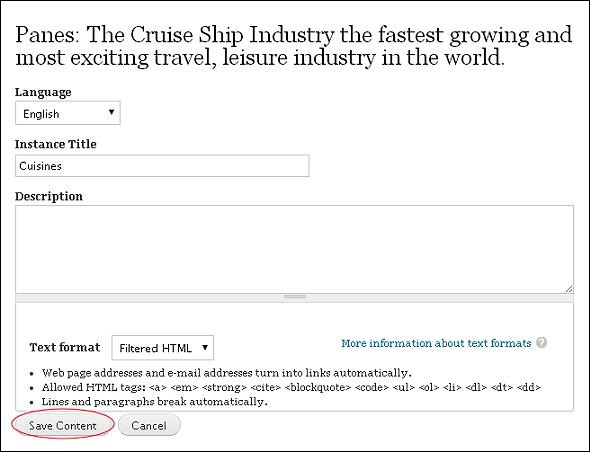
進行必要的更改,然後單擊儲存內容。
廣告