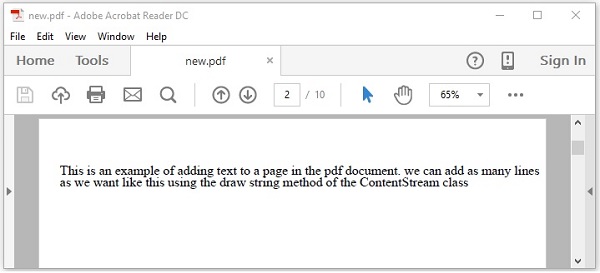
PDFBox - 新增多行文字
在上一章節提供的示例中,我們討論瞭如何在PDF頁面中新增文字,但是透過該程式,您只能新增單行文字。如果您嘗試新增更多內容,超過單行空間的所有文字將不會顯示。
例如,如果您執行上一章節中的程式並傳入以下字串,則只會顯示其中一部分。
String text = "This is an example of adding text to a page in the pdf document. we can
   add as many lines as we want like this using the showText() method of the
   ContentStream class";
將上一章節示例中的字串文字替換為上述字串並執行它。執行後,您將收到以下輸出。
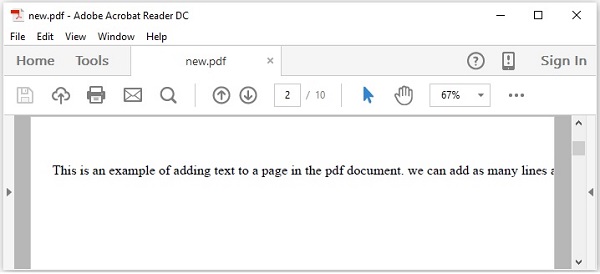
如果您仔細觀察輸出,您會注意到只顯示了字串的一部分。
為了在PDF中新增多行文字,您需要使用setLeading()方法設定行距,並在完成每一行後使用newline()方法換行。
步驟
以下是建立空文件並在其中向頁面新增內容的步驟。
步驟1:載入現有文件
您可以使用PDDocument類的load()方法載入現有文件。因此,例項化此類並載入所需的文件,如下所示。
File file = new File("Path of the document");
PDDocument doc = PDDocument.load(file);
步驟2:獲取所需的頁面
您可以使用getPage()方法獲取文件中的所需頁面。透過將頁面的索引傳遞給此方法,檢索所需頁面的物件,如下所示。
PDPage page = doc.getPage(1);
步驟3:準備內容流
您可以使用名為PDPageContentStream類的物件插入各種資料元素。您需要將文件物件和頁面物件傳遞給此類的建構函式,因此,透過傳遞在前面步驟中建立的這兩個物件來例項化此類,如下所示。
PDPageContentStream contentStream = new PDPageContentStream(doc, page);
步驟4:開始文字
在PDF文件中插入文字時,您可以使用PDPageContentStream類的beginText()和endText()方法指定文字的起始點和結束點,如下所示。
contentStream.beginText();
………………………..
code to add text content
………………………..
contentStream.endText();
因此,使用beginText()方法開始文字,如下所示。
contentStream.beginText();
步驟5:設定文字位置
使用newLineAtOffset()方法,您可以設定頁面中內容流上的位置。
//Setting the position for the line
contentStream.newLineAtOffset(25, 700);
步驟6:設定字型
您可以使用PDPageContentStream類的setFont()方法將文字的字型設定為所需的樣式,如下所示。您需要為此方法傳遞字型的型別和大小。
contentStream.setFont( font_type, font_size );
步驟7:設定文字行距
您可以使用setLeading()方法設定文字行距,如下所示。
contentStream.setLeading(14.5f);
步驟8:使用newline()插入多個字串
您可以使用PDPageContentStream類的ShowText()方法插入多個字串,透過newline()方法將它們分開,如下所示。
contentStream. ShowText(text1);
contentStream.newLine();
contentStream. ShowText(text2);
步驟9:結束文字
插入文字後,您需要使用PDPageContentStream類的endText()方法結束文字,如下所示。
contentStream.endText();
步驟10:關閉PDPageContentStream
使用close()方法關閉PDPageContentStream物件,如下所示。
contentstream.close();
步驟11:儲存文件
新增所需內容後,使用PDDocument類的save()方法儲存PDF文件,如下面的程式碼塊所示。
doc.save("Path");
步驟12:關閉文件
最後,使用PDDocument類的close()方法關閉文件,如下所示。
doc.close();
示例
此示例演示如何使用PDFBox在PDF中新增多行文字。將此程式儲存到名為AddMultipleLines.java的檔案中。
import java.io.File;
import java.io.IOException;

import org.apache.pdfbox.pdmodel.PDDocument;
import org.apache.pdfbox.pdmodel.PDPage;
import org.apache.pdfbox.pdmodel.PDPageContentStream;
import org.apache.pdfbox.pdmodel.font.PDType1Font;

public class AddMultipleLines {
   public static void main(String args[]) throws IOException {

      //Loading an existing document
      File file = new File("C:/PdfBox_Examples/my_pdf.pdf");
      PDDocument doc = document.load(file);

      //Creating a PDF Document
      PDPage page = doc.getPage(1);

      PDPageContentStream contentStream = new PDPageContentStream(doc, page);

      //Begin the Content stream
      contentStream.beginText();

      //Setting the font to the Content stream
      contentStream.setFont( PDType1Font.TIMES_ROMAN, 16 );

      //Setting the leading
      contentStream.setLeading(14.5f);

      //Setting the position for the line
      contentStream.newLineAtOffset(25, 725);

      String text1 = "This is an example of adding text to a page in the pdf document.
         we can add as many lines";
      String text2 = "as we want like this using the ShowText()  method of the
         ContentStream class";

      //Adding text in the form of string
      contentStream. ShowText(text1);
      contentStream.newLine();
      contentStream. ShowText(text2);
      //Ending the content stream
      contentStream.endText();

      System.out.println("Content added");

      //Closing the content stream
      contentStream.close();

      //Saving the document
      doc.save(new File("C:/PdfBox_Examples/new.pdf"));

      //Closing the document
      doc.close();
   }
}
使用以下命令從命令提示符編譯並執行儲存的Java檔案。
javac AddMultipleLines.java
java AddMultipleLines
執行後,上述程式將給定文字新增到文件中並顯示以下訊息。
Content added
如果您在指定的路徑中驗證PDF文件new.pdf,您可以觀察到給定內容已按如下所示以多行新增到文件中。