
- 檔案系統模組
- PhantomJS - 屬性
- PhantomJS - 方法
- 系統模組
- PhantomJS - 屬性
- Web 伺服器模組
- PhantomJS - 屬性
- PhantomJS - 方法
- 雜項
- 命令列介面
- PhantomJS - 螢幕捕獲
- PhantomJS - 頁面自動化
- PhantomJS - 網路監控
- PhantomJS - 測試
- PhantomJS - REPL
- PhantomJS - 示例
- PhantomJS 有用資源
- PhantomJS - 快速指南
- PhantomJS - 有用資源
- PhantomJS - 討論
PhantomJS - uploadFile()
此方法用於處理 HTML form 中完成的檔案上傳。PhantomJS 沒有直接方法使用表單完成此操作,但可以使用上傳檔案方法來實現此目的。它獲取檔案位置的 html 標籤選擇器和必須複製到的目標位置。
語法
其語法如下 −
var wpage = require('webpage').create();
wpage.uploadFile('input[name = image]', 'path to copy file');
示例
以下示例演示了 uploadFile() 方法的使用。
var wpage = require('webpage').create();
wpage.open("https:///tasks/file.html", function(status) {
   console.log(status);
   wpage.uploadFile('input[name = fileToUpload]', 'output.png');
   wpage.render("result.png");
});
file.html
<html>
   <head>
      <title>Window 2</title>
   </head>

   <body>
      <form action = "upload.php" method = "post" enctype = "multipart/form-data" id = "form1">
         <input type = "file" name = "fileToUpload" id = "fileToUpload">
         <input type = "submit" value = "Upload Image" name = "submit">
      </form>
   </body>

</html>
以上程式會生成以下 輸出。
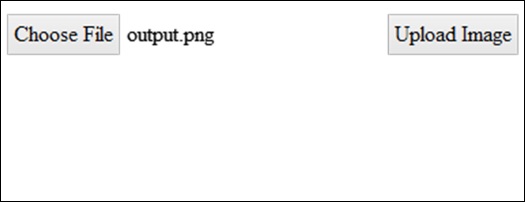
phantomjs_webpage_module_methods.htm
廣告