
- Laravel 教程
- Laravel - 首頁
- Laravel - 概述
- Laravel - 安裝
- Laravel - 應用結構
- Laravel - 配置
- Laravel - 路由
- Laravel - 中介軟體
- Laravel - 名稱空間
- Laravel - 控制器
- Laravel - 請求
- Laravel - Cookie
- Laravel - 響應
- Laravel - 檢視
- Laravel - Blade 模板
- Laravel - 重定向
- Laravel - 資料庫操作
- Laravel - 錯誤與日誌
- Laravel - 表單
- Laravel - 本地化
- Laravel - 會話
- Laravel - 驗證
- Laravel - 檔案上傳
- Laravel - 傳送郵件
- Laravel - Ajax
- Laravel - 錯誤處理
- Laravel - 事件處理
- Laravel - Facades
- Laravel - Contracts
- Laravel - CSRF 保護
- Laravel - 認證
- Laravel - 授權
- Laravel - Artisan 控制檯
- Laravel - 加密
- Laravel - 雜湊
- 理解發布流程
- Laravel - 客人使用者許可權
- Laravel - Artisan 命令
- Laravel - 分頁自定義
- Laravel - Dump Server
- Laravel - Action URL
- Laravel 有用資源
- Laravel - 快速指南
- Laravel - 有用資源
- Laravel - 討論
Laravel - 請求
在本章中,您將詳細瞭解 Laravel 中的請求。
獲取請求 URI
“path” 方法用於獲取請求的 URI。is 方法用於獲取與方法引數中指定的特定模式匹配的請求 URI。要獲取完整的 URL,我們可以使用url 方法。
示例
步驟 1 - 執行以下命令以建立一個名為UriController的新控制器。
php artisan make:controller UriController –plain
步驟 2 - 成功執行 URL 後,您將收到以下輸出 -

步驟 3 - 建立控制器後,在該檔案中新增以下程式碼。
app/Http/Controllers/UriController.php
<?php

namespace App\Http\Controllers;

use Illuminate\Http\Request;
use App\Http\Requests;
use App\Http\Controllers\Controller;

class UriController extends Controller {

   public function index(Request $request) {
      // Usage of path method
      $path = $request->path();
      echo 'Path Method: '.$path;
      echo '<br>';

      // Usage of is method
      $pattern = $request->is('foo/*');
      echo 'is Method: '.$pattern;
      echo '<br>';

      // Usage of url method
      $url = $request->url();
      echo 'URL method: '.$url;
   }
}
步驟 4 - 在app/Http/route.php 檔案中新增以下行。
app/Http/route.php
Route::get('/foo/bar','UriController@index');
步驟 5 - 訪問以下 URL。
https://:8000/foo/bar
步驟 6 - 輸出將顯示在以下圖片中。

獲取輸入
可以在 Laravel 中輕鬆獲取輸入值。無論使用“get”還是“post”方法,Laravel 方法都將以相同的方式獲取這兩種方法的輸入值。我們可以透過兩種方式獲取輸入值。
- 使用 input() 方法
- 使用 Request 例項的屬性
使用 input() 方法
input() 方法接受一個引數,即表單中欄位的名稱。例如,如果表單包含使用者名稱欄位,則可以透過以下方式訪問它。
$name = $request->input('username');
使用 Request 例項的屬性
與input() 方法類似,我們可以直接從請求例項獲取使用者名稱屬性。
$request->username
示例
觀察以下示例以瞭解更多關於請求的資訊 -
步驟 1 - 建立一個登錄檔單,使用者可以在其中註冊自己,並將表單儲存在resources/views/register.php中
<html>

   <head>
      <title>Form Example</title>
   </head>

   <body>
      <form action = "/user/register" method = "post">
         <input type = "hidden" name = "_token" value = "<?php echo csrf_token() ?>">

         <table>
            <tr>
               <td>Name</td>
               <td><input type = "text" name = "name" /></td>
            </tr>
            <tr>
               <td>Username</td>
               <td><input type = "text" name = "username" /></td>
            </tr>
            <tr>
               <td>Password</td>
               <td><input type = "text" name = "password" /></td>
            </tr>
            <tr>
               <td colspan = "2" align = "center">
                  <input type = "submit" value = "Register" />
               </td>
            </tr>
         </table>

      </form>
   </body>
</html>
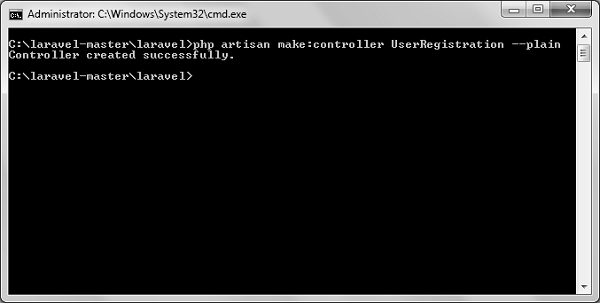
步驟 2 - 執行以下命令以建立一個UserRegistration控制器。
php artisan make:controller UserRegistration --plain
步驟 3 - 成功執行上述步驟後,您將收到以下輸出 -
步驟 4 - 將以下程式碼複製到
app/Http/Controllers/UserRegistration.php 控制器。
app/Http/Controllers/UserRegistration.php
<?php

namespace App\Http\Controllers;

use Illuminate\Http\Request;
use App\Http\Requests;
use App\Http\Controllers\Controller;

class UserRegistration extends Controller {
   public function postRegister(Request $request) {
      //Retrieve the name input field
      $name = $request->input('name');
      echo 'Name: '.$name;
      echo '<br>';

      //Retrieve the username input field
      $username = $request->username;
      echo 'Username: '.$username;
      echo '<br>';

      //Retrieve the password input field
      $password = $request->password;
      echo 'Password: '.$password;
   }
}
步驟 5 - 在app/Http/routes.php 檔案中新增以下行。
app/Http/routes.php
Route::get('/register',function() {
   return view('register');
});
Route::post('/user/register',array('uses'=>'UserRegistration@postRegister'));
步驟 6 - 訪問以下 URL,您將看到如下所示的登錄檔單。輸入註冊詳細資訊並點選註冊,您將在第二頁看到我們已檢索並顯示了使用者註冊詳細資訊。
https://:8000/register
步驟 7 - 輸出將類似於以下圖片所示。
