
- Laravel 教程
- Laravel - 首頁
- Laravel - 概述
- Laravel - 安裝
- Laravel - 應用結構
- Laravel - 配置
- Laravel - 路由
- Laravel - 中介軟體
- Laravel - 名稱空間
- Laravel - 控制器
- Laravel - 請求
- Laravel - Cookie
- Laravel - 響應
- Laravel - 檢視
- Laravel - Blade 模板
- Laravel - 重定向
- Laravel - 資料庫操作
- Laravel - 錯誤與日誌
- Laravel - 表單
- Laravel - 國際化
- Laravel - Session
- Laravel - 驗證
- Laravel - 檔案上傳
- Laravel - 傳送郵件
- Laravel - Ajax
- Laravel - 錯誤處理
- Laravel - 事件處理
- Laravel - Facades
- Laravel - Contracts
- Laravel - CSRF 保護
- Laravel - 認證
- Laravel - 授權
- Laravel - Artisan 控制檯
- Laravel - 加密
- Laravel - 雜湊
- 理解發布流程
- Laravel - 客人使用者許可權
- Laravel - Artisan 命令
- Laravel - 分頁自定義
- Laravel - Dump Server
- Laravel - Action URL
- Laravel 有用資源
- Laravel - 快速指南
- Laravel - 有用資源
- Laravel - 討論
Laravel - Ajax
Ajax(非同步 JavaScript 和 XML)是一套用於建立非同步 Web 應用程式的 Web 開發技術,利用了客戶端使用的多種 Web 技術。在檢視檔案中匯入 jquery 庫以使用 jquery 的 ajax 函式,這些函式將用於使用 ajax 從伺服器傳送和接收資料。在伺服器端,您可以使用 response() 函式向客戶端傳送響應,並使用 json() 函式將響應傳送為 JSON 格式。
json() 函式語法
json(string|array $data = array(), int $status = 200, array $headers = array(), int $options)
示例
步驟 1 - 建立一個名為 resources/views/message.php 的檢視檔案,並將以下程式碼複製到該檔案中。
<html>
   <head>
      <title>Ajax Example</title>

      <script src = "https://ajax.googleapis.com/ajax/libs/jquery/2.1.3/jquery.min.js">
      </script>

      <script>
         function getMessage() {
            $.ajax({
               type:'POST',
               url:'/getmsg',
               data:'_token = <?php echo csrf_token() ?>',
               success:function(data) {
                  $("#msg").html(data.msg);
               }
            });
         }
      </script>
   </head>

   <body>
      <div id = 'msg'>This message will be replaced using Ajax.
         Click the button to replace the message.</div>
      <?php
         echo Form::button('Replace Message',['onClick'=>'getMessage()']);
      ?>
   </body>

</html>
步驟 2 - 透過執行以下命令建立一個名為 AjaxController 的控制器。
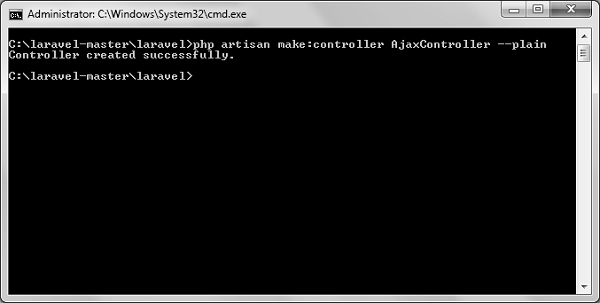
php artisan make:controller AjaxController --plain
步驟 3 - 成功執行後,您將收到以下輸出 -
步驟 4 - 將以下程式碼複製到
app/Http/Controllers/AjaxController.php 檔案中。
app/Http/Controllers/AjaxController.php
<?php

namespace App\Http\Controllers;

use Illuminate\Http\Request;
use App\Http\Requests;
use App\Http\Controllers\Controller;

class AjaxController extends Controller {
   public function index() {
      $msg = "This is a simple message.";
      return response()->json(array('msg'=> $msg), 200);
   }
}
步驟 5 - 在 app/Http/routes.php 中新增以下行。
app/Http/routes.php
Route::get('ajax',function() {
   return view('message');
});
Route::post('/getmsg','AjaxController@index');
步驟 6 - 訪問以下 URL 以測試 Ajax 功能。
https://:8000/ajax
步驟 7 - 您將被重定向到一個頁面,您將在其中看到如下面的圖片所示的訊息。

步驟 8 - 點選按鈕後,輸出將如下圖所示。

廣告