
- JSF 教程
- JSF - 首頁
- JSF - 概述
- JSF - 環境搭建
- JSF - 架構
- JSF - 生命週期
- JSF - 第一個應用程式
- JSF - 託管Bean
- JSF - 頁面導航
- JSF - 基本標籤
- JSF - Facelet 標籤
- JSF - 轉換器標籤
- JSF - 驗證器標籤
- JSF - DataTable 資料表格
- JSF - 複合元件
- JSF - Ajax
- JSF - 事件處理
- JSF - JDBC 整合
- JSF - Spring 整合
- JSF - 表示式語言
- JSF - 國際化
- JSF 有用資源
- JSF - 快速指南
- JSF - 有用資源
- JSF - 討論
JSF - f:attribute 屬性
h:attribute 標籤提供了一種將屬性值傳遞給元件或透過操作偵聽器將引數傳遞給元件的選項。
JSF 標籤
<h:commandButton id = "submit"
   actionListener = "#{userData.attributeListener}" action = "result">
   <f:attribute name = "value" value = "Show Message" />
   <f:attribute name = "username" value = "JSF 2.0 User" />
</h:commandButton>
標籤屬性
| 序號 | 屬性和描述 |
|---|---|
| 1 | name 要設定的屬性的名稱 |
| 2 | value 屬性的值 |
示例應用程式
讓我們建立一個測試 JSF 應用程式來測試上述標籤。
| 步驟 | 描述 |
|---|---|
| 1 | 按照JSF - 第一個應用程式章節中的說明,建立一個名為helloworld的專案,位於包com.tutorialspoint.test下。 |
| 2 | 修改home.xhtml,如下所示。保持其餘檔案不變。 |
| 3 | 在 webapps 目錄中建立result.xhtml,如下所示。 |
| 4 | 按照如下說明,在包com.tutorialspoint.test下建立一個名為UserData.java的託管Bean。 |
| 5 | 編譯並執行應用程式,以確保業務邏輯按要求工作。 |
| 6 | 最後,將應用程式構建成 war 檔案,並將其部署到 Apache Tomcat Web伺服器。 |
| 7 | 使用最後一步中說明的相應 URL 啟動您的 Web 應用程式。 |
UserData.java
package com.tutorialspoint.test;

import java.io.Serializable;

import javax.faces.bean.ManagedBean;
import javax.faces.bean.SessionScoped;

@ManagedBean(name = "userData", eager = true)
@SessionScoped
public class UserData implements Serializable {
   private static final long serialVersionUID = 1L;
   public String data = "1";

   public String getData() {
      return data;
   }

   public void setData(String data) {
      this.data = data;
   }

   public void attributeListener(ActionEvent event) {
      data = (String)event.getComponent().getAttributes().get("username");
   }
}
home.xhtml
<!DOCTYPE html PUBLIC "-//W3C//DTD XHTML 1.0 Transitional//EN"
   "http://www.w3.org/TR/xhtml1/DTD/xhtml1-transitional.dtd">

<html xmlns = "http://www.w3.org/1999/xhtml">
   <head>
      <title>JSF Tutorial!</title>
   </head>

   <body>
      <h2>f:attribute example</h2>
      <hr />

      <h:form>
         <h:commandButton id = "submit"
            actionListener = "#{userData.attributeListener}" action = "result">
            <f:attribute name = "value" value = "Show Message" />
            <f:attribute name = "username" value = "JSF 2.0 User" />
         </h:commandButton>
      </h:form>

   </body>
</html>
result.xhtml
<?xml version = "1.0" encoding = "UTF-8"?>
<!DOCTYPE html PUBLIC "-//W3C//DTD XHTML 1.0 Transitional//EN"
"http://www.w3.org/TR/xhtml1/DTD/xhtml1-transitional.dtd">

<html xmlns = "http://www.w3.org/1999/xhtml"
   xmlns:f = "http://java.sun.com/jsf/core"
   xmlns:h = "http://java.sun.com/jsf/html"
   xmlns:ui = "http://java.sun.com/jsf/facelets">

   <head>
      <title>JSF Tutorial!</title>
   </head>

   <h:body>
      <h2>Result</h2>
      <hr />
      #{userData.data}
   </h:body>
</html>
完成所有更改後,讓我們像在 JSF - 第一個應用程式章節中那樣編譯和執行應用程式。如果您的應用程式一切正常,這將產生以下結果。
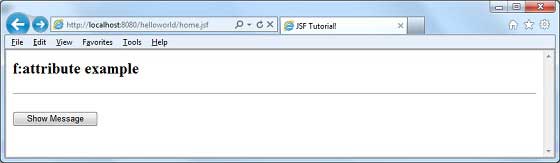
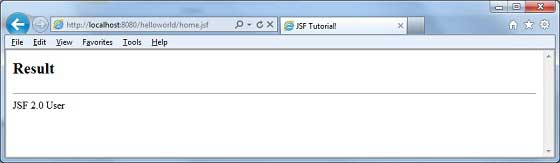
按下顯示訊息按鈕,您將看到以下結果。
jsf_basic_tags.htm
廣告