
- JSF 教程
- JSF - 首頁
- JSF - 概述
- JSF - 環境設定
- JSF - 架構
- JSF - 生命週期
- JSF - 第一個應用程式
- JSF - 託管Bean
- JSF - 頁面導航
- JSF - 基本標籤
- JSF - Facelet 標籤
- JSF - 轉換器標籤
- JSF - 驗證器標籤
- JSF - DataTable
- JSF - 複合元件
- JSF - Ajax
- JSF - 事件處理
- JSF - JDBC 整合
- JSF - Spring 整合
- JSF - 表示式語言
- JSF - 國際化
- JSF 有用資源
- JSF - 快速指南
- JSF - 有用資源
- JSF - 討論
JSF - 頁面導航
導航規則是由 JSF 框架提供的規則,描述了單擊按鈕或連結時要顯示哪個檢視。
導航規則可以在名為 faces-config.xml 的 JSF 配置檔案中定義。它們也可以在託管 Bean 中定義。
導航規則可以包含基於其顯示結果檢視的條件。JSF 2.0 還提供了隱式導航,在這種情況下,無需定義導航規則。
隱式導航
JSF 2.0 提供了名為隱式導航的自動檢視頁面解析器機制。在這種情況下,您只需要在 action 屬性中放置檢視名稱,JSF 將自動在已部署的應用程式中搜索正確的檢視頁面。

JSF 頁面中的自動導航
在任何 JSF UI 元件的 action 屬性中設定檢視名稱。
<h:form>
   <h3>Using JSF outcome</h3>
   <h:commandButton action = "page2" value = "Page2" />
</h:form>
在這裡,單擊Page2按鈕時,JSF 將解析檢視名稱page2為 page2.xhtml 副檔名,並在當前目錄中找到相應的檢視檔案page2.xhtml。
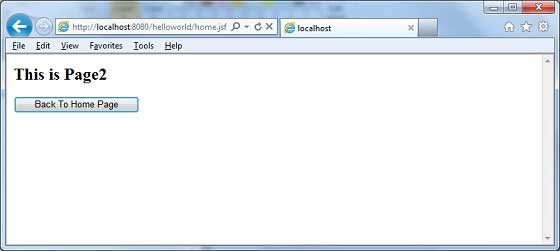
託管 Bean 中的自動導航
在託管 Bean 中定義一個方法以返回檢視名稱。
@ManagedBean(name = "navigationController", eager = true)
@RequestScoped

public class NavigationController implements Serializable {
   public String moveToPage1() {
      return "page1";
   }
}
使用託管 Bean 在任何 JSF UI 元件的 action 屬性中獲取檢視名稱。
<h:form>
   <h3> Using Managed Bean</h3>
   <h:commandButton action = "#{navigationController.moveToPage1}"
   value = "Page1" /glt;
</h:form>
在這裡,單擊Page1按鈕時,JSF 將解析檢視名稱page1為 page1.xhtml 副檔名,並在當前目錄中找到相應的檢視檔案page1.xhtml。

條件導航
使用託管 Bean,我們可以很容易地控制導航。檢視託管 Bean 中的以下程式碼。
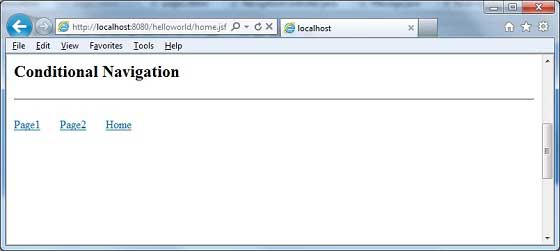
@ManagedBean(name = "navigationController", eager = true)
@RequestScoped

public class NavigationController implements Serializable {
   //this managed property will read value from request parameter pageId
   @ManagedProperty(value = "#{param.pageId}")
   private String pageId;

   //condional navigation based on pageId
   //if pageId is 1 show page1.xhtml,
   //if pageId is 2 show page2.xhtml
   //else show home.xhtml

   public String showPage() {
      if(pageId == null) {
         return "home";
      }

      if(pageId.equals("1")) {
         return "page1";
      }else if(pageId.equals("2")) {
         return "page2";
      }else {
         return "home";
      }
   }
}
在 JSF UI 元件中將 pageId 作為請求引數傳遞。
<h:form>
   <h:commandLink action = "#{navigationController.showPage}" value = "Page1">
      <f:param name = "pageId" value = "1" />
   </h:commandLink>
   <h:commandLink action = "#{navigationController.showPage}" value = "Page2">
      <f:param name = "pageId" value = "2" />
   </h:commandLink>
   <h:commandLink action = "#{navigationController.showPage}" value = "Home">
      <f:param name = "pageId" value = "3" />
   </h:commandLink>
</h:form>
在這裡,單擊“Page1”按鈕時。
JSF 將建立一個帶有引數 pageId = 1 的請求
然後 JSF 將此引數傳遞給 navigationController 的託管屬性 pageId
現在呼叫 navigationController.showPage(),它將在檢查 pageId 後返回 page1 作為檢視
JSF 將解析檢視名稱 page1 為 page1.xhtml 副檔名
在當前目錄中找到相應的檢視檔案 page1.xhtml
基於 from-action 解析導航
即使託管 Bean 的不同方法返回相同的檢視名稱,JSF 也提供導航解析選項。

檢視託管 Bean 中的以下程式碼。
public String processPage1() {
   return "page";
}
public String processPage2() {
   return "page";
}
要解析檢視,請在faces-config.xml中定義以下導航規則。
<navigation-rule>
   <from-view-id>home.xhtml</from-view-id>

   <navigation-case>
      <from-action>#{navigationController.processPage1}</from-action>
      <from-outcome>page</from-outcome>
      <to-view-id>page1.jsf</to-view-id>
   </navigation-case>

   <navigation-case>
      <from-action>#{navigationController.processPage2}</from-action>
      <from-outcome>page</from-outcome>
      <to-view-id>page2.jsf</to-view-id>
   </navigation-case>

</navigation-rule>
在這裡,單擊 Page1 按鈕時:
navigationController.processPage1() 將被呼叫,它將返回檢視 page
JSF 將解析檢視名稱page1,因為檢視名稱為page,而faces-config中的from-action為navigationController.processPage1
在當前目錄中找到相應的檢視檔案page1.xhtml
轉發與重定向
JSF 預設情況下在導航到另一個頁面時執行伺服器頁面轉發,並且應用程式的 URL 不會更改。
要啟用頁面重定向,請在檢視名稱末尾附加faces-redirect=true。
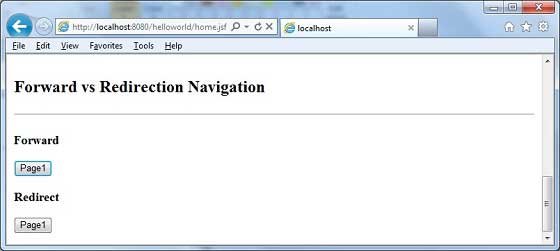
<h:form>
   <h3>Forward</h3>
   <h:commandButton action = "page1" value = "Page1" />
   <h3>Redirect</h3>
   <h:commandButton action = "page1?faces-redirect = true" value = "Page1" />
</h:form>
在這裡,單擊轉發下的Page1按鈕時,您將獲得以下結果。
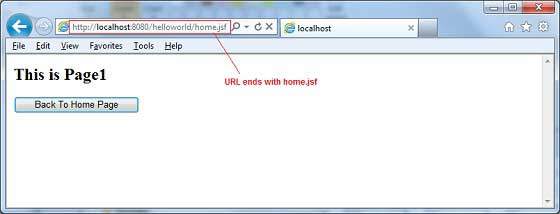
在這裡,單擊重定向下的Page1按鈕時,您將獲得以下結果。
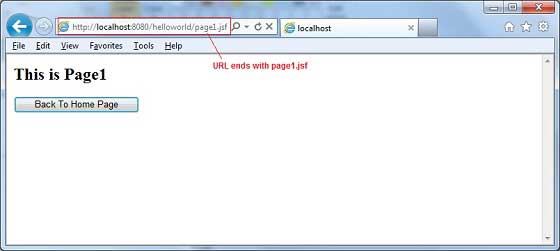
示例應用程式
讓我們建立一個測試 JSF 應用程式來測試上述所有導航示例。
| 步驟 | 描述 |
|---|---|
| 1 | 如JSF - 建立應用程式章節所述,在包 com.tutorialspoint.test下建立一個名為helloworld的專案。 |
| 2 | 如以下所述,在包com.tutorialspoint.test下建立NavigationController.java。 |
| 3 | 如以下所述,在WEB-INF資料夾下建立faces-config.xml並更新其內容。 |
| 4 | 如以下所述,更新WEB-INF資料夾下的web.xml。 |
| 5 | 如以下所述,建立page1.xhtml和page2.xhtml,並修改webapp資料夾下的home.xhtml。 |
| 6 | 編譯並執行應用程式以確保業務邏輯按要求工作。 |
| 7 | 最後,將應用程式構建為 war 檔案,並將其部署到 Apache Tomcat Web 伺服器。 |
| 8 | 使用最後一步中說明的適當 URL 啟動您的 Web 應用程式。 |
NavigationController.java
package com.tutorialspoint.test;

import java.io.Serializable;

import javax.faces.bean.ManagedBean;
import javax.faces.bean.ManagedProperty;
import javax.faces.bean.RequestScoped;

@ManagedBean(name = "navigationController", eager = true)
@RequestScoped
public class NavigationController implements Serializable {
   private static final long serialVersionUID = 1L;
   @ManagedProperty(value = "#{param.pageId}")
   private String pageId;

   public String moveToPage1() {
      return "page1";
   }

   public String moveToPage2() {
      return "page2";
   }

   public String moveToHomePage() {
      return "home";
   }

   public String processPage1() {
      return "page";
   }

   public String processPage2() {
      return "page";
   }

   public String showPage() {
      if(pageId == null) {
         return "home";
      }

      if(pageId.equals("1")) {
         return "page1";
      }else if(pageId.equals("2")) {
         return "page2";
      }else {
         return "home";
      }
   }

   public String getPageId() {
      return pageId;
   }

   public void setPageId(String pageId) {
      this.pageId = pageId;
   }
}
faces-config.xml
<?xml version = "1.0" encoding = "UTF-8"?>

<faces-config
   xmlns = "http://java.sun.com/xml/ns/javaee"
   xmlns:xsi = "http://www.w3.org/2001/XMLSchema-instance"
   xsi:schemaLocation = "http://java.sun.com/xml/ns/javaee
   http://java.sun.com/xml/ns/javaee/web-facesconfig_2_0.xsd"
   version = "2.0">

   <navigation-rule>
      <from-view-id>home.xhtml</from-view-id>
      <navigation-case>
         <from-action>#{navigationController.processPage1}</from-action>
         <from-outcome>page</from-outcome>
         <to-view-id>page1.jsf</to-view-id>
      </navigation-case>
      <navigation-case>
         <from-action>#{navigationController.processPage2}</from-action>
         <from-outcome>page</from-outcome>
         <to-view-id>page2.jsf</to-view-id>
      </navigation-case>
   </navigation-rule>

</faces-config>
web.xml
<!DOCTYPE web-app PUBLIC
   "-//Sun Microsystems, Inc.//DTD Web Application 2.3//EN"
   "http://java.sun.com/dtd/web-app_2_3.dtd" >

<web-app>
   <display-name>Archetype Created Web Application</display-name>

   <context-param>
      <param-name>javax.faces.PROJECT_STAGE</param-name>
      <param-value>Development</param-value>
   </context-param>
   <context-param>
      <param-name>javax.faces.CONFIG_FILES</param-name>
      <param-value>/WEB-INF/faces-config.xml</param-value>
   </context-param>

   <servlet>
      <servlet-name>Faces Servlet</servlet-name>
      <servlet-class>javax.faces.webapp.FacesServlet</servlet-class>
   </servlet>
   <servlet-mapping>
      <servlet-name>Faces Servlet</servlet-name>
      <url-pattern>*.jsf</url-pattern>
   </servlet-mapping>

</web-app>
page1.xhtml
<?xml version = "1.0" encoding = "UTF-8"?>
<!DOCTYPE html PUBLIC "-//W3C//DTD XHTML 1.0 Transitional//EN"
   "http://www.w3.org/TR/xhtml1/DTD/xhtml1-transitional.dtd">
<html xmlns = "http://www.w3.org/1999/xhtml"
   xmlns:h = "http://java.sun.com/jsf/html">

   <h:body>
      <h2>This is Page1</h2>
      <h:form>
         <h:commandButton action = "home?faces-redirect = true"
            value = "Back To Home Page" />
      </h:form>
   </h:body>
</html>
page2.xhtml
<?xml version = "1.0" encoding = "UTF-8"?>
<!DOCTYPE html PUBLIC "-//W3C//DTD XHTML 1.0 Transitional//EN"
   "http://www.w3.org/TR/xhtml1/DTD/xhtml1-transitional.dtd">
<html xmlns = "http://www.w3.org/1999/xhtml"
   xmlns:h = "http://java.sun.com/jsf/html">

   <h:body>
      <h2>This is Page2</h2>
      <h:form>
         <h:commandButton action = "home?faces-redirect = true"
            value = "Back To Home Page" />
      </h:form>
   </h:body>
</html>
home.xhtml
<?xml version = "1.0" encoding = "UTF-8"?>
<!DOCTYPE html PUBLIC "-//W3C//DTD XHTML 1.0 Transitional//EN"
"http://www.w3.org/TR/xhtml1/DTD/xhtml1-transitional.dtd">

<html xmlns = "http://www.w3.org/1999/xhtml"
   xmlns:f = "http://java.sun.com/jsf/core"
   xmlns:h = "http://java.sun.com/jsf/html">

   <h:body>
      <h2>Implicit Navigation</h2>
      <hr />

      <h:form>
         <h3>Using Managed Bean</h3>
         <h:commandButton action = "#{navigationController.moveToPage1}"
            value = "Page1" />
         <h3>Using JSF outcome</h3>
         <h:commandButton action = "page2" value = "Page2" />
      </h:form>
      <br/>

      <h2>Conditional Navigation</h2>
      <hr />
      <h:form>
         <h:commandLink action = "#{navigationController.showPage}"
            value="Page1">
            <f:param name = "pageId" value = "1" />
         </h:commandLink>


         <h:commandLink action = "#{navigationController.showPage}"
            value="Page2">
            <f:param name = "pageId" value = "2" />
         </h:commandLink>


         <h:commandLink action = "#{navigationController.showPage}"
            value = "Home">
            <f:param name = "pageId" value = "3" />
         </h:commandLink>
      </h:form>
      <br/>

      <h2>"From Action" Navigation</h2>
      <hr />

      <h:form>
         <h:commandLink action = "#{navigationController.processPage1}"
         value = "Page1" />

         <h:commandLink action = "#{navigationController.processPage2}"
         value = "Page2" />

      </h:form>
      <br/>

      <h2>Forward vs Redirection Navigation</h2>
      <hr />
      <h:form>
         <h3>Forward</h3>
         <h:commandButton action = "page1" value = "Page1" />
         <h3>Redirect</h3>
         <h:commandButton action = "page1?faces-redirect = true"
         value = "Page1" />
      </h:form>
   </h:body>
</html>
完成所有更改後,讓我們像在 JSF - 建立應用程式章節中所做的那樣編譯並執行應用程式。如果您的應用程式一切正常,這將產生以下結果。
