
- HTML 畫布教程
- HTML 畫布-主頁
- HTML 畫布-簡介
- 環境設定
- HTML 畫布-第一個應用程式
- HTML 畫布-繪製 2D 形狀
- HTML 畫布-路徑元素
- 使用路徑元素的 2D 形狀
- HTML 畫布-顏色
- HTML 畫布-新增樣式
- HTML 畫布-新增文字
- HTML 畫布-新增影像
- HTML 畫布-畫布時鐘
- HTML 畫布-變換
- 複合和剪下
- HTML 畫布-基本動畫
- 高階動畫
- HTML 畫布 API 函式
- HTML 畫布-元素
- HTML 畫布-矩形
- HTML 畫布-線條
- HTML 畫布-路徑
- HTML 畫布-文字
- HTML 畫布-顏色和樣式
- HTML 畫布-影像
- HTML 畫布-陰影和變換
- HTML 畫布有用的資源
- HTML 畫布-快速指南
- HTML 畫布-有用的資源
- HTML 畫布-討論
HTML 畫布-scale() 方法
Canvas 2D API 的 HTML 畫布 scale() 方法沿水平/垂直方向新增對畫布的縮放變換。
透過應用縮放因子,Canvas 元素畫素的比例發生改變,從而導致上下文大小發生改變。
語法
以下 HTML 畫布 scale() 方法語法 −
CanvasRenderingContext2D.scale(x, y);
引數
以下此方法的引數列表 −
| 序 | 引數和說明 |
|---|---|
| 1 | x 水平縮放值。 |
| 2 | y 垂直縮放值。 |
返回的值
它對 Canvas 元素中的上下文物件應用縮放變換。
示例
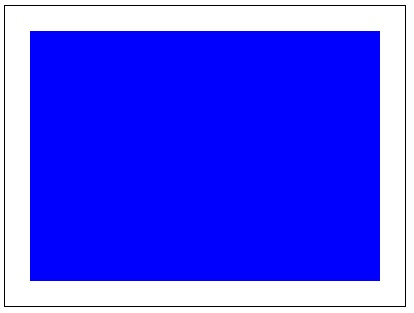
以下示例使用 HTML 畫布 scale() 方法在 Canvas 元素上繪製一個縮放矩形。
<!DOCTYPE html>
<html lang="en">
<head>
   <title>Reference API</title>
   <style>
      body {
         margin: 10px;
         padding: 10px;
      }
   </style>
</head>
<body>
   <canvas id="canvas" width="400" height="300" style="border: 1px solid black;"></canvas>
   <script>
      var canvas = document.getElementById('canvas');
      var context = canvas.getContext('2d');
      context.scale(5, 5);
      context.fillStyle = 'blue';
      context.fillRect(5, 5, 70, 50);
   </script>
</body>
</html>
輸出
網頁上以下程式碼返回的輸出為 −
示例
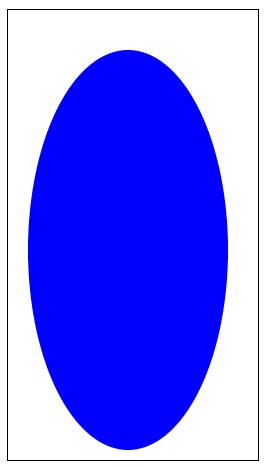
以下方法使用 scale() 方法縮放 Canvas 元素中的一個圓。
<!DOCTYPE html>
<html lang="en">
<head>
   <title>Reference API</title>
   <style>
     body {
       margin: 10px;
       padding: 10px;
     }
   </style>
</head>
<body>
   <canvas id="canvas" width="250" height="450" style="border: 1px solid black;"></canvas>
   <script>
      var canvas=document.getElementById('canvas');
      var context=canvas.getContext('2d');
      context.scale(2,4);
      context.fillStyle = 'blue';
      context.arc(60,60,50,0,2*Math.PI);
      context.fill();
   </script>
</body>
</html>
輸出
網頁上以下程式碼返回的輸出為 −
html_canvas_shadows_and_transformations.htm
廣告