- HTML Canvas 教程
- HTML Canvas - 首頁
- HTML Canvas - 簡介
- 環境設定
- HTML Canvas - 第一個應用程式
- HTML Canvas - 繪製 2D 形狀
- HTML Canvas - 路徑元素
- 使用路徑元素的 2D 形狀
- HTML Canvas - 顏色
- HTML Canvas - 新增樣式
- HTML Canvas - 新增文字
- HTML Canvas - 新增影像
- HTML Canvas - Canvas 時鐘
- HTML Canvas - 變換
- 合成和剪裁
- HTML Canvas - 基本動畫
- 高階動畫
- HTML Canvas API 函式
- HTML Canvas - 元素
- HTML Canvas - 矩形
- HTML Canvas - 線
- HTML Canvas - 路徑
- HTML Canvas - 文字
- HTML Canvas - 顏色和樣式
- HTML Canvas - 影像
- HTML Canvas - 陰影和變換
- HTML Canvas 有用資源
- HTML Canvas - 快速指南
- HTML Canvas - 有用資源
- HTML Canvas - 討論
HTML Canvas - globalCompositeOperation 屬性
HTML Canvas 的globalCompositeOperation屬性是 Canvas 2D API 的一部分,用於設定在 Canvas 元素上繪製形狀時要應用的合成操作。
它屬於CanvasRenderingContext2D介面,並且合成操作只能設定到繪製到 Canvas 上的 2D 形狀。
可能的輸入值
以下是您可以設定為該屬性值的預定義常量列表:
| 序號 | 值和描述 |
|---|---|
| 1 | source-over 它用於在一個 Canvas 元素上現有的其他內容上繪製一個形狀。 |
| 2 | source-in 它用於在畫布上插入重疊的圖形。 |
| 3 | source-out 僅當圖形不重疊時才呈現。其餘部分變為透明。 |
| 4 | source-atop 新形狀與 Canvas 上下文重疊。 |
| 5 | destination-over 新形狀通常渲染在現有內容的後面。 |
| 6 | destination-in 當新形狀不重疊時,現有內容變為透明。 |
| 7 | destination-out 當形狀之間沒有重疊時,保留現有內容。 |
| 8 | destination-atop 僅當與新形狀重疊時才保留現有內容。新形狀繪製在內容的後面。 |
| 9 | lighter 顏色由形狀重疊的區域確定。 |
| 10 | copy 僅顯示特定的形狀。 |
| 11 | xor 形狀重疊的區域變為透明。 |
| 12 | multiply 根據頂層和底層畫素相乘。圖片變得更暗。 |
| 13 | screen 畫素反轉,相乘,然後再次反轉。結果圖片變亮。 |
| 14 | overlay 它形成一個結果,該結果使用“multiply”和“screen”這兩個值。 |
| 15 | darken 呼叫此值時,它會保留可用圖層中最暗的畫素。 |
| 16 | lighten 呼叫此值時,它會使可用圖層中最暗的畫素變亮。 |
| 17 | color-dodge 它將底層除以反轉的頂層。 |
| 18 | color-burn 它將反轉的底層除以頂層,然後在顯示之前反轉所有內容。 |
| 19 | hard-light 它是 multiply 和 screen 的組合,但頂層和底層已交換。 |
| 20 | soft-light 呼叫此值時,它會返回硬光的柔和版本。 |
| 21 | difference 減去顏色程式碼,使差異為正,並透過更改顏色程式碼來返回它。 |
| 22 | exclusion 它類似於差異,但對比度降低了。 |
| 23 | hue 色相應用於 Canvas 元素中的頂層內容。 |
| 24 | saturation 飽和度(色度)應用於 Canvas 元素內的頂層。 |
| 25 | color 透過應用色相和飽和度效果來更改形狀的顏色。 |
| 26 | luminosity 當給出此屬性值時,Canvas 元素內的頂層的亮度會發生變化。 |
示例
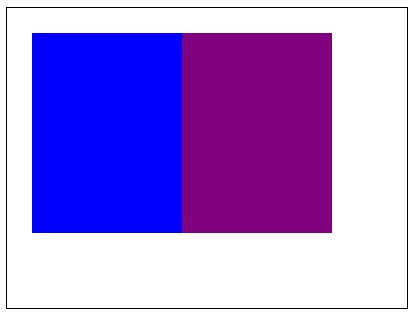
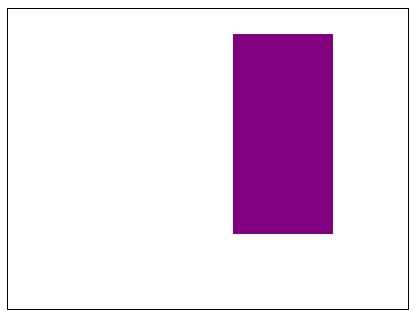
以下示例使用 HTML Canvas 的globalCompositeOperation屬性,對兩個帶條紋的矩形演示“source-out”值。
<!DOCTYPE html>
<html lang="en">
<head>
   <title>Reference API</title>
   <style>
      body {
         margin: 10px;
         padding: 10px;
      }
   </style>
</head>
<body>
   <canvas id="canvas" width="400" height="300" style="border: 1px solid black;"></canvas>
   <script>
      var canvas = document.getElementById('canvas');
      var context = canvas.getContext('2d');
      context.globalCompositeOperation = 'source-out';
      context.fillStyle = 'blue';
      context.fillRect(25, 25, 200, 200);
      context.fill();
      context.fillStyle = 'purple';
      context.fillRect(175, 25, 150, 200);
      context.fill();
   </script>
</body>
</html>
輸出
應用屬性之前的矩形為:
上述程式碼在網頁上返回的輸出為:
示例
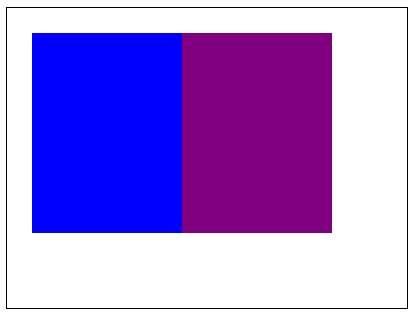
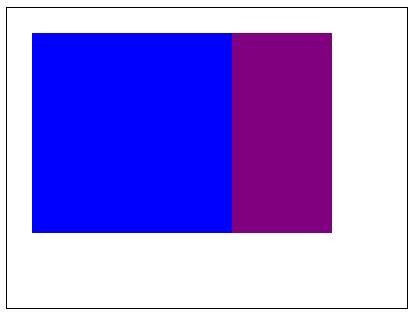
以下示例使用 Canvas 元素上下文物件,使用“destination-over”值應用globalCompositeOperation屬性。
<!DOCTYPE html>
<html lang="en">
<head>
   <title>Reference API</title>
   <style>
      body {
         margin: 10px;
         padding: 10px;
      }
   </style>
</head>
<body>
   <canvas id="canvas" width="400" height="300" style="border: 1px solid black;"></canvas>
   <script>
      var canvas = document.getElementById('canvas');
      var context = canvas.getContext('2d');
      context.globalCompositeOperation = 'destination-over';
      context.fillStyle = 'blue';
      context.fillRect(25, 25, 200, 200);
      context.fill();
      context.fillStyle = 'purple';
      context.fillRect(175, 25, 150, 200);
      context.fill();
   </script>
</body>
</html>
輸出
應用屬性之前的矩形為:
上述程式碼在網頁上返回的輸出為:
示例
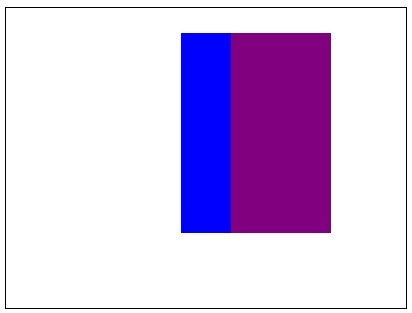
以下示例使用 Canvas 元素上下文物件,使用“destination-atop”值應用globalCompositeOperation屬性。
<!DOCTYPE html>
<html lang="en">
<head>
   <title>Reference API</title>
   <style>
      body {
         margin: 10px;
         padding: 10px;
      }
   </style>
</head>
<body>
   <canvas id="canvas" width="400" height="300" style="border: 1px solid black;"></canvas>
   <script>
      var canvas = document.getElementById('canvas');
      var context = canvas.getContext('2d');
      context.globalCompositeOperation = 'destination-atop';
      context.fillStyle = 'blue';
      context.fillRect(25, 25, 200, 200);
      context.fill();
      context.fillStyle = 'purple';
      context.fillRect(175, 25, 150, 200);
      context.fill();
   </script>
</body>
</html>
上述程式碼在網頁上返回的輸出為:
示例
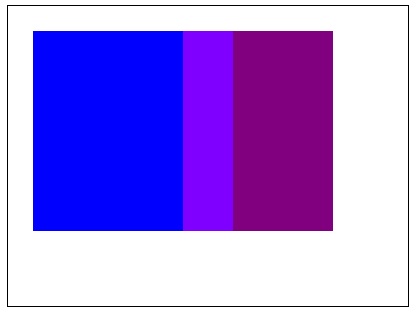
以下示例使用 Canvas 元素上下文物件,使用“lighter”值應用globalCompositeOperation屬性。
<!DOCTYPE html>
<html lang="en">
<head>
   <title>Reference API</title>
   <style>
      body {
         margin: 10px;
         padding: 10px;
      }
   </style>
</head>
<body>
   <canvas id="canvas" width="400" height="300" style="border: 1px solid black;"></canvas>
   <script>
      var canvas = document.getElementById('canvas');
      var context = canvas.getContext('2d');
      context.globalCompositeOperation = 'lighter';
      context.fillStyle = 'blue';
      context.fillRect(25, 25, 200, 200);
      context.fill();
      context.fillStyle = 'purple';
      context.fillRect(175, 25, 150, 200);
      context.fill();
   </script>
</body>
</html>
輸出
應用屬性之前的矩形為:
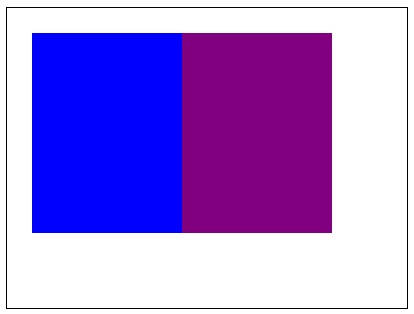
上述程式碼在網頁上返回的輸出為:
示例
以下示例使用 Canvas 元素上下文物件,使用“xor”值應用globalCompositeOperation屬性。
<!DOCTYPE html>
<html lang="en">
<head>
   <title>Reference API</title>
   <style>
      body {
         margin: 10px;
         padding: 10px;
      }
   </style>
</head>
<body>
   <canvas id="canvas" width="400" height="300" style="border: 1px solid black;"></canvas>
   <script>
      var canvas = document.getElementById('canvas');
      var context = canvas.getContext('2d');
      context.globalCompositeOperation = 'xor';
      context.fillStyle = 'blue';
      context.fillRect(25, 25, 200, 200);
      context.fill();
      context.fillStyle = 'purple';
      context.fillRect(175, 25, 150, 200);
      context.fill();
   </script>
</body>
</html>
輸出
應用屬性之前的矩形為:
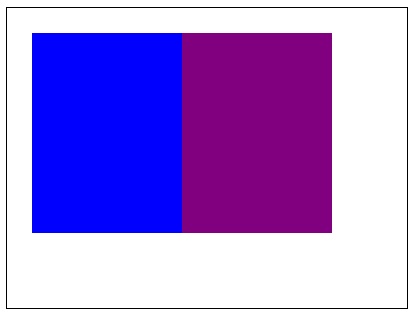
上述程式碼在網頁上返回的輸出為:
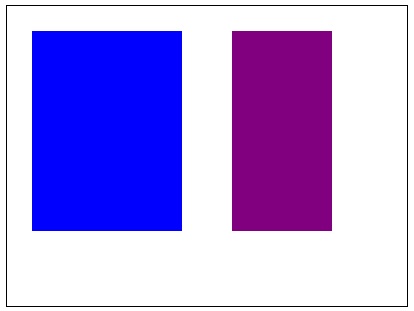
示例
以下示例使用 Canvas 元素上下文物件,使用“multiply”值應用globalCompositeOperation屬性。
<!DOCTYPE html>
<html lang="en">
<head>
   <title>Reference API</title>
   <style>
      body {
         margin: 10px;
         padding: 10px;
      }
   </style>
</head>
<body>
   <canvas id="canvas" width="400" height="300" style="border: 1px solid black;"></canvas>
   <script>
      var canvas = document.getElementById('canvas');
      var context = canvas.getContext('2d');
      context.globalCompositeOperation = 'multiply';
      context.fillStyle = 'blue';
      context.fillRect(25, 25, 200, 200);
      context.fill();
      context.fillStyle = 'purple';
      context.fillRect(175, 25, 150, 200);
      context.fill();
   </script>
</body>
</html>
輸出
應用屬性之前的矩形為:
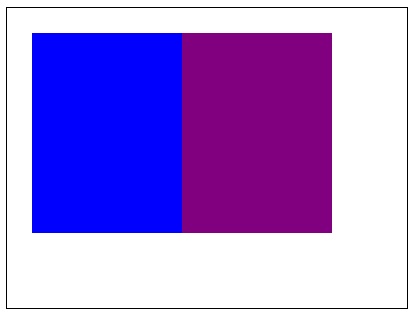
上述程式碼在網頁上返回的輸出為:
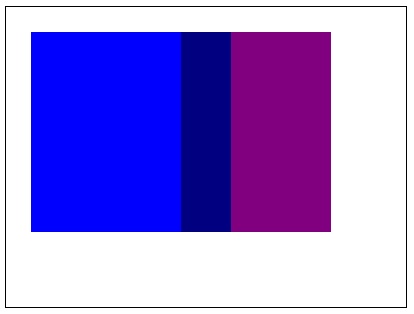
示例
以下示例使用 Canvas 元素上下文物件,使用“screen”值應用globalCompositeOperation屬性。
<!DOCTYPE html>
<html lang="en">
<head>
   <title>Reference API</title>
   <style>
      body {
         margin: 10px;
         padding: 10px;
      }
   </style>
</head>
<body>
   <canvas id="canvas" width="400" height="300" style="border: 1px solid black;"></canvas>
   <script>
      var canvas = document.getElementById('canvas');
      var context = canvas.getContext('2d');
      context.globalCompositeOperation = 'screen';
      context.fillStyle = 'blue';
      context.fillRect(25, 25, 200, 200);
      context.fill();
      context.fillStyle = 'purple';
      context.fillRect(175, 25, 150, 200);
      context.fill();
   </script>
</body>
</html>
輸出
應用屬性之前的矩形為:
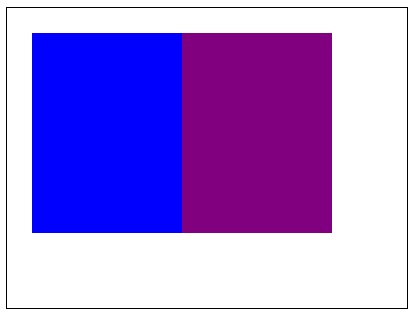
上述程式碼在網頁上返回的輸出為:
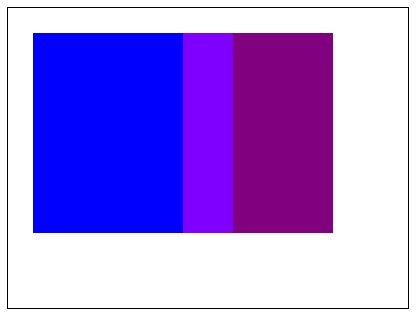
示例
以下示例使用 Canvas 元素上下文物件,使用“difference”值應用globalCompositeOperation屬性。它在重合區域返回相同的顏色。
<!DOCTYPE html>
<html lang="en">
<head>
   <title>Reference API</title>
   <style>
      body {
         margin: 10px;
         padding: 10px;
      }
   </style>
</head>
<body>
   <canvas id="canvas" width="400" height="300" style="border: 1px solid black;"></canvas>
   <script>
      var canvas = document.getElementById('canvas');
      var context = canvas.getContext('2d');
      context.globalCompositeOperation = 'difference';
      context.fillStyle = 'blue';
      context.fillRect(25, 25, 200, 200);
      context.fill();
      context.fillStyle = 'purple';
      context.fillRect(175, 25, 150, 200);
      context.fill();
   </script>
</body>
</html>
輸出
應用屬性之前的矩形為:
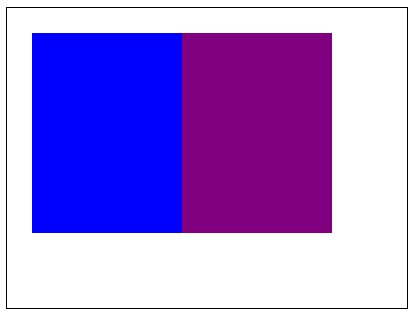
上述程式碼在網頁上返回的輸出為:
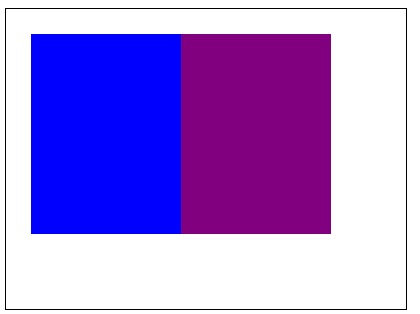
示例
以下示例使用 Canvas 元素上下文物件,使用“hue”值應用globalCompositeOperation屬性。
<!DOCTYPE html>
<html lang="en">
<head>
   <title>Reference API</title>
   <style>
      body {
         margin: 10px;
         padding: 10px;
      }
   </style>
</head>
<body>
   <canvas id="canvas" width="400" height="300" style="border: 1px solid black;"></canvas>
   <script>
      var canvas = document.getElementById('canvas');
      var context = canvas.getContext('2d');
      context.globalCompositeOperation = 'hue';
      context.fillStyle = 'blue';
      context.fillRect(25, 25, 200, 200);
      context.fill();
      context.fillStyle = 'purple';
      context.fillRect(175, 25, 150, 200);
      context.fill();
   </script>
</body>
</html>
輸出
應用屬性之前的矩形為:
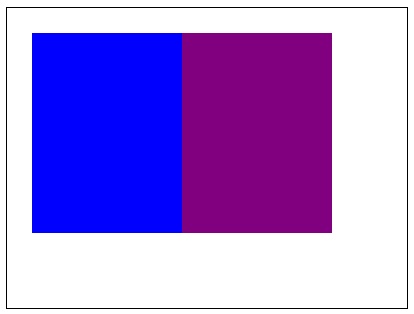
上述程式碼在網頁上返回的輸出為:
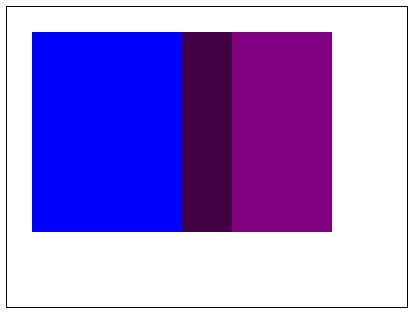
示例
以下示例使用 Canvas 元素上下文物件,使用“luminosity”值應用globalCompositeOperation屬性。
<!DOCTYPE html>
<html lang="en">
<head>
   <title>Reference API</title>
   <style>
      body {
         margin: 10px;
         padding: 10px;
      }
   </style>
</head>
<body>
   <canvas id="canvas" width="400" height="300" style="border: 1px solid black;"></canvas>
   <script>
      var canvas = document.getElementById('canvas');
      var context = canvas.getContext('2d');
      context.globalCompositeOperation = 'luminosity';
      context.fillStyle = 'blue';
      context.fillRect(25, 25, 200, 200);
      context.fill();
      context.fillStyle = 'purple';
      context.fillRect(175, 25, 150, 200);
      context.fill();
   </script>
</body>
</html>
輸出
應用屬性之前的矩形為:
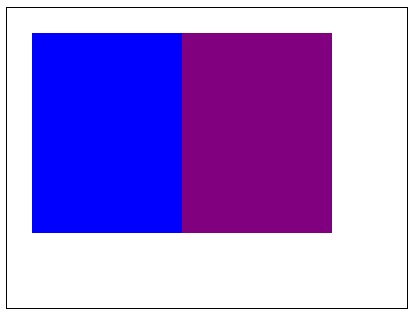
上述程式碼在網頁上返回的輸出為: