
 資料結構
資料結構 網路
網路 關係資料庫管理系統
 作業系統
作業系統 Java
Java MS Excel
 iOS
iOS HTML
HTML CSS
CSS Android
 Python
 C 程式設計
 C++
C++ C#
C# MongoDB
 MySQL
MySQL Javascript
 PHP
PHP 物理學
物理學 化學
化學 生物學
生物學 數學
數學 英語
英語 經濟學
經濟學 心理學
心理學 社會學
社會學 時尚研究
時尚研究 法律研究
法律研究如何在 ReactJS 中使用 Container 元件?
容器元件在網頁上建立一個類似盒子的容器。此外,我們可以根據內部內容的高度設定容器的高度。此外,我們還可以為 Container 元件設定可變寬度。
基本上,我們可以使用 Container 建立一個矩形框,並在其中新增一些 HTML 內容。
使用者應使用以下命令在 React 專案中安裝 Material UI。
npm install @mui/material @emotion/react @emotion/styled
語法
使用者可以按照以下語法使用 Material UI 的 Cotnainer 元件。
<Container maxWidth="xs">
   // content of the container
</Container>
在以上語法中,我們可以在 Container 元件內部新增網頁的 HTML 內容。
示例
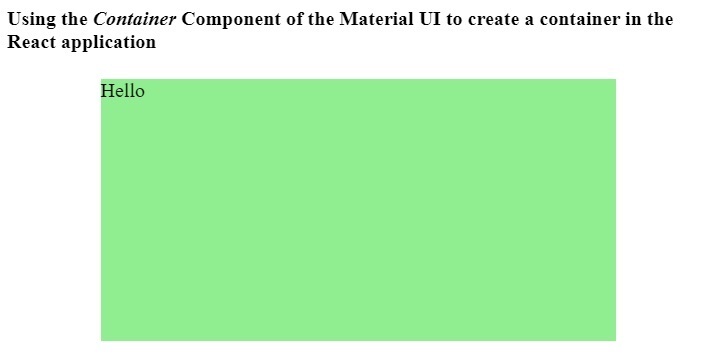
在下面的示例中,我們使用了 Container 元件來建立一個容器。此外,我們還將“maxWidth”作為容器元件的 prop 傳遞,並將其值設定為“xs”,表示斷點。
在輸出中,使用者可以觀察到它根據裝置的寬度設定容器的寬度。這意味著寬度是流動的,我們可以使用它來製作響應式設計。
import React from "react";
import Container from "@mui/material/Container";
const App = () => {
   return (
      <div>
         <h4>
            {" "}
            Using the <i> Container </i> Component of the Material UI to create a container in the React application {" "}
         </h4>
         <Container maxWidth = "xs">
            <div style = {{ backgroundColor: "lightgreen", height: "30rem" }}> Hello </div>
         </Container>
      </div>
   );
};
export default App;
輸出
示例
在下面的示例中,我們在單個 div 元素中添加了兩個容器。此外,我們還將 div 元素的 display 設定為 flex,因此兩個容器並排顯示。
此外,我們在兩個容器中添加了一些文字內容並設定了固定寬度。
import React from "react";
import Container from "@mui/material/Container";
const App = () => {
   return (
      <div>
         <h4>
            {" "}
            Using the <i> Container </i> Component of the Material UI to create a container in the React application {" "} </h4>
            <div style = {{display: "flex", justifyContent: "space-around"}}>
               <Container fixed>
                  <div style = {{ backgroundColor: "pink", height: "30rem", width: "90%" }}>
                     {" "}
                     This is a content of the container div. {" "}
                  </div>
               </Container>
               <Container fixed>
                  <div style = {{ backgroundColor: "pink", height: "30rem", width: "90%" }}>
                     {" "}
                     This is a content of the container div. {" "}
                  </div>
               </Container>
            </div>
      </div>
   );
};
export default App;
輸出
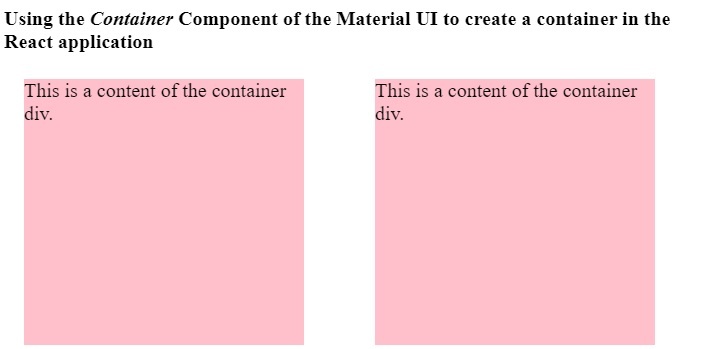
使用者學習瞭如何在 ReactJS 中使用 Material UI 的 Container 元件。我們已經看到了使用 Container 元件的兩個不同的示例。在第一個示例中,Container 元件是流動的,而在第二個示例中,它是固定的。

更新於: 2023-03-09
3K+ 閱讀量

廣告