
 資料結構
資料結構 網路
網路 關係資料庫管理系統
 作業系統
作業系統 Java
Java MS Excel
 iOS
iOS HTML
HTML CSS
CSS Android
 Python
 C 程式設計
 C++
C++ C#
C# MongoDB
 MySQL
MySQL Javascript
 PHP
PHP 物理學
物理學 化學
化學 生物學
生物學 數學
數學 英語
英語 經濟學
經濟學 心理學
心理學 社會學
社會學 時尚研究
時尚研究 法律研究
法律研究如何在 macOS 上以全屏顯示 tkinter 應用程式?
Tkinter 是一個 Python GUI 工具包,廣泛用於開發功能齊全的桌面應用程式。Tkinter 提供了許多內建庫、部件和模組來開發任何型別的應用程式。您可以使用工廠和類庫函式來實現應用程式的附加功能。
由於 Tkinter 是一個跨平臺的 GUI 庫,因此在 Windows 上編寫的應用程式也可以在 macOS 和 Linux 裝置上執行。但是,某些功能不支援跨平臺功能,為此您必須參考文件中指定的附加工廠方法或函式。
示例
例如,如果我們想在 macOS 上以全屏顯示 tkinter 應用程式,那麼我們必須首先使用 **attributes('-fullscreen', True)** 方法為應用程式啟用 **fullscreen** 屬性。它使應用程式視窗保持全屏狀態。
另一種有助於在 macOS 上停用頂部工具欄的方法是 **overrideredirect(boolean)** 方法。它接受布林值以啟用和停用導航欄上的工具欄。以下示例演示了它的工作原理。
# Import the library
from tkinter import *
from tkinter import filedialog

# Create an instance of window
win= Tk()

# Set the geometry of the window
win.geometry("700x350")

# Create a full screen window
win.attributes('-fullscreen', True)
win.overrideredirect(True)

# Create a label
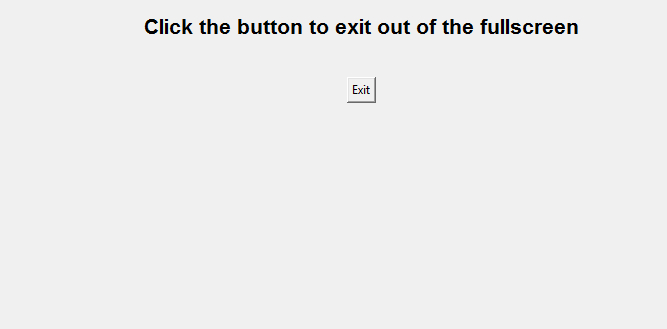
Label(win, text= "Click the button to exit out of the fullscreen", font= ('Aerial 16 bold')).pack(pady= 15)

# Define a function to open a file in the system
def exit_program():
   win.destroy()

# Create a button to trigger the dialog
button = Button(win, text="Exit", command=exit_program)
button.pack(pady= 20)

win.mainloop()
輸出
執行以上程式碼將顯示一個全屏視窗,其中包含一個按鈕和一個標籤部件。該按鈕可用於退出應用程式的全屏模式。

更新於: 2021-12-28
837 次瀏覽

廣告