
 資料結構
資料結構 網路
網路 關係型資料庫管理系統
 作業系統
作業系統 Java
Java MS Excel
 iOS
iOS HTML
HTML CSS
CSS Android
 Python
 C 程式設計
 C++
C++ C#
C# MongoDB
 MySQL
MySQL Javascript
 PHP
PHP 物理
物理 化學
化學 生物
生物 數學
數學 英語
英語 經濟
經濟 心理學
心理學 社會研究
社會研究 時尚研究
時尚研究 法律研究
法律研究如何用 JavaScript 建立一個全屏視窗?
要使用 JavaScript 建立全屏視窗,程式碼如下 −
示例
<!DOCTYPE html>
<html>
<head>
<meta name="viewport" content="width=device-width, initial-scale=1">
</head>
<style>
   body{
      font-family: 'Segoe UI', Tahoma, Geneva, Verdana, sans-serif;
   }
   button{
      display: block;
      padding:10px;
      margin:10px;
      background-color: rgb(81, 0, 128);
      border:none;
      color:white;
   }
</style>
<body>
<h1>Fullscreen Window with JavaScript Example</h1>
<button class="openVideo";">Open Video in Fullscreen Mode</button>
<video width="500px" controls id="minimizedVideo">
<source
src="https://www.videvo.net/videvo_files/converted/2015_04/preview/Ocean_Waves_slow_motion_videvo.mov44965.webm">
</video>
<h2>Click on the above button to open it in fullscreen</h2>
<script>
   document.querySelector('.openVideo').addEventListener('click',fullscreenVideo);
   var elem = document.getElementById("minimizedVideo");
   function fullscreenVideo() {
      if (elem.requestFullscreen) {
         elem.requestFullscreen();
      }
      else if (elem.mozRequestFullScreen) {
         elem.mozRequestFullScreen();
      }
      else if (elem.webkitRequestFullscreen) {
         elem.webkitRequestFullscreen();
      }
      else if (elem.msRequestFullscreen) {
         elem.msRequestFullscreen();
      }
   }
</script>
</body>
</html>
輸出
以上程式碼將生成以下輸出 −
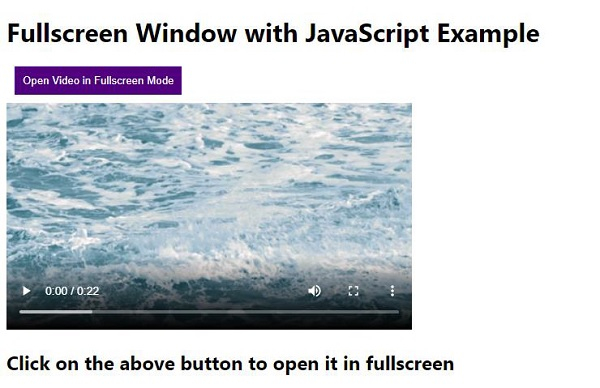
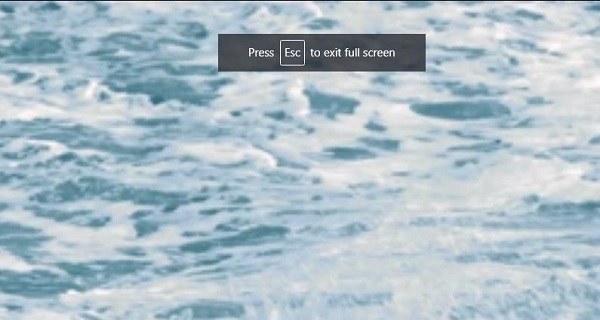
點選“以全屏模式開啟影片”按鈕 −

更新於: 2020-05-08
472 閱讀

廣告