
 資料結構
資料結構 網路
網路 關係資料庫管理系統 (RDBMS)
 作業系統
作業系統 Java
Java MS Excel
 iOS
iOS HTML
HTML CSS
CSS Android
 Python
 C語言程式設計
 C++
C++ C#
C# MongoDB
 MySQL
MySQL Javascript
 PHP
PHP 物理學
物理學 化學
化學 生物學
生物學 數學
數學 英語
英語 經濟學
經濟學 心理學
心理學 社會學
社會學 服裝學
服裝學 法學
法學如何在OpenCV Python中比較兩張影像?
為了比較兩張影像,我們使用兩張影像畫素值的均方誤差 (MSE)。相似的影像將具有較小的均方誤差值。使用此方法,我們可以比較具有相同高度、寬度和通道數的兩張影像。
步驟
您可以使用以下步驟來使用OpenCV比較兩張影像:
匯入所需的庫。在以下所有Python示例中,所需的Python庫是OpenCV。請確保您已安裝它。
import cv2
使用cv2.imread()讀取輸入影像並將其轉換為灰度影像。影像的高度、寬度和通道數必須相同。
img1 = cv2.imread('panda.png')
img2 = cv2.imread('panda1.png')
img1 = cv2.cvtColor(img1, cv2.COLOR_BGR2GRAY)
img2 = cv2.cvtColor(img2, cv2.COLOR_BGR2GRAY)
定義一個函式來計算兩張影像之間的均方誤差。
def mse(img1, img2):
   h, w = img1.shape
   diff = cv2.subtract(img1, img2)
   err = np.sum(diff**2)
   mse = err/(float(h*w))
   return mse
計算影像之間的均方誤差(匹配誤差)。
error = mse(img1, img2)
列印影像匹配誤差 (mse) 並顯示影像差異。
print("Image matching Error between the two images:", mse)
cv2.imshow("Contour", img)
cv2.waitKey(0)
cv2.destroyAllWindows()
列印結果值,影像形狀匹配指標。值越低,匹配度越高。
print("Matching Image 1 with Image 2:", ret12)
讓我們來看一些示例以便更好地理解。
我們將在下面的示例中使用以下影像作為輸入檔案。
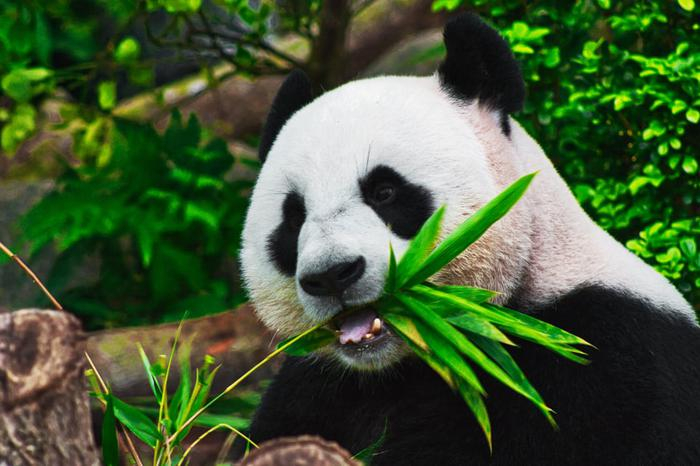
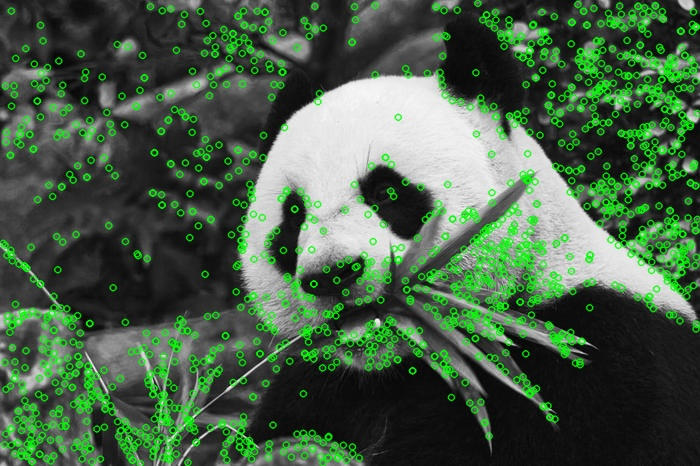
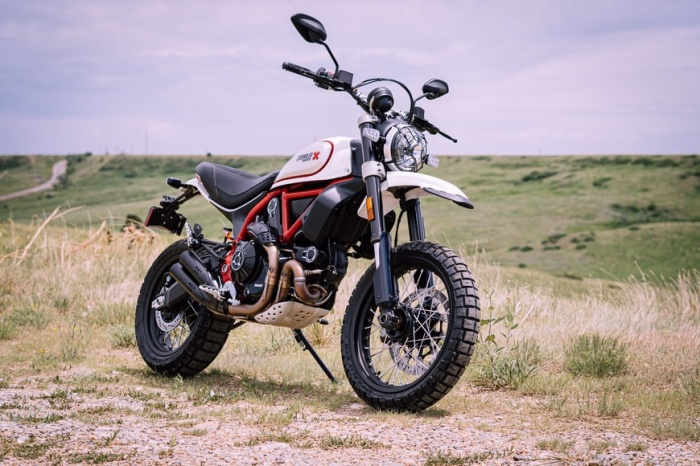
示例1
在這個例子中,我們建立了一個簡單的具有四層且沒有前向函式的人工神經網路。
# import required libraries
import cv2
import numpy as np

# load the input images
img1 = cv2.imread('panda.jpg')
img2 = cv2.imread('panda1.jpg')

# convert the images to grayscale
img1 = cv2.cvtColor(img1, cv2.COLOR_BGR2GRAY)
img2 = cv2.cvtColor(img2, cv2.COLOR_BGR2GRAY)

# define the function to compute MSE between two images
def mse(img1, img2):
   h, w = img1.shape
   diff = cv2.subtract(img1, img2)
   err = np.sum(diff**2)
   mse = err/(float(h*w))
   return mse, diff

error, diff = mse(img1, img2)
print("Image matching Error between the two images:",error)

cv2.imshow("difference", diff)
cv2.waitKey(0)
cv2.destroyAllWindows()
輸出
執行後,它將在控制檯上產生以下輸出:
Image matching Error between the two images: 3.0696934396076028
我們將看到以下視窗顯示兩張影像之間的差異:

示例2
在這個Python程式中,我們比較三張影像。
import cv2
import numpy as np
import matplotlib.pyplot as plt

img1 = cv2.imread('panda.jpg')
img1 = cv2.cvtColor(img1, cv2.COLOR_BGR2GRAY)
h, w = img1.shape

img2 = cv2.imread('panda1.jpg')
img2 = cv2.cvtColor(img2, cv2.COLOR_BGR2GRAY)
img3 = cv2.imread('bike.jpg')
img3 = cv2.cvtColor(img3, cv2.COLOR_BGR2GRAY)

def error(img1, img2):
   diff = cv2.subtract(img1, img2)
   err = np.sum(diff**2)
   mse = err/(float(h*w))
   msre = np.sqrt(mse)
   return mse, diff

match_error12, diff12 = error(img1, img2)
match_error13, diff13 = error(img1, img3)
match_error23, diff23 = error(img2, img3)

print("Image matching Error between image 1 and image 2:",match_error12)
print("Image matching Error between image 1 and image 3:",match_error13)
print("Image matching Error between image 2 and image 3:",match_error23)

plt.subplot(221), plt.imshow(diff12,'gray'),plt.title("image1 - Image2"),plt.axis('off')
plt.subplot(222), plt.imshow(diff13,'gray'),plt.title("image1 - Image3"),plt.axis('off')
plt.subplot(223), plt.imshow(diff23,'gray'),plt.title("image2 - Image3"),plt.axis('off')
plt.show()
輸出
執行上述Python程式後,將在控制檯上產生以下輸出:
Image matching Error between image 1 and image 2: 3.0696934396076028
Image matching Error between image 1 and image 3: 23.37356529736358
Image matching Error between image 2 and image 3: 24.15752299202943
我們將看到以下視窗,顯示影像之間的差異:
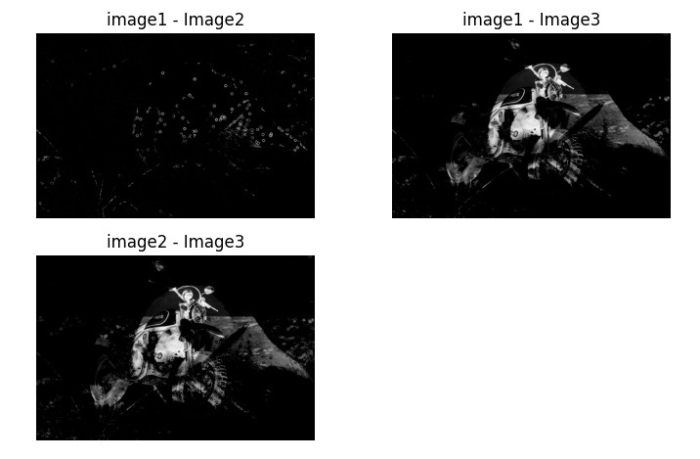
請注意,影像1和影像2之間的匹配誤差小於影像1和3之間的匹配誤差以及影像2和3之間的匹配誤差。因此,影像1和影像2更相似。

更新於:2023年8月23日
7萬+ 次瀏覽

廣告