
 資料結構
資料結構 網路
網路 關係資料庫管理系統
 作業系統
作業系統 Java
Java MS Excel
 iOS
iOS HTML
HTML CSS
CSS Android
 Python
 C 語言程式設計
 C++
C++ C#
C# MongoDB
 MySQL
MySQL Javascript
 PHP
PHP 物理學
物理學 化學
化學 生物學
生物學 數學
數學 英語
英語 經濟學
經濟學 心理學
心理學 社會學
社會學 服裝設計
服裝設計 法律研究
法律研究如何在 Excel 工作簿開啟和退出時清除指定單元格內容?
在本文中,我們將學習如何在開啟或關閉 Excel 工作簿時刪除特定單元格內容。此操作可以透過 VBA 程式碼一次應用一個來完成。在關閉檔案或開啟檔案時都可以。當您在工作簿的特定範圍內執行了一些計算或分析,並希望在下次關閉檔案或開啟檔案時清除這些內容時,此功能非常有用。讓我們看看如何應用 VBA 程式碼。
在工作簿開啟時清除指定單元格內容
步驟 1:以下面所示的示例資料為例。
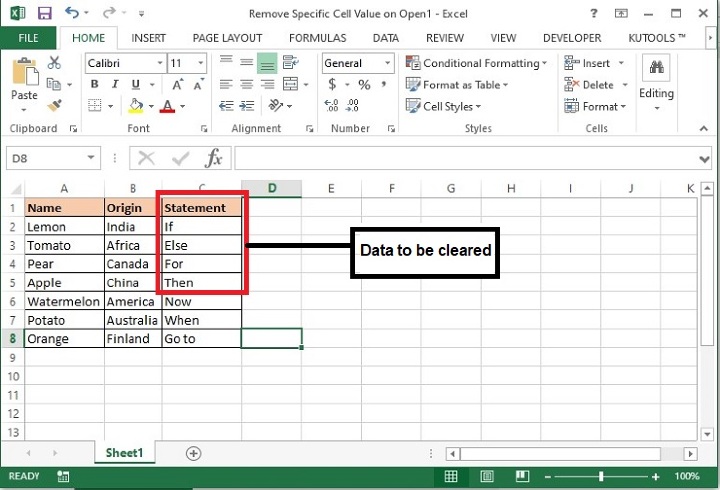
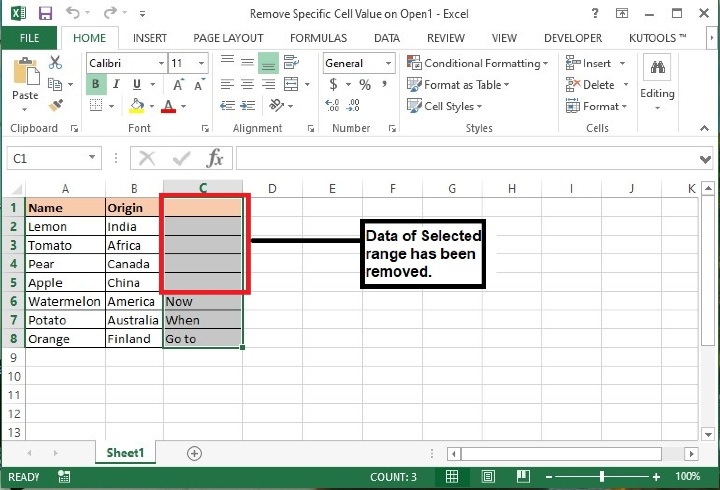
步驟 2:在此檔案中,我們將刪除 C1:C5 的內容。
步驟 3:從鍵盤上按下 Alt+F11 鍵,將開啟 Microsoft Visual Basic for Applications 視窗。
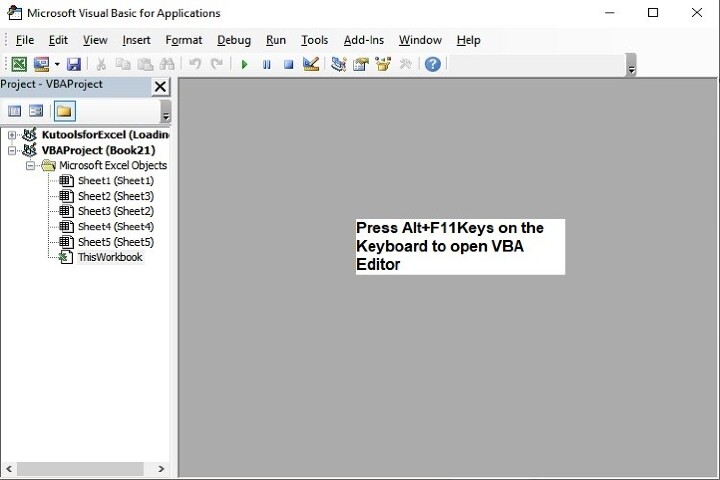
也可以透過如下所示的“開發工具”選項卡開啟上述編輯器

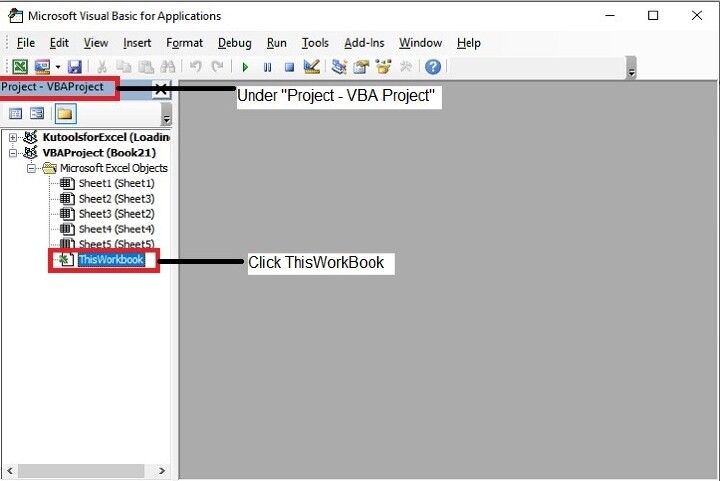
步驟 4:在 Microsoft Visual Basic for Applications 視窗中,雙擊“專案”面板中可用的 ThisWorkbook。
步驟 5:現在複製以下 VBA 程式碼,並將其輸入 ThisWorkbook (Code) 視窗中。
Private Sub
Workbook_Open() /event to call the function when the workbook will be opened.
    Application.EnableEvents = False / This property is set to False to prevent
the application from raising any of its events.
       Worksheets("Sheet1").Range("C1:C5").Value = "" / Defining the Sheet name
as ‘Sheet1’ and range of cells as ‘C1:C5’ whose data to be cleared when opening
the file. You may modify this as per your need.
    Application.EnableEvents = True / specifying whether we want events to take
place when the VBA code is running or not.
End Sub / end of sub.
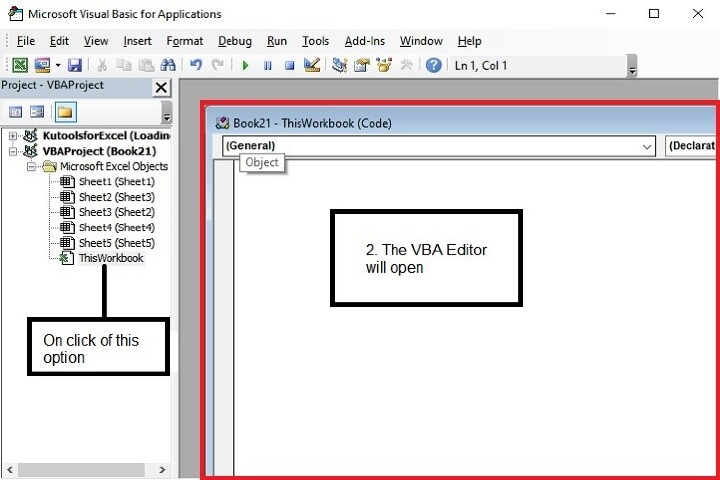
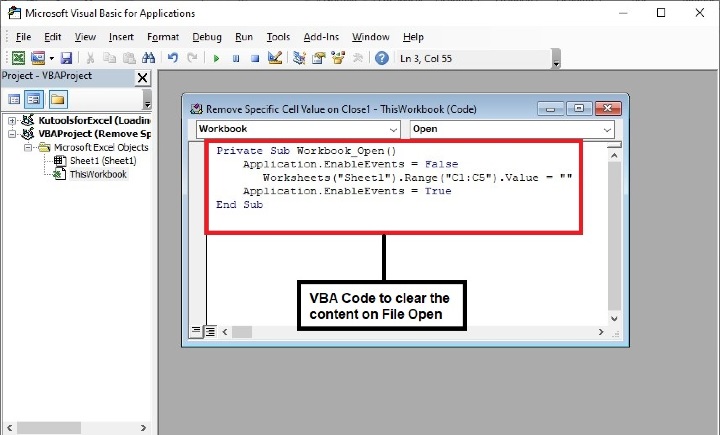
步驟 6:輸入程式碼後,在鍵盤上按下 Alt+Q 鍵以關閉 Microsoft Visual Basic for Applications 視窗。
步驟 7:接下來,將檔案儲存為“啟用宏的工作簿”格式。
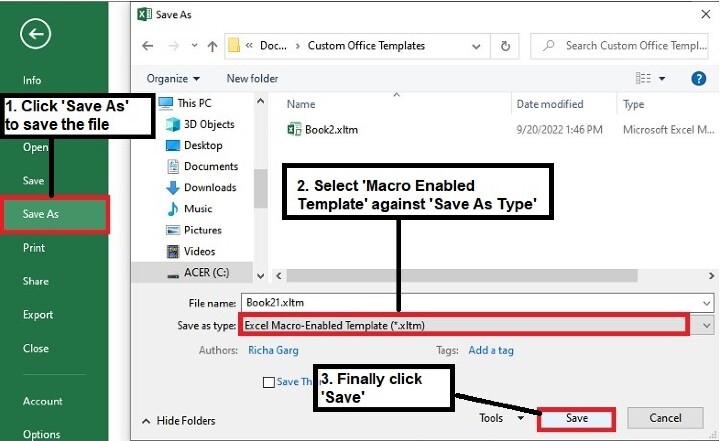
步驟 8:現在重新開啟檔案,輸出結果如下所示
在工作簿退出時清除指定單元格內容
步驟 1:從鍵盤上按下 Alt+F11 鍵,將開啟 Microsoft Visual Basic for Applications 視窗。
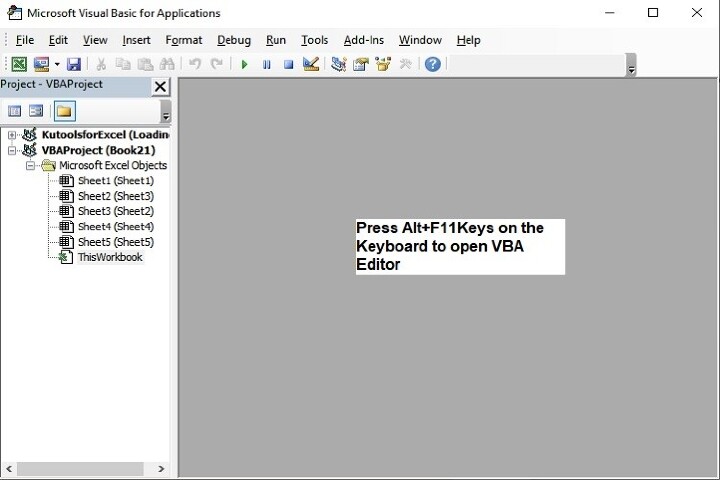
也可以透過如下所示的“開發工具”選項卡開啟上述編輯器

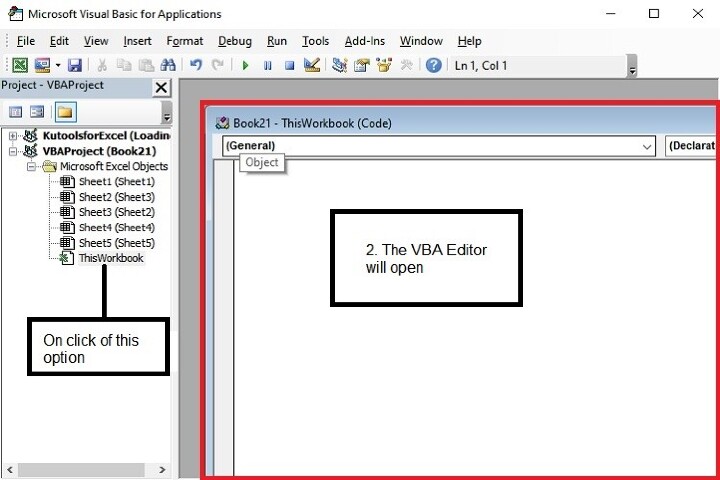
步驟 2:在 Microsoft Visual Basic for Applications 視窗中,雙擊“專案”面板中可用的 ThisWorkbook。
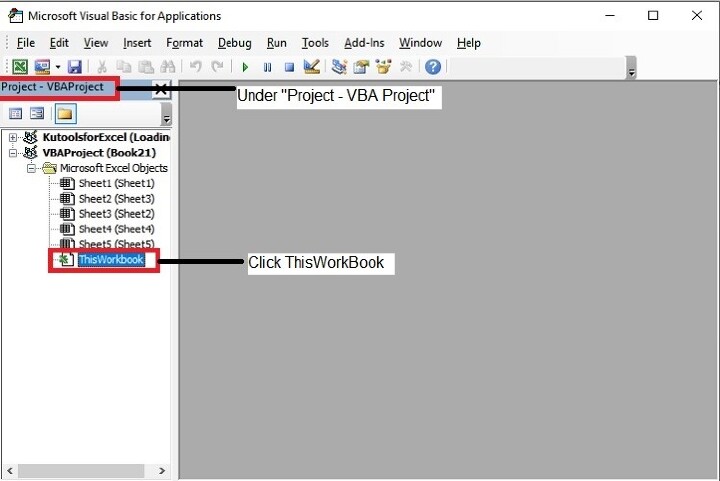
步驟 3:現在複製以下 VBA 程式碼,並將其輸入 ThisWorkbook (Code) 視窗中。
Private Sub
Workbook_BeforeClose(Cancel As Boolean) / calling an event just before closing
the file.
    Worksheets("Sheet1").Range("C1:C5").Value = ""/ Defining the Sheet name as
‘Sheet1’ and range of cells as ‘C1:C5’ whose data to be cleared when closing the
file. You may modify this as per your need.
End Sub
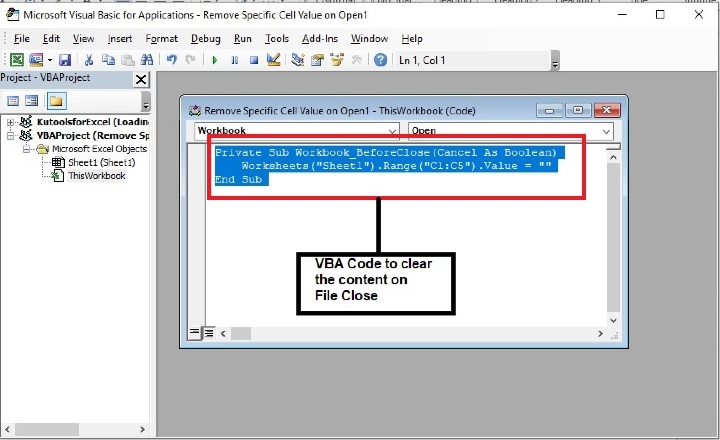
步驟 4:輸入程式碼後,在鍵盤上按下 Alt+Q 鍵以關閉 Microsoft Visual Basic for Applications 視窗。
步驟 5:接下來,將檔案儲存為“啟用宏的工作簿”格式。
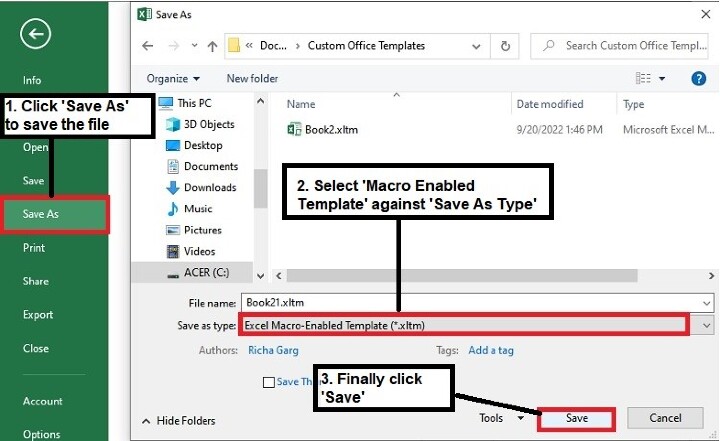
步驟 6:現在關閉檔案,系統將在關閉檔案之前刪除指定內容,並顯示以下提示。
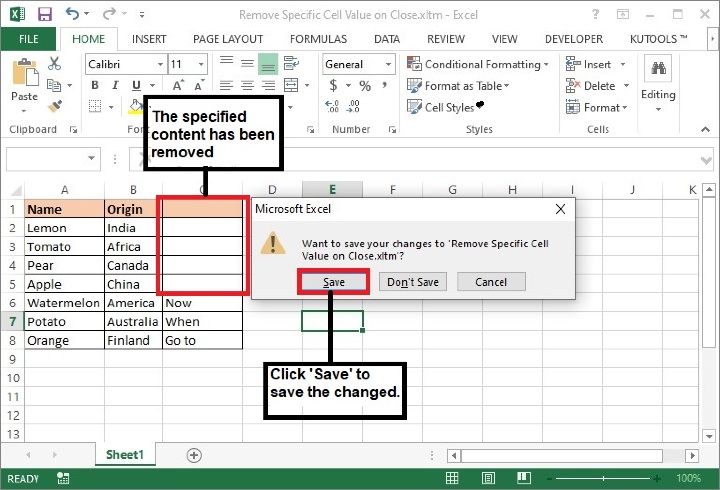
注意:在以上程式碼中,Sheet1 和 C1:C5 是將從中清除內容的工作表名稱和單元格區域。請根據需要更改它們。
結論
因此,本文介紹了兩種在 Excel 工作簿中清除特定單元格內容的方法。一種是在開啟檔案時,另一種是在關閉檔案時。在使用這些方法時要小心,因為一旦資料被清除,就無法恢復。繼續學習,繼續探索 Excel。
954 次瀏覽
