
 資料結構
資料結構 網路
網路 RDBMS
RDBMS 作業系統
作業系統 Java
Java MS Excel
 iOS
iOS HTML
HTML CSS
CSS Android
 Python
 C 程式設計
 C++
C++ C#
C# MongoDB
 MySQL
MySQL JavaScript
 PHP
PHP 物理學
物理學 化學
化學 生物學
生物學 數學
數學 英語
英語 經濟學
經濟學 心理學
心理學 社會學
社會學 時尚研究
時尚研究 法律研究
法律研究ReactJS 中的條件渲染
本文介紹如何基於 React 應用程式中的某些條件有條件地渲染元件
在 ReactJS 中,我們可以透過使用 if-else 語句或 && 運算子有條件地僅渲染基於給定條件所需元件。當給定的條件得到滿足,React 將匹配 UI 並相應地更新它。
使用 if-else 條件
示例
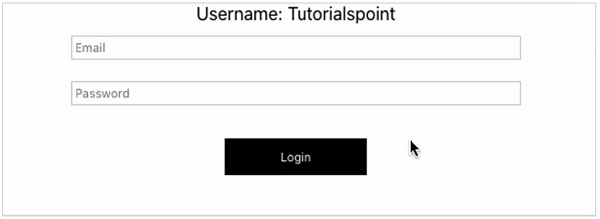
在本示例中,我們將構建一個 React 應用程式,其中 App 元件作為一個父元件,它將有條件地重新渲染 Form 元件並根據需要更新 UI。
App.jsx
import React, { useState } from 'react';
const App = () => {
   const [isLogin, setIsLogin] = useState(true);
   return (
      <div>
      <div>Username: Tutorialspoint</div>
      <div onClick={() => setIsLogin((prev) => !prev)}>
      {isLogin ? <Form login /> : <Form logout />}
      </div>
      </div>
   );
};

const Form = ({ login, logout }) => {
   return (
      <div>
      {login ? (
      <>
         <input placeholder="Email" />
         <input placeholder="Password" />
         <button>Login</button>
      </>
      ) : null}
      {logout ? (
         <button>Logout</button>
      ) : null}
      </div>
   );
};
export default App;
輸出
使用邏輯 &&
示例
App.jsx
import React, { useState } from 'react';
const App = () => {
   const [isLogin, setIsLogin] = useState(true);
   return (
      <div>
      <div>Username: Tutorialspoint</div>
      <div onClick={() => setIsLogin((prev) => !prev)}>
      {isLogin ? <Form login /> : <Form logout />}
      </div>
      </div>
   );
};

const Form = ({ login, logout }) => {
   return (
      <div>
      {login && (
      <>
         <input placeholder="Email" />
         <input placeholder="Password" />
         <button>Login</button>
      </>
      )}
      {logout && (
         <button>Logout</button>
      )}
      </div>
   );
};
export default App;
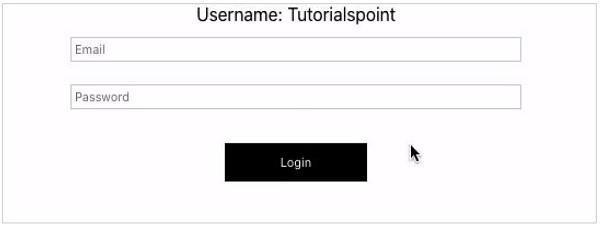
輸出

更新日期:18-Mar-2021
498 次瀏覽

廣告